User Manual: WaveLinx Lite (4.0)
150
Merge Conflict Status
The cloud database is newer than the database on the local device AND the local
database has had changes
made since the last time this device has performed a sync.
This can occur if the user has logged in using more than one device to make changes
AND one device synced to the cloud. The other device was then used
to make further
without updating the database from the cloud, resulting in a conflict.
this, make sure to always use one device OR ensure that the database is in sync
before making changes with multiple devices
that are logged in to the same user
.
Internet must be available to display this status.
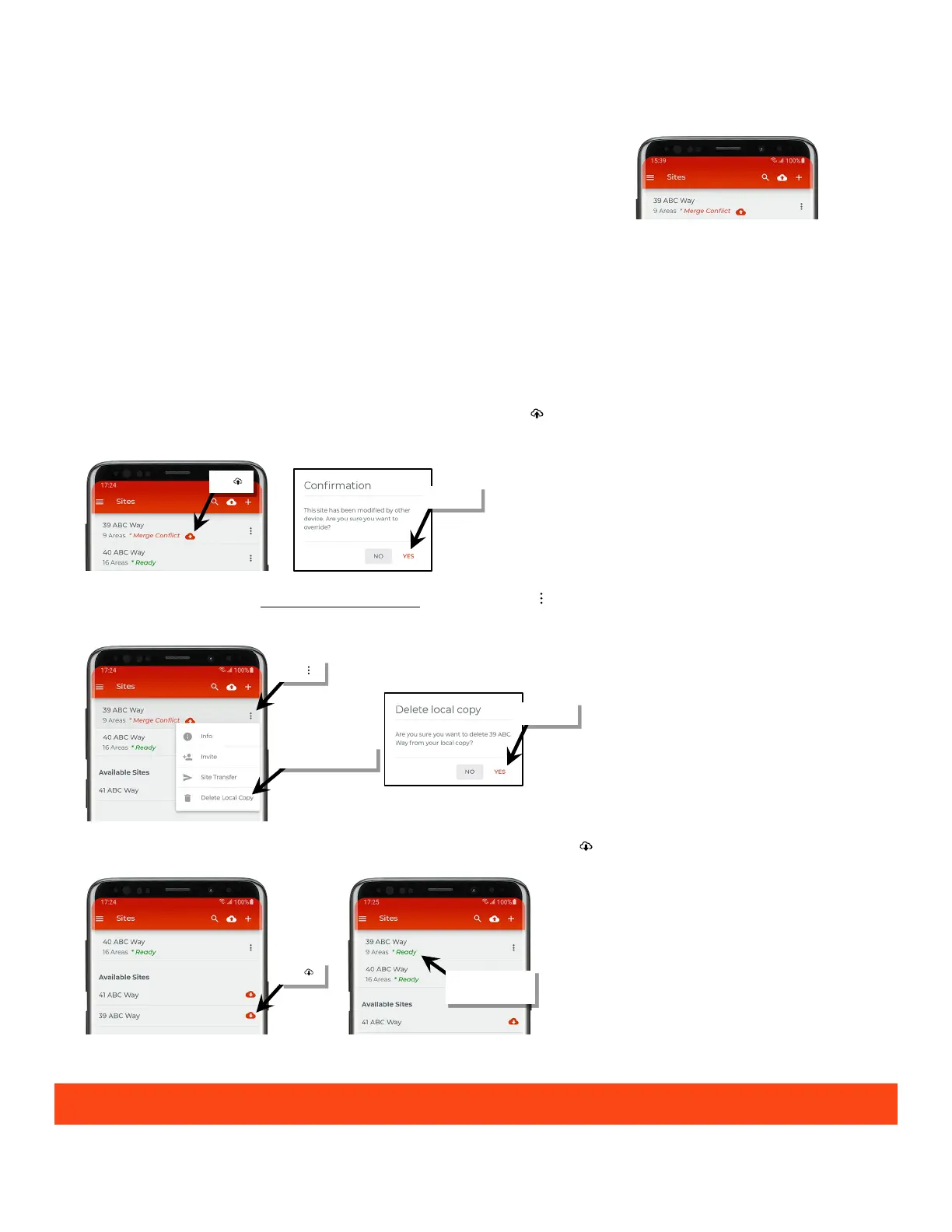
Resolution:
In this instance, some changes will be lost in the resolution of this conflict.
One device will show ‘Ready’ status while the other device will show ‘Merge Conflict’.
1: Determine which device has the most accurate database.
• If it is the device that shows a ‘Ready’ status, continue to step 2.
• If it is the device that shows the ‘Merge Conflict’ status, tap the submit icon ‘ ’ and confirm that this device’s database should overwrite
the cloud database.
2: O
n the device with the database that is not going to be used, tap the more icon ‘ ’ in the site row and select ‘Delete Local Copy’. Confirm the
deletion.
3
: Locate the site name in the ‘Available Sites’ section and then select the download icon ‘ ’ to reload the site database from the cloud.
4: Open the site and repeat any lost change(s) to ensure that the device(s) and database are in sync.
Logging in to multiple mobile devices using the same WaveLinx Lite App user account is not recommended.
reloaded and ready



 To Next Page