User Manual: WaveLinx Lite (4.0)
19
Line Voltage Wallstation (continued)
Identification Mode Behavior
When placed in ‘Blink to Identify’ mode:
• The wallstation LED will turn ON for 1 second, turn OFF for 1 second
• This cycle repeats for 10 seconds.
• The LED will be green on an unprovisioned wallstation and white on a provisioned wallstation.
37
Identification Mode
This device does not currently support identification mode.
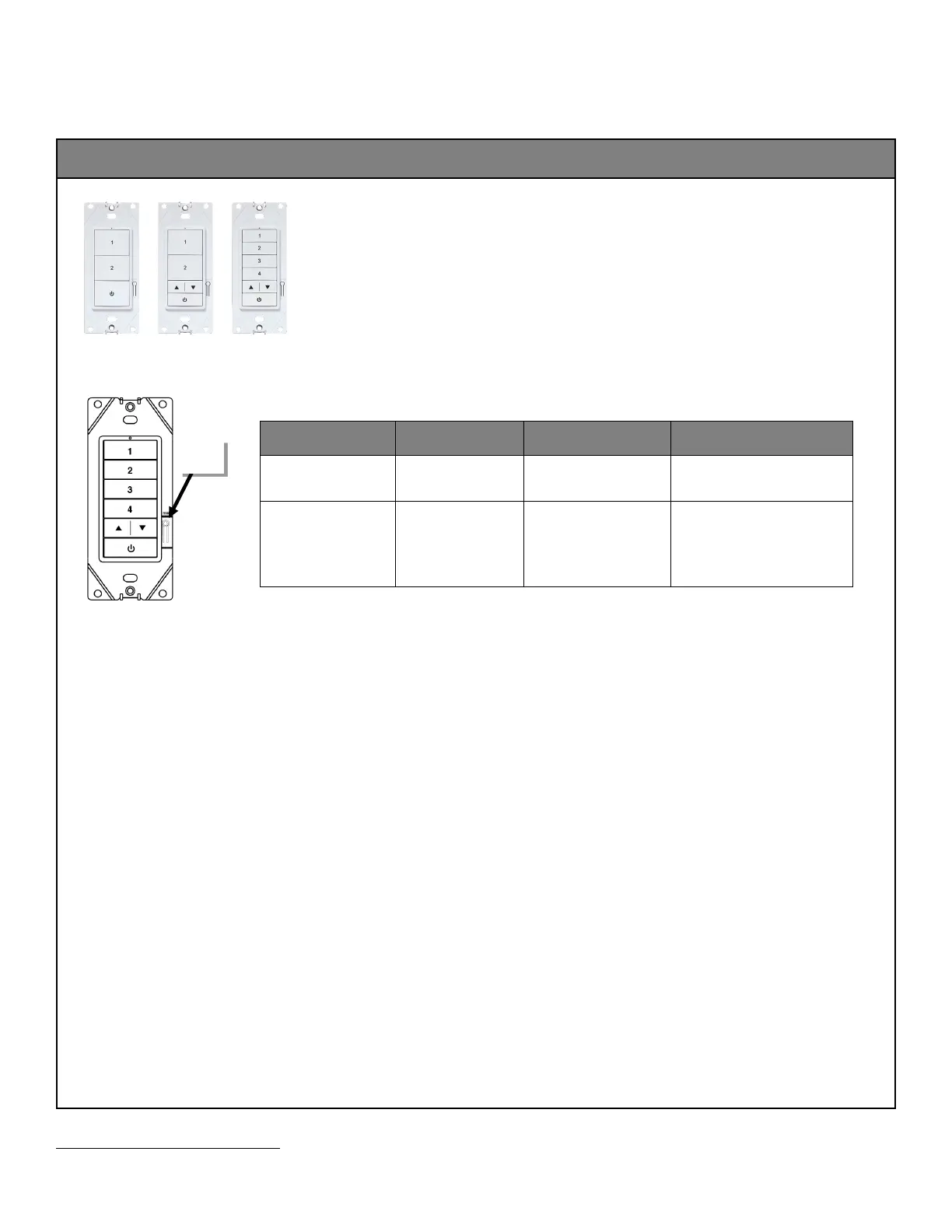
Using the Onboard Reset Button
The Line Voltage Wallstation has an onboard button that can be used for reset functions. To access this button, remove the wallplate.
Function Press Length LED feedback Device outcome
Reboot/Soft Reset Press and release
(1 second)
No change to the LED.
Device will reboot/reset. Programmed
settings are retained.
Reset factory defaults Press and hold for 8
seconds recommended
and then release it
(>5 sec. to <=10 sec.)
The wallstation LED will begin
to flash yellow (1 sec. ON, 1
sec. OFF) after 5 seconds and
stop at 10 seconds.
All programming will be cleared, and
the device will be reset to factory
defaults.
The device should exhibit out-of-the-
box behavior and may be provisioned
37
Devices with older firmware may not exhibit the exact LED pattern described.
button



 To Next Page