User Manual: WaveLinx Lite (4.0)
44
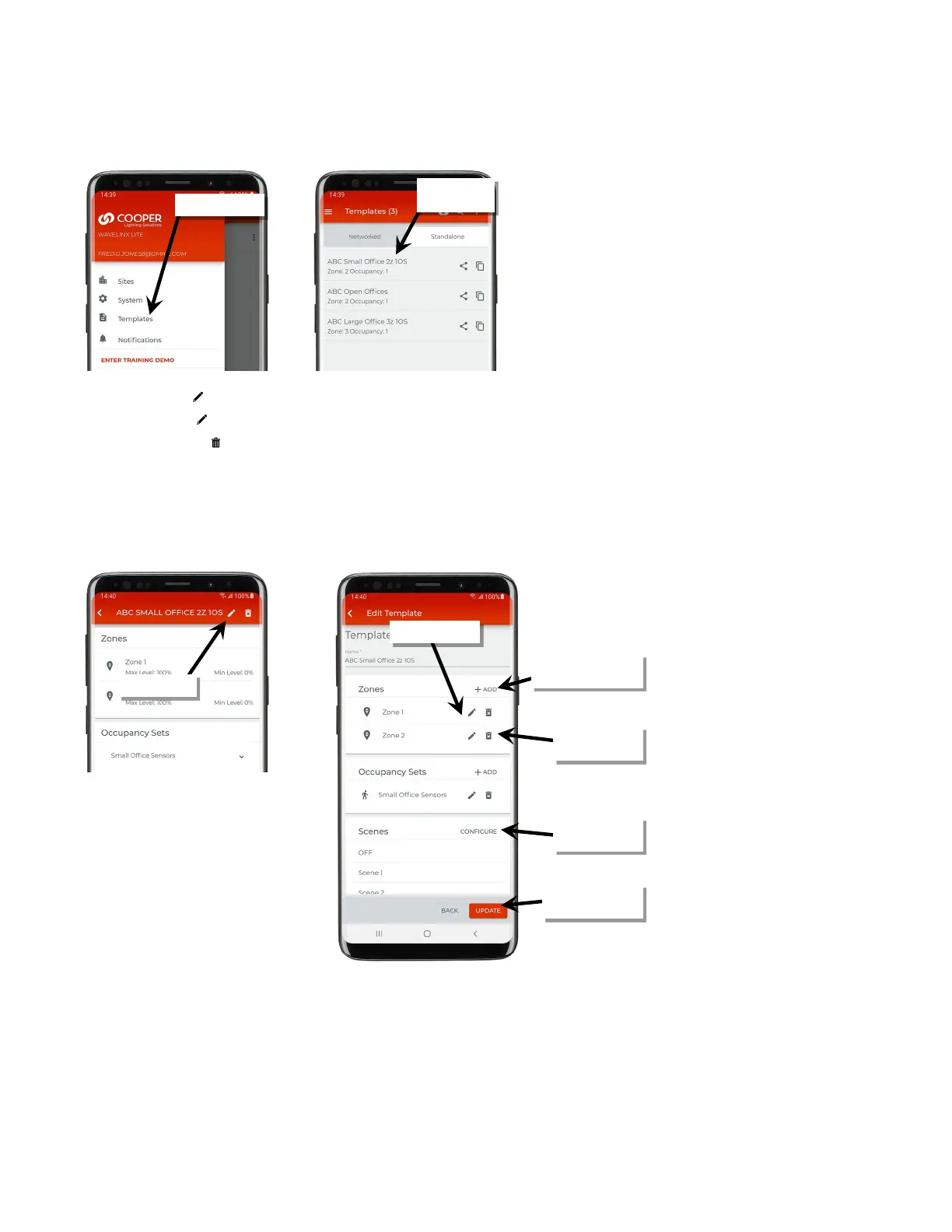
To modify an existing template:
1: From the menu, select ‘Templates’, and then locate and open the template to modify.
2: Tap on the edit icon ‘ ’. In the template details screen, make the desired changes:
• Tap the edit icons ‘ ’ to modify existing settings.
• Tap the delete icons ‘ ’ to delete zones or occupancy sets.
• Tap the ‘+ Add’ option to add additional zones or occupancy sets.
• Tap ‘Configure’ to modify scene levels.
3: Once the changes are complete, tap ‘Update’ to update the template. If there is an internet connection, the updated template will also
automatically sync to the user’s cloud account. If there is not an internet connection, manually sync the template once the connection is
available. See “Sync Templates” on page 42 for details.
the template
or occupancy sets
or occupancy sets
modify scenes
changes are complete



 To Next Page