66
44000-UG-01-01-EN_CPI_Paypod Embedded Pay Station_User Guide_V1.1.pdf
Paypod™ Embedded Pay Station
Operation
Published by CPI
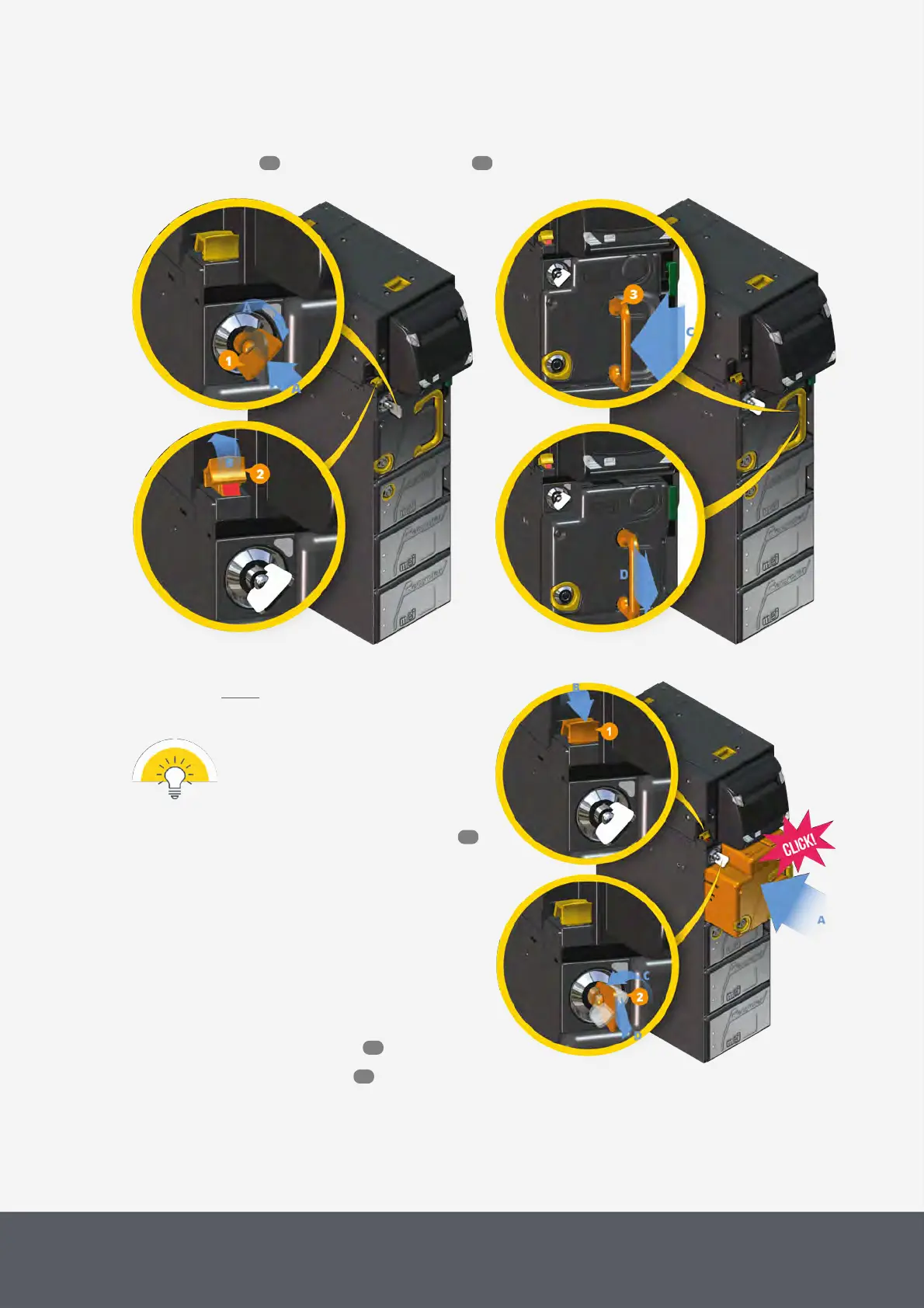
5 Unfold[C] the yellow cash box handle[3] and pull the cash box out of the chassis[D], if necessary, bring the
handle back into its initial position.
6 Empty the unit or reinstall an empty cash box .
Unlocking E23/E24 Banknote Interlock System
Removing E23/E24 Banknote Cash Box
To reinstall the empty banknote cash box cassette
1 Reinsert the cassette until it locks in place[A].
It should be easy to insert the cash box
with only little force!
If you are not able to click the cash box
into place, please ensure that the LED
indicator above the lock is green (cp.
Emptying the E23/E24cash box )
and the yellow interlock system lever
shows its red marking (see above).
2 Push the yellow interlock system lever[1] back to
the front[B].
3 Turn the interlock system key[2] counter-clock-
wise[C], pull it out of the lock[D] and also store it
in a safe place.
The banknote recycling units are locked in place.
4 Close the Paypod™ pay station again.
5 Switch pay station off and on again to reset the
banknote recycler.
Reinserting E23/E24 Banknote Cash Box and Locking Interlock System
89 66
91
55
46



 To Next Page