Chapter 2 Operation Instruction
12 BECS-A88/C88 computerized embroidery machine owner’s manual
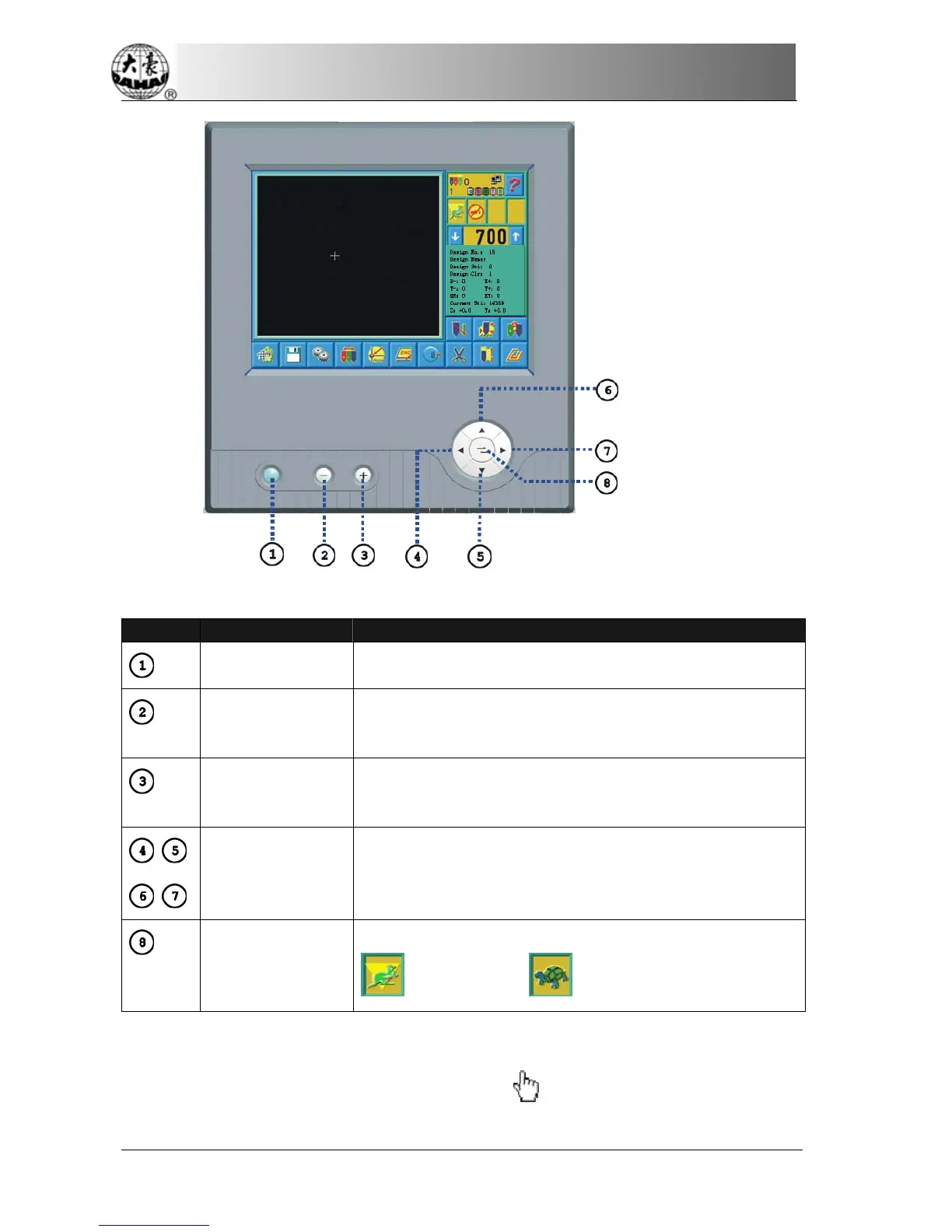
Number Name Description
Task Shift If the user opens several screens, he can shift among the
screens by this key.
Low Needle
Position
Color-changing
Press this key, and the current needle position will move
towards the low needle position till the first needle position.
High Needle
Position
Color-changing
Press this key, and the current needle position will move
towards the high needle position till the highest needle
position.
Manual Frame
Moving
In operation the direction of frame moving is the same as the
direction key. The combination of directions is supported.
Speed Shift of
Manual
Frame-moving
Press this key to switch the frame-moving speed between
(high speed) and (low speed).
2-3
Instruction of the Main Screen
Note: in the following charts, the icons with
are touch keys; those without
indicate the machine status.



 To Next Page