Chapter 3 Disk Management
44 BECS-A88/C88 computerized embroidery machine owner’s manual
The system returns to the disk management screen.
3-6
Folder Operation
Enter the folder
Double click the icon of the objective folder to enter it. The system reads the item
list of the folder and refreshes the screen.
Return to the higher level of folder
Click
to return to the highest level of folder and the screen will be
refreshed.
3-7
Formatting a Disk
Select the disk device for formatting (read 4.1 for reference)
Click the function key
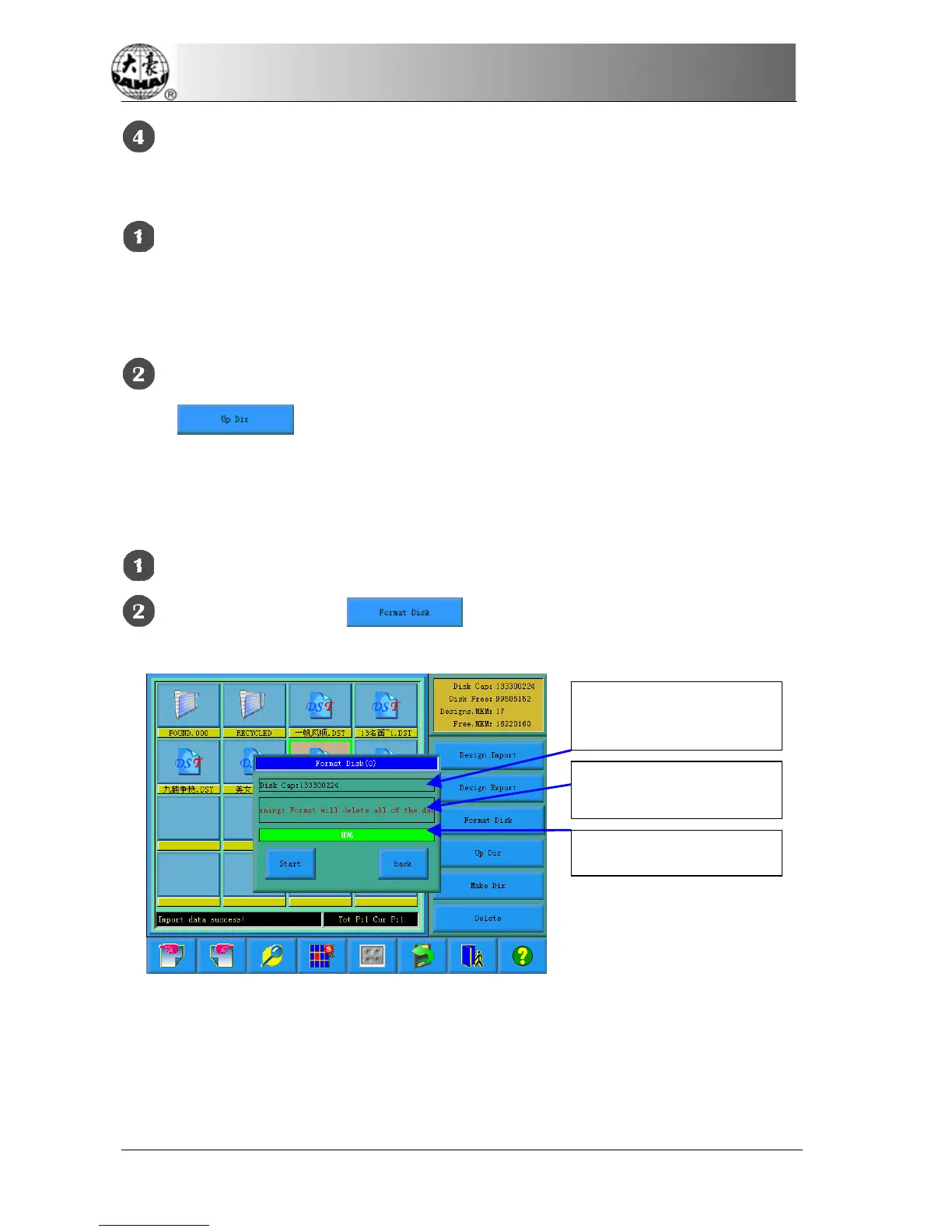
The system will change to the Format Disk screen, which is to display the storage
information of the current disk, alert information for disk formatting and
formatting process bar as well as Start and back button.
the storage information of the
current disk
alert information for disk
formatting
formatting process bar



 To Next Page