Chapter 4 Common Parameters and Color-changing Order
BECS-A88/C88 computerized embroidery machine owner’s manual 51
After setting the parameter, the user has to click to confirm the change
and the system will save the change.
4.1.2
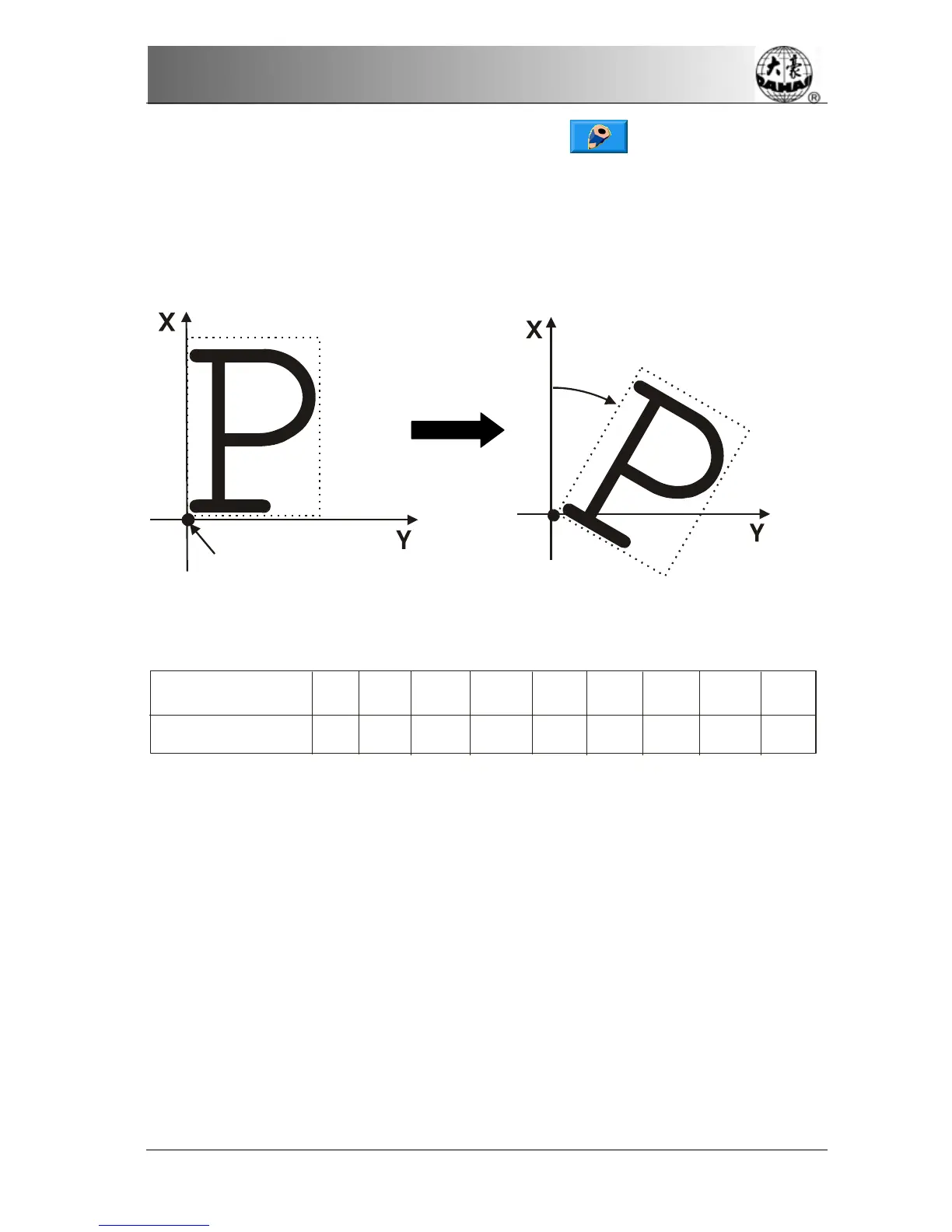
Setting of “Rotate”
The user can make the design to rotate to a certain angle with this parameter.
4.1.3
Setting of “Direction”
Design direction
Em b ro id er y sha p e
P
F
P
P
P
F
F
F
F
F
F
F
F
P
P
P
P
P
4.1.4
“Prior Mode”
There are two modes: rotating prior to scaling and scaling prior to rotating. When
the user has set the parameters “X&Y Scales” and “Rotate”, the design will rotate
first and then scale up/down with the setting rotating prior to scaling. Otherwise it
will scale up/down first and then rotate.
4.1.5
“Rep. Mode”
This system temporarily cannot support partial repetition.
Design start bit
Rotate 30 degree



 To Next Page