Chapter 4 Common Parameters and Color-changing Order
50 BECS-A88/C88 computerized embroidery machine owner’s manual
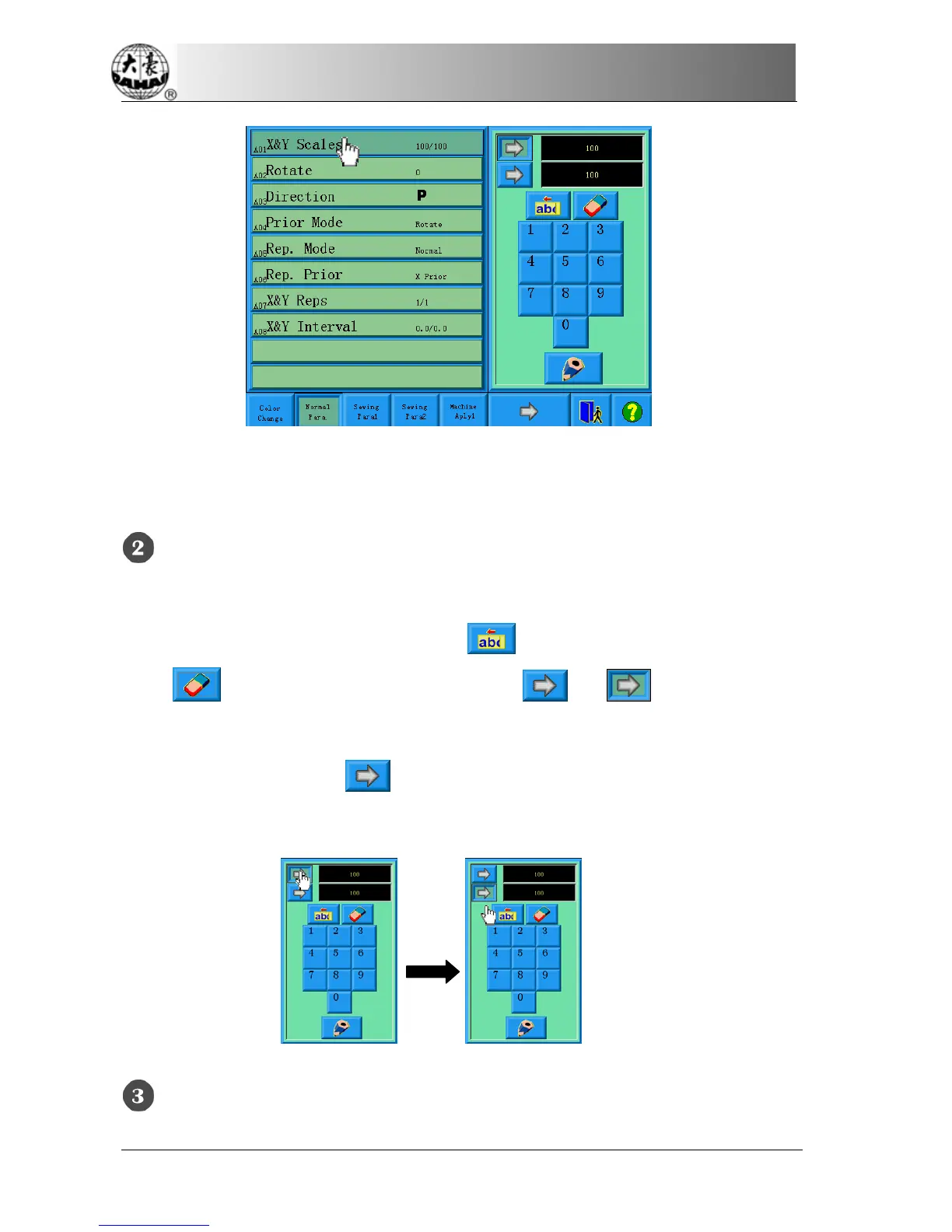
Click “X&Y Scales” in the normal parameter screen, and the right of the screen
will show the parameter-setting window.
Set the parameter “X&Y Scales”
Click the number panel in the parameter-setting window to change the scaling
ratio on X/Y direction. The user can click
to remove the last input digit and
click
to remove all the input digits. Click and to switch between
the parameter’s X and Y scaling values. To change the corresponding parameter
value, first click the key
before that. This method is also often used in
many other similar situations.
Click the confirmation key to save the change



 To Next Page