Chapter 4 Common Parameters and Color-changing Order
BECS-A88/C88 computerized embroidery machine owner’s manual 57
order setting screen. Click to cancel the setting and return.
4.2.4
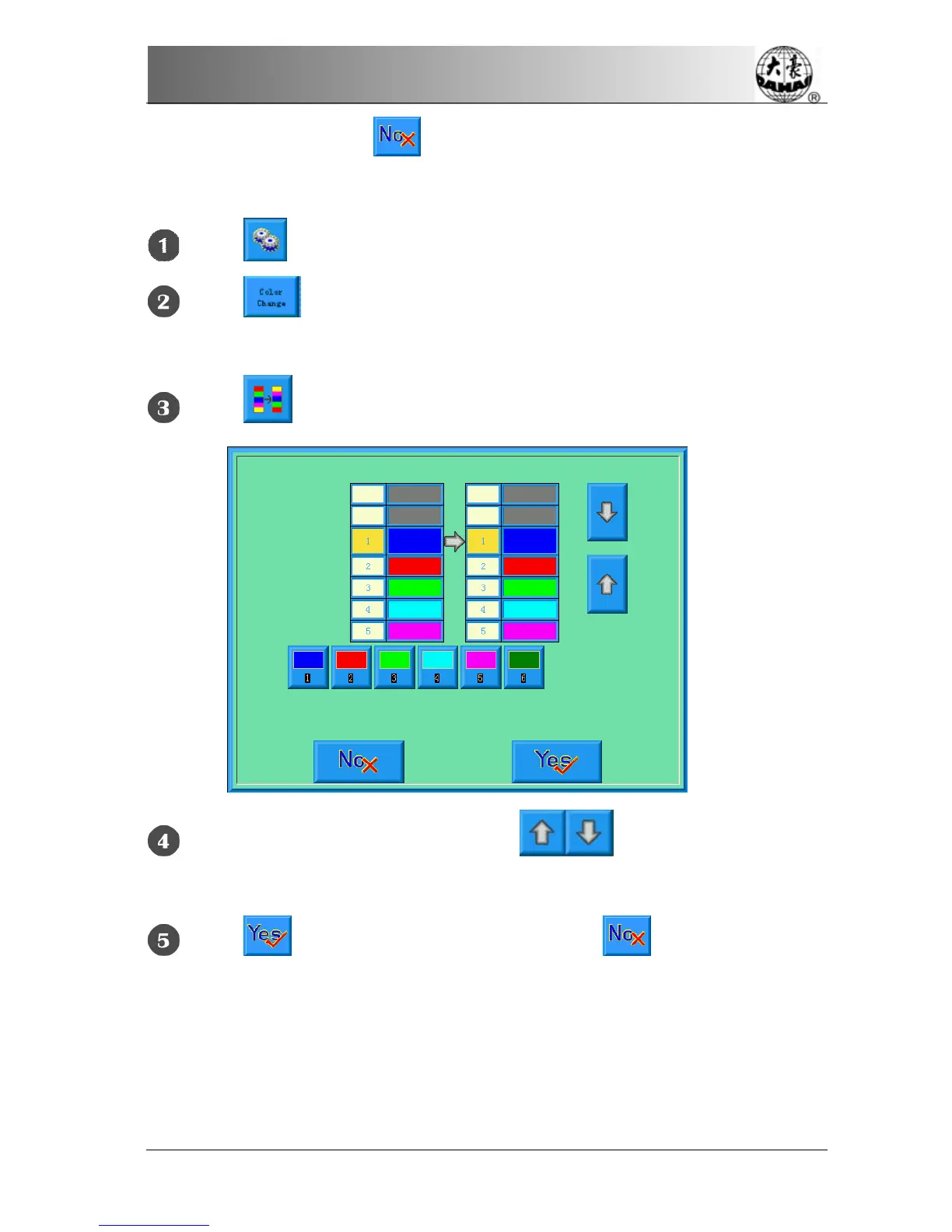
Interchanging of Needle Colors
Click in the main screen to enter the parameter setting screen.
Click in the parameter setting screen to enter the color-changing
screen.
Click to enter the needle color interchanging screen.
To interchange the needle colors, click to move the order list to
select the needle and then select another needle from the needle buttons.
Click to save the setting and return. Click to cancel the setting
and return.



 To Next Page