Chapter 5 Setting General Parameters
BECS-A88/C88 computerized embroidery machine owner’s manual 59
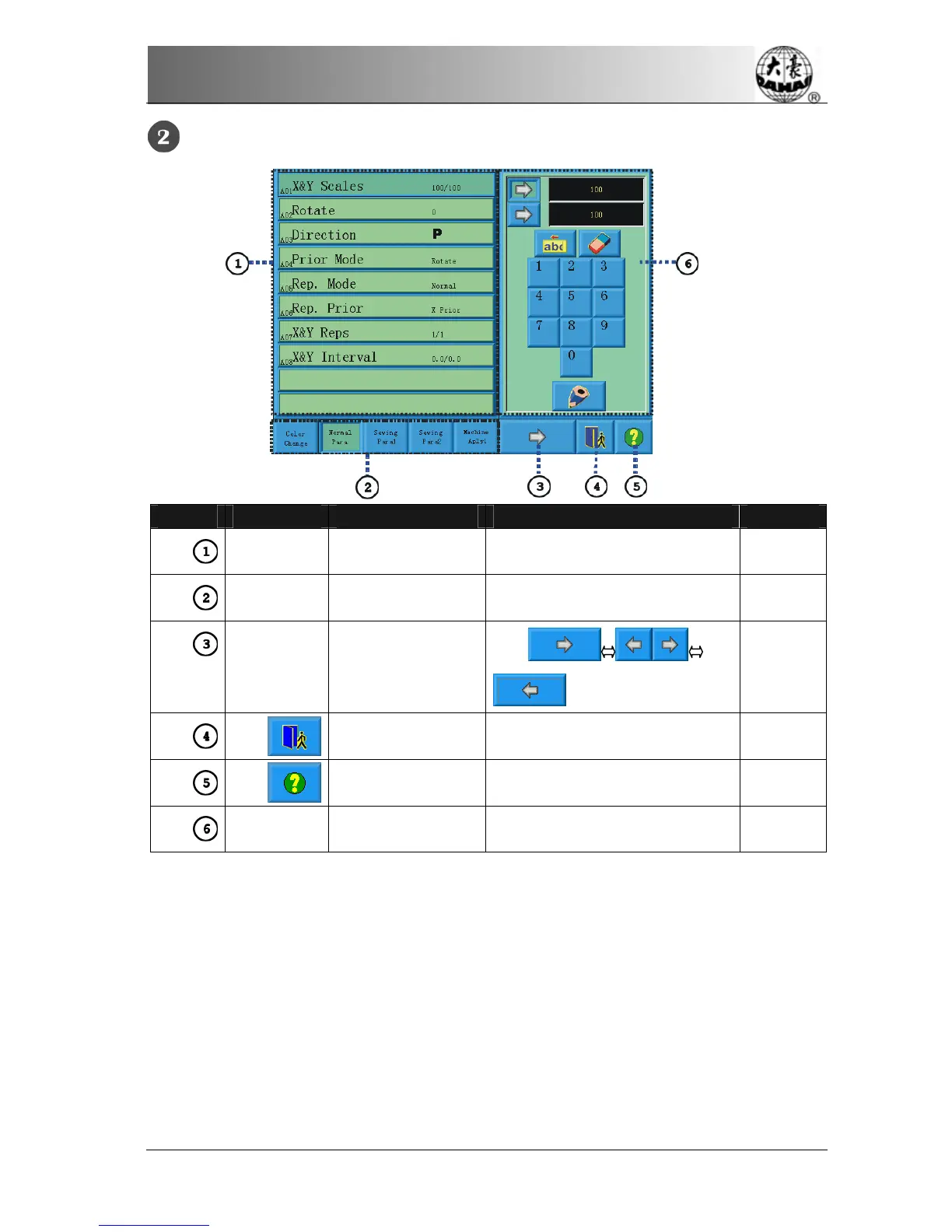
The system enters the parameter setting screen, and set the parameters.
Number Icon Name Description Reference
Parameter list
window
Display the parameter list of the
current group and their values.
Switch key Switch among different
parameter groups
Turning pages of
parameter groups
Exit Exit the screen
Help Display help menu.
Parameter-changing
Window
Change the selected parameter
value in this window.
Note:
z
The number, name and value of every parameter are displayed in the
parameter list window.
z
When a parameter is set with a password, it can’t be changed. There will
be an icon in the parameter-changing window to show this situation.
5-1
Setting Procedure for General Parameters
The setting procedure is similar for each general parameter.



 To Next Page