Chapter 5 Setting General Parameters
60 BECS-A88/C88 computerized embroidery machine owner’s manual
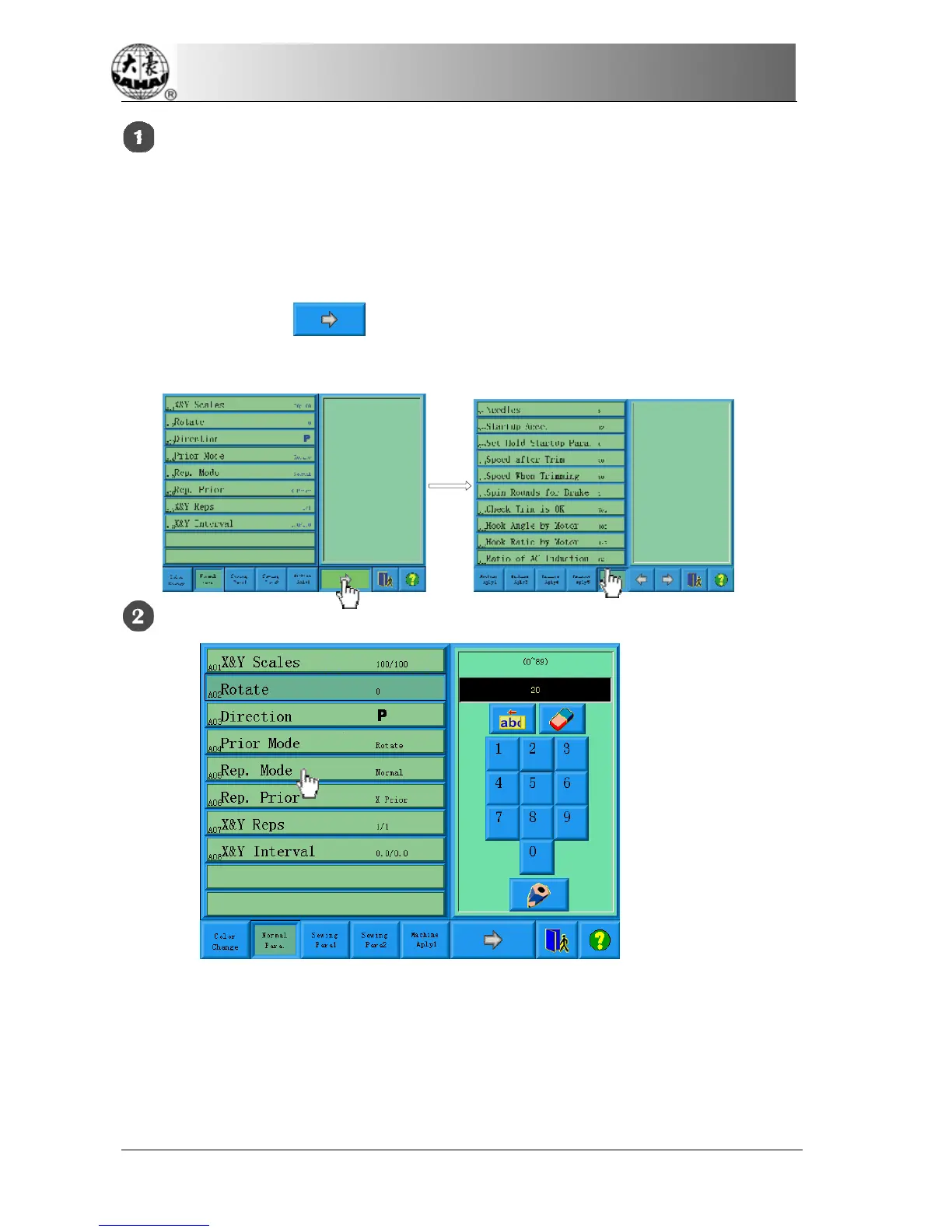
Select the parameter group.
The user can use the keys on the bottom of the screen to look for the parameter.
And ensure no password or it has been input. (See Chapter 9)
If you want to change the value of “Needles”, (which is D01 in machine
parameters 1) click to find machine parameters 1 and select it. Then all
of its parameters will be shown in the parameter list window.
Select the parameter.
Select the parameter in the list and in the right parameter-changing window there
will appear keys to change the value. If it’s already set with a password, the value
will not be able to change and an icon will show.



 To Next Page