Chapter 4 Common Parameters and Color-changing Order
BECS-A88/C88 computerized embroidery machine owner’s manual 49
The way to set each parameter is similar. This chapter will explain how to set the
“X&Y Scales” as an example and give the definitions of other parameters (Read
4.1.1 as reference).
4.1.1
Setting “X&Y Scales”
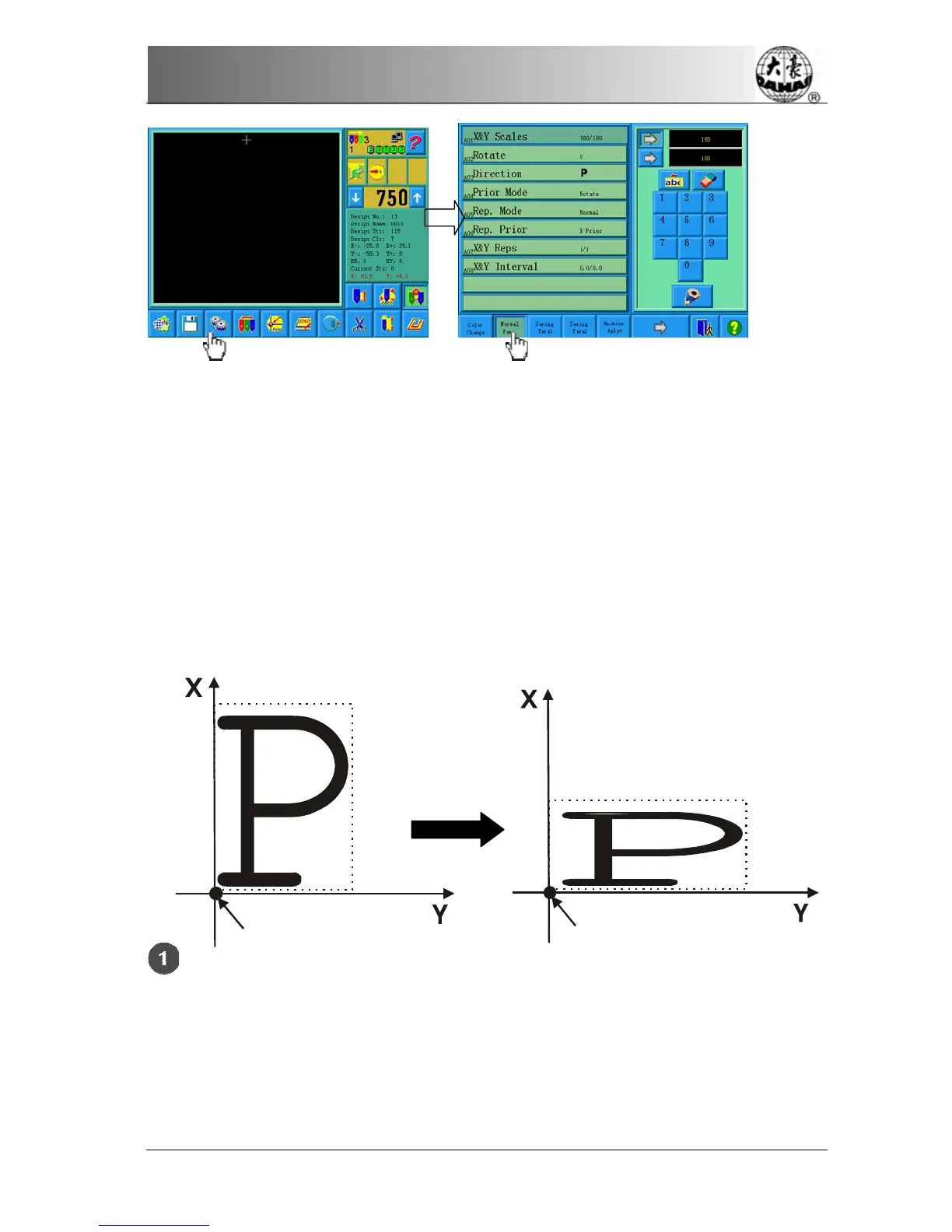
This parameter controls the scaling percentages on horizontal (X) and vertical (Y)
directions, so as to scale up/down the design.
Click the option “X&Y Scales”
Design start bit
X&Y Scales:
X:200%
Y:50%
Design start bit



 To Next Page