Chapter 6 Memory Design Management
BECS-A88/C88 computerized embroidery machine owner’s manual 73
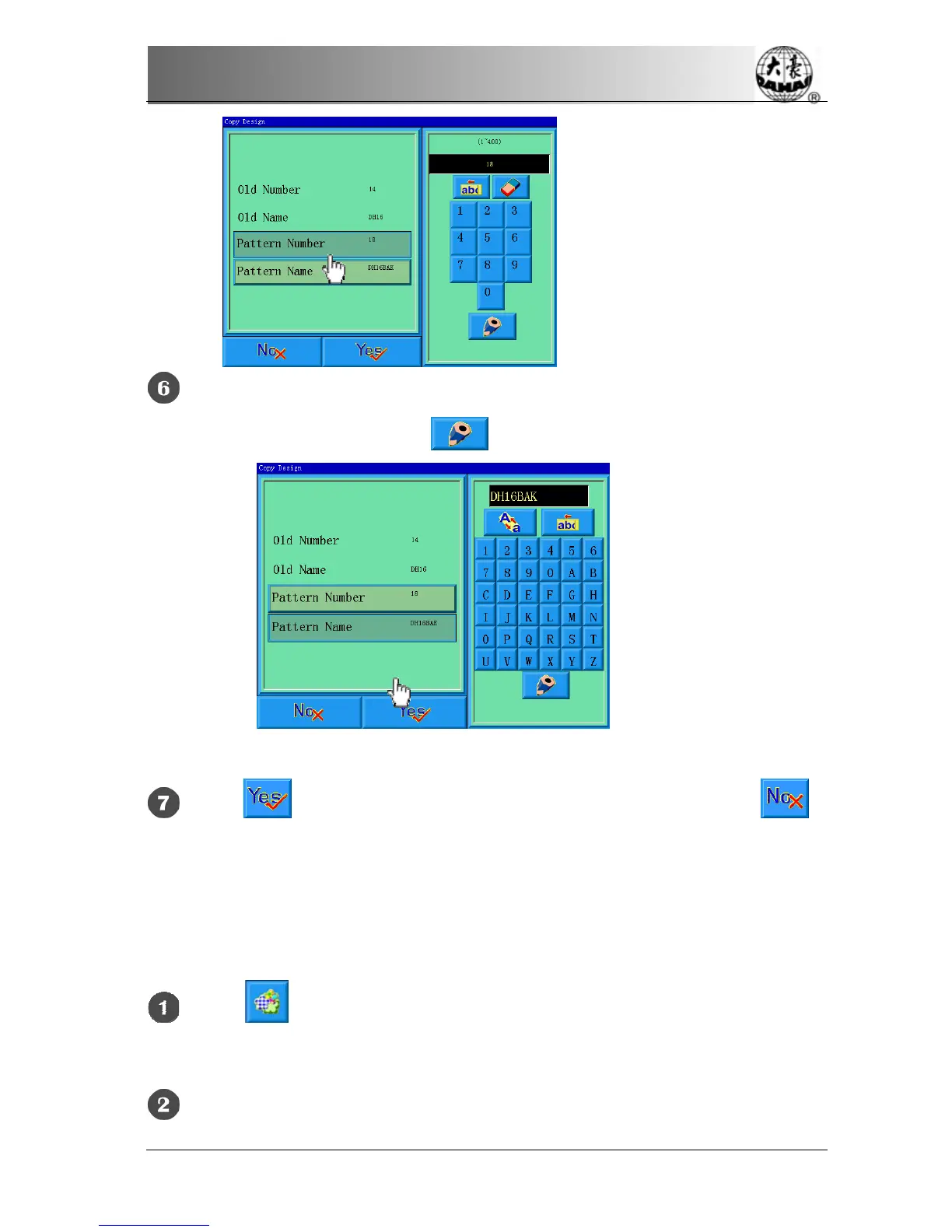
To input a new design name, click “design name” and input the new name in
the pop-up window, and then click
to confirm the input.
Click to carry out the copying operation, and return. Click to
cancel the copying operation, and return.
6-6
Deleting the memory design
This is to delete one or more designs in the machine memory.
Click in the main menu to enter the memory design management
screen.
Click “More Functions” in the memory design management screen to enter



 To Next Page