Chapter 3 Disk Management
BECS-A88/C88 computerized embroidery machine owner’s manual 43
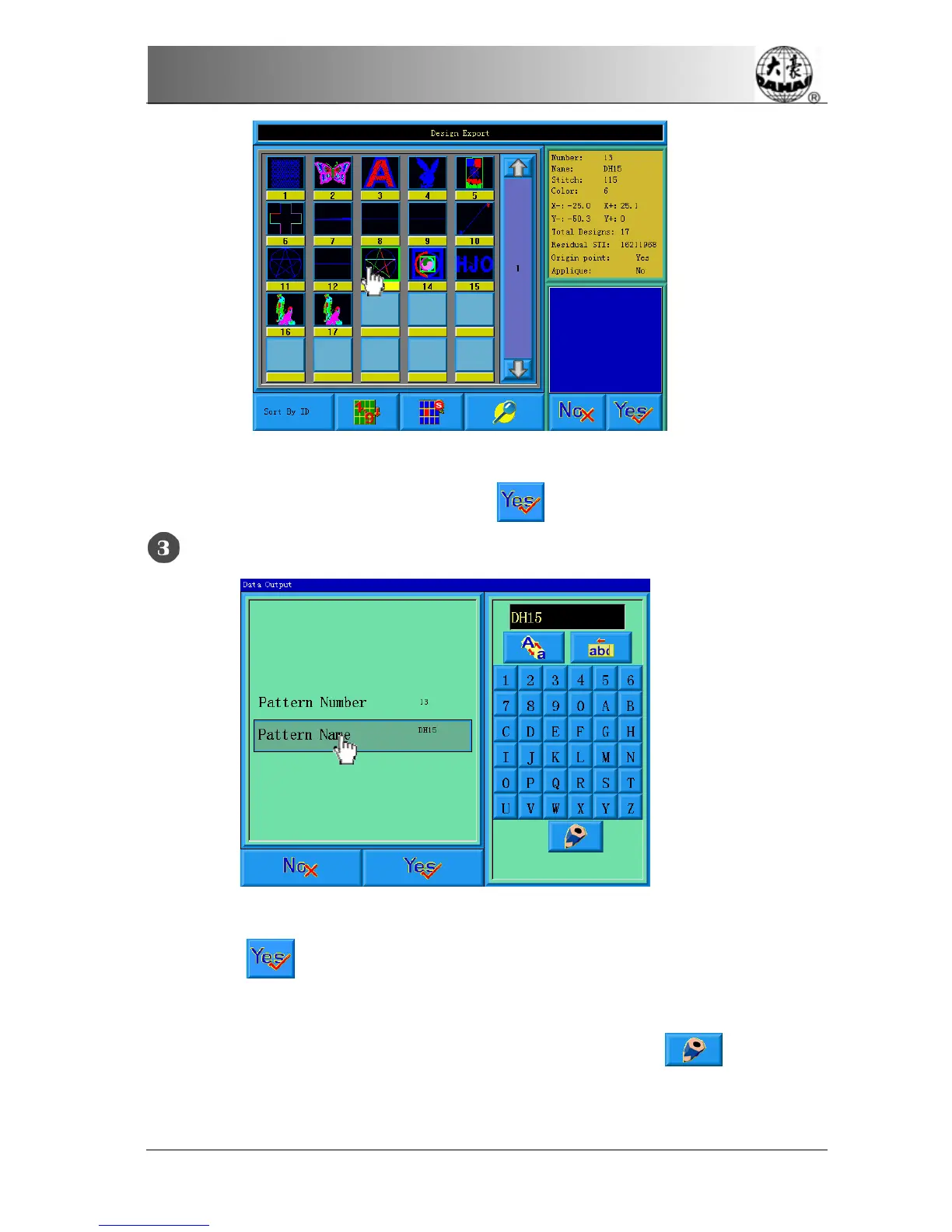
The system displays the list of designs in system memory. The user selects the
designs intended for output, and then click
.
Input of the design name for disk saving
The system uses the design name in system memory as the default design name in
disk. Click
after input of the design name in disk.
To change the design name in disk, first click the item in the left window, and
then change it in the right window. After the changing, click
to save the
result.


 To Next Page