Chapter 3 Disk Management
36 BECS-A88/C88 computerized embroidery machine owner’s manual
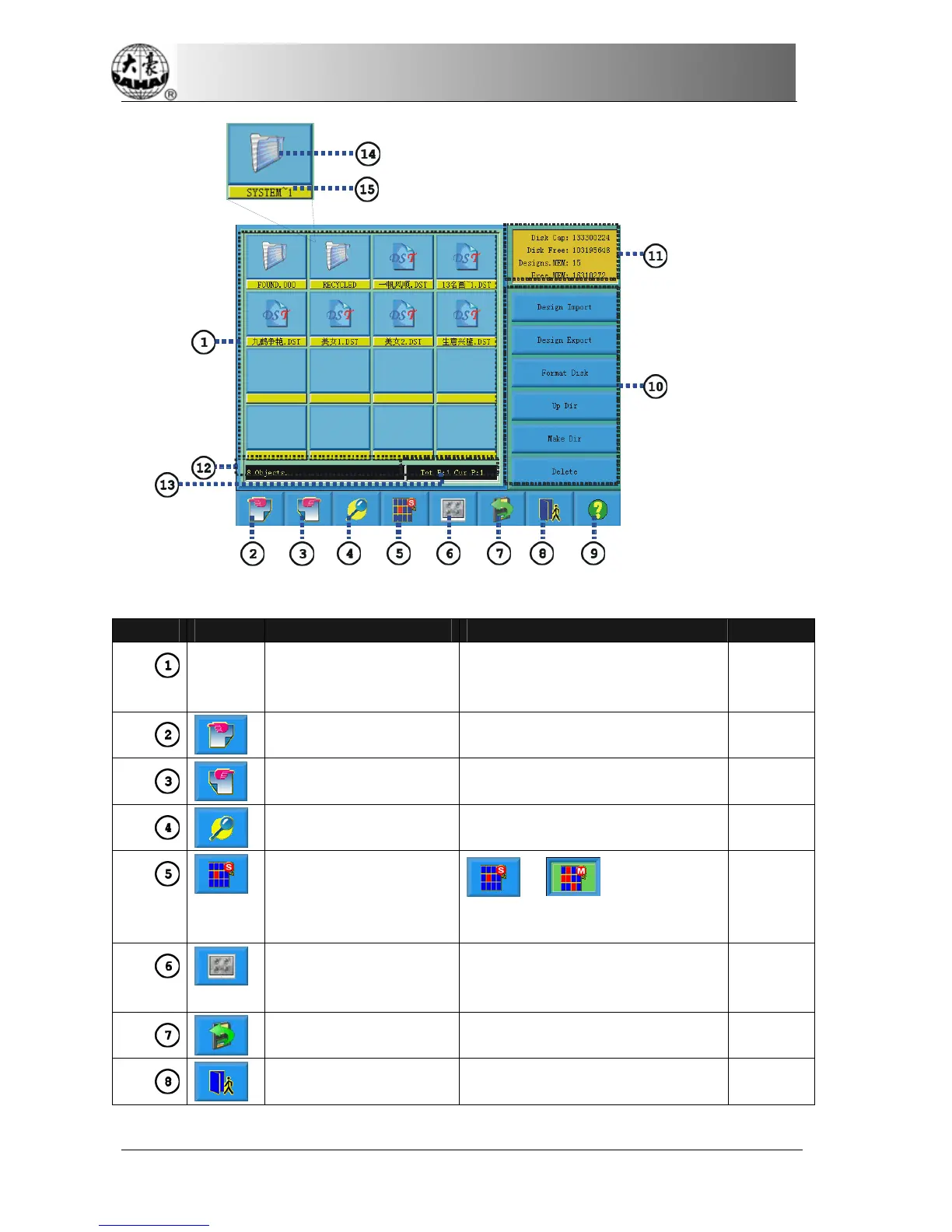
Number Icon Name Description Reference
File List Display the design files and folders
of the disk in icons. It’s used to
select files.
The last page Turn to the last page if the file list
is more than one page.
The next page Turn to the next page if the file list
is more than one page.
Preview of designs Display the selected file and its
information.
Single- selection
/Multi-selection
Switch
between
single- selection and
multi-selection
Select all Select all the items in the current
folder, only in the multi-selection
mode.
Refresh Refresh the current folder.
Exit Exit from the disk management.



 To Next Page