User’s Manual EM11A015B
intelligent Touch Manager
85
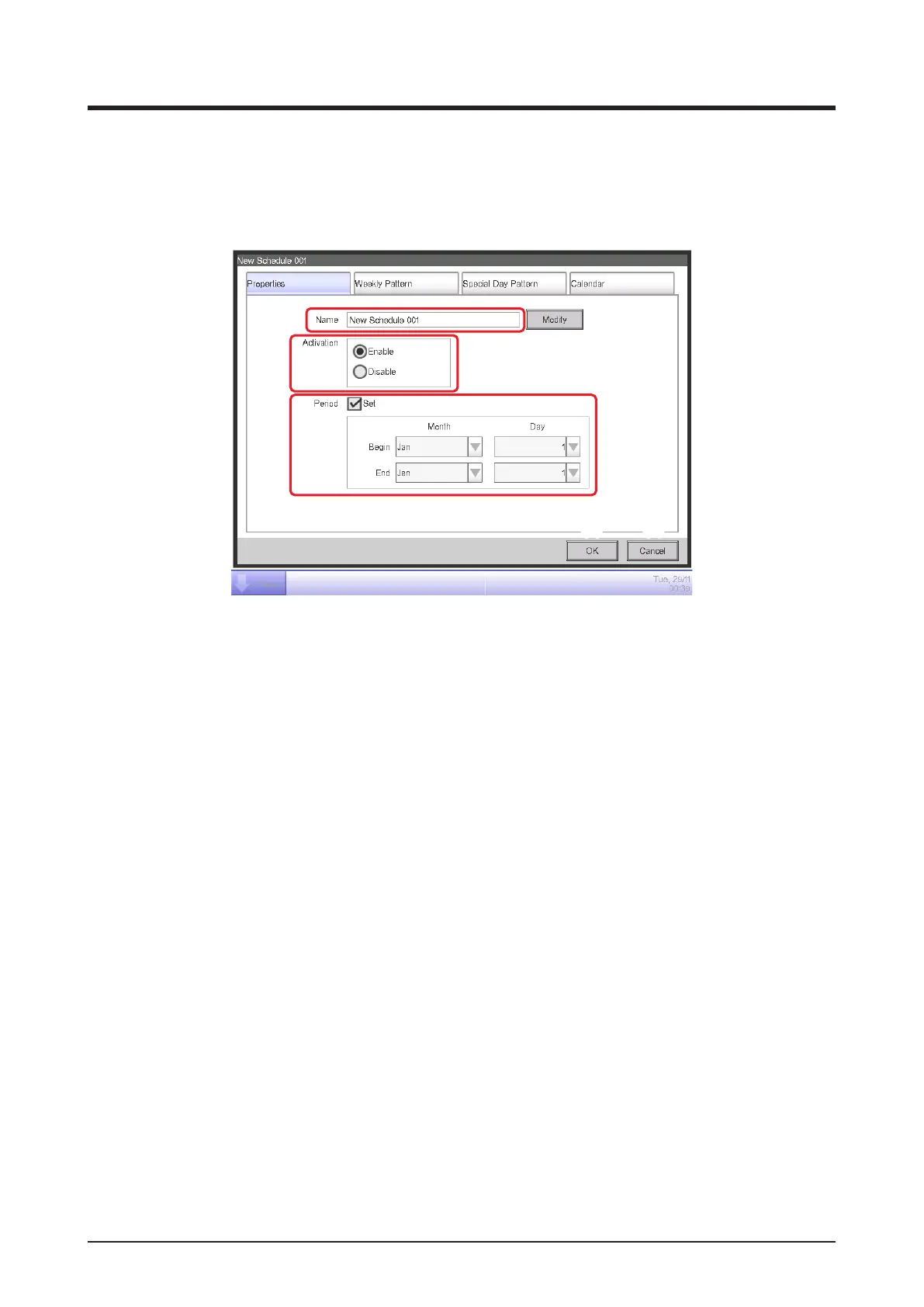
• Properties Tab (Schedule Edit Screen)
This screen is displayed when you touch the Create, Copy, or Edit button on the Schedule
screen.
It allows you to set up the name, validity period, and enable/disable the schedule program.
(1)
(2)
(3)
(4) (5)
(1) Name text eld
Displays the schedule program name.
To change, touch the Modify button. Enter the new name in the Text Input dialog that appears.
Set up a name using 1 to 32 characters, irrespective of single or double byte.
Duplicate names are not permitted.
(2) Activation radio button
Enables/disables the schedule program.
(3) Period check box, combo box
Selecting the check box enables the combo box for entering the validity period.
Select the start date and end date from the combo box. The selectable range for each combo
box is as follows:
Month: Jan, Feb, Mar, Apr, May, Jun, Jul, Aug, Sep, Oct, Nov, Dec
Day: 1 to 31 (Non-existing days cannot be selected)
(4) OK button
Saves the edit and closes the screen.
(5) Cancel button
Cancels the edit and closes the screen. Touching the button displays a conrmation dialog.



 To Next Page