ECHO Series Ultrasonic Thickness Gages
97
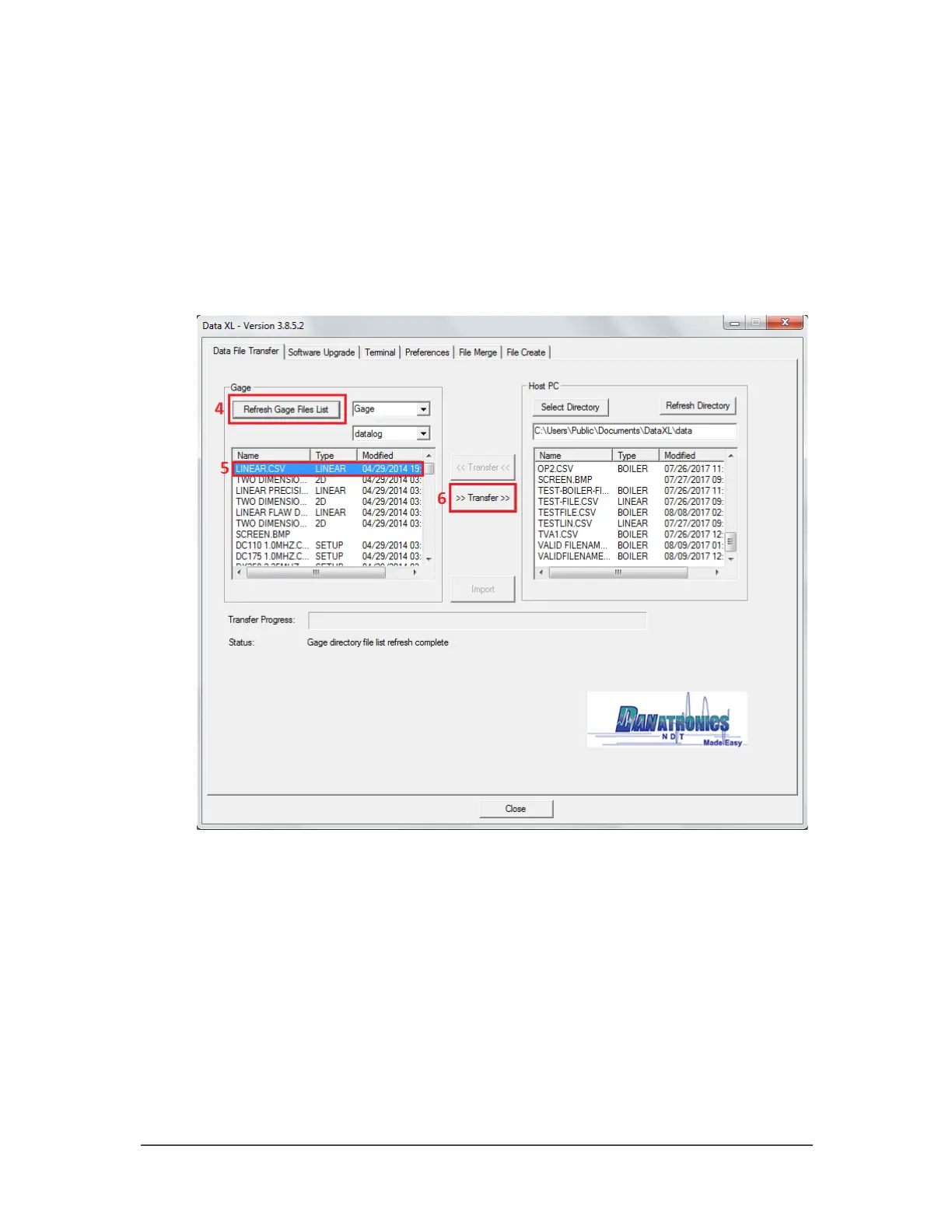
4. Click the “Refresh Gage Button” button in Data XL to get the file list loaded into
Data XL.
5. The files that are present in the gage will now appear in the left side file list in the
“Gage” area. Select the file you wish to export to the computer by left clicking it
once.
6. Click the “>> Transfer >>” button to export the file from the gage to the
computer. The exported file will now appear on the right side file list in the “Host
PC” area. To view the file, double click the filename located on the right side file
list in the “Host PC” area.



 To Next Page