Danatronics, Corp.
98
11 Additional ECHO Series Gage Information
ECHO 7 and ECHO 8 Series
In addition to the ECHO 9 Thickness Gage, Danatronics also offers the ECHO 7
Precision Gage and the ECHO 8 Corrosion and Precision Gage.
Described below are some of the applications and uses for the ECHO 7 and the ECHO 8
when it is set in precision mode. Danatronics recommends that only personnel who are
knowledgeable about ultrasonic sound propagation make instrument setups. Calibration
standards of the thin and thick material sections, along with similar surface conditions
and temperature, should always be used.
Note: ECHO 7 and 8 used as precision gages can measure many materials. We have
conveniently set up generic default parameters as guidelines. There is no way to know if
your exact materials and setup will produce desired results. ECHO units equipped with
the live Waveform option can make many adjustments to produce steady and reliable
readings, however only qualified ultrasonic operators familiar with ultrasonic
signals and adjustments should make changes to the instrument. Contact
Danatronics for more details.
Overview to Get Started
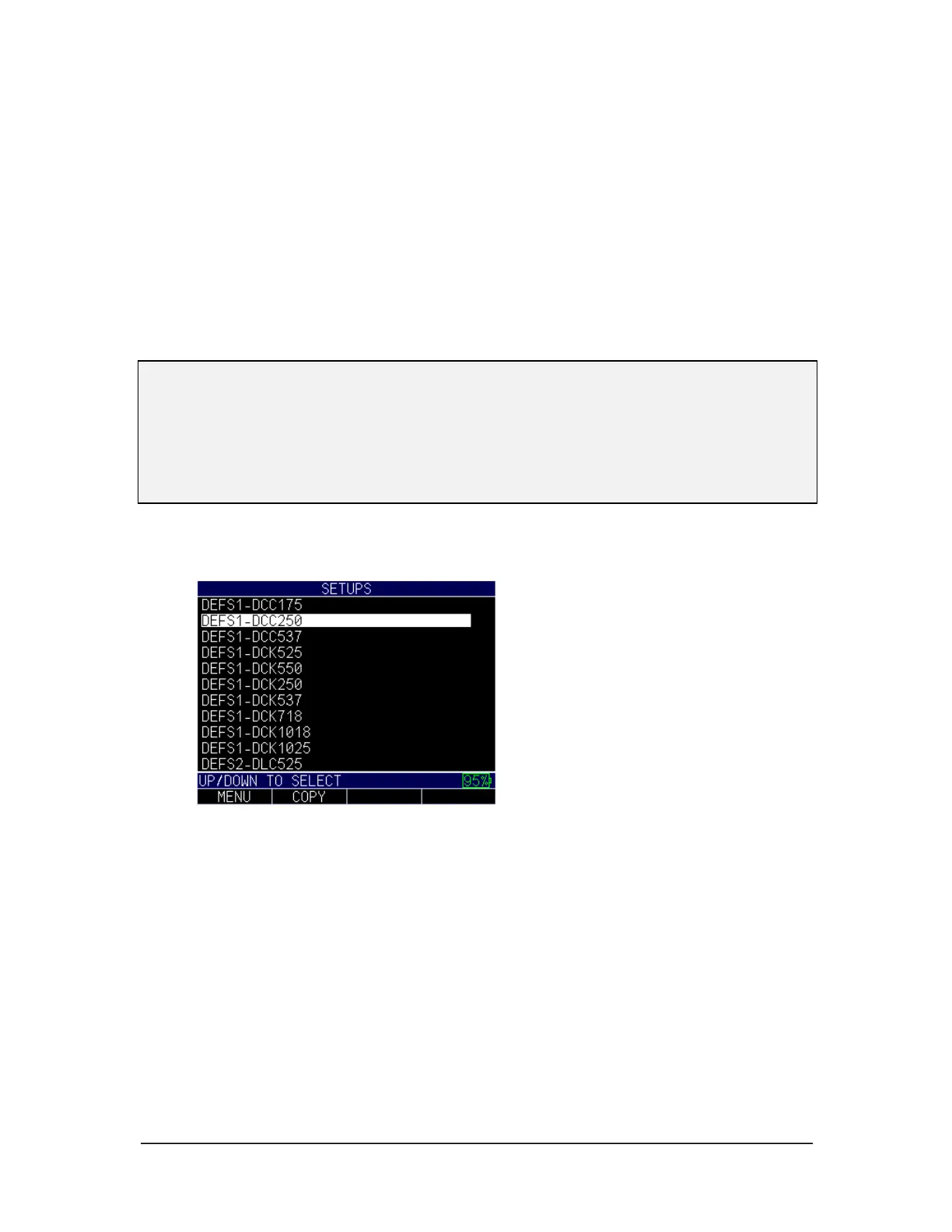
1. Select the transducer you will use for testing from the Setups screen.
2. Press the Menu OK button, and then press the F4 Measure key.
Note, the values listed are set to the default user as “lefty,” so the F4 Measure
key is for lefty. If the user setting is changed under the display menu to “righty,”
then the F1 key would be the Measure option.



 To Next Page