RS20iInstallationandOperatingGuide
Page 101
RS20i Installation & Operating Guide Document # 9301H52900 Ver. 1.02
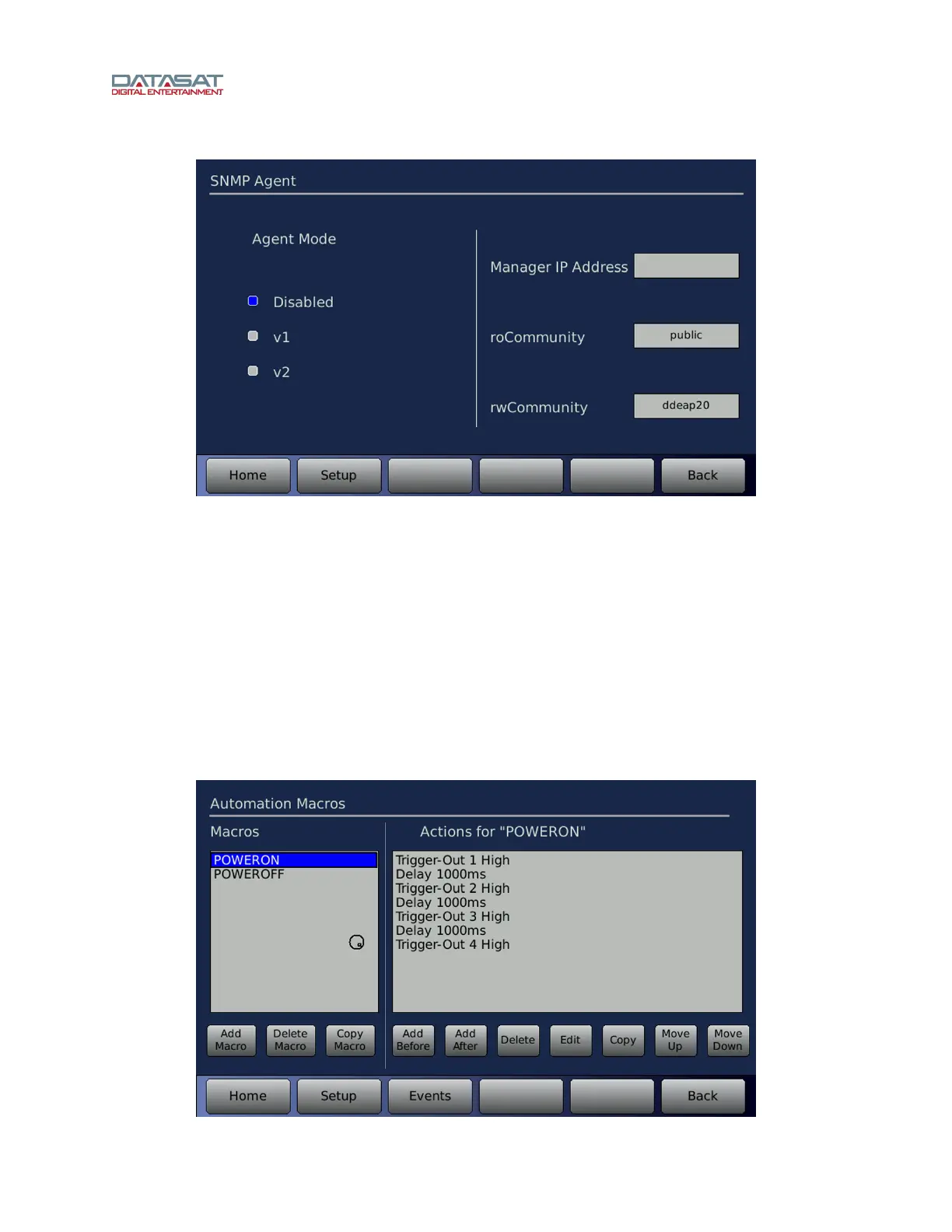
Setup > Network > SNMP
Figure 68. SNMP Setup Screen
Agent Mode – If set to disabled, the SNMP is turned off. When enabled the SNMP agent mode
may be set to v1 (SNMPv1) or v2 (SNMPv2) to match the SNMP server requirement.
Manager IP Address – Set this to the IP address to send SNMP trap messages.
roCommunity – This is the access code for SNMP read messages.
rwCommunity – This is the access code for SNMP write messages.
4.11 Automation Macros
The Automation Macros menus allow you to create a script of multiple actions. A Macro may then be
assigned to an Event, an automation button, or included as part of a separate Macro. The menu bar
contains an Events button to allow easy navigation between the Events screen and the Macros screen
when building Macros and assigning them to Events.
Setup > Macros



 To Next Page