RS20iInstallationandOperatingGuide
Page 40
RS20i Installation & Operating Guide Document # 9301H52900 Ver. 1.02
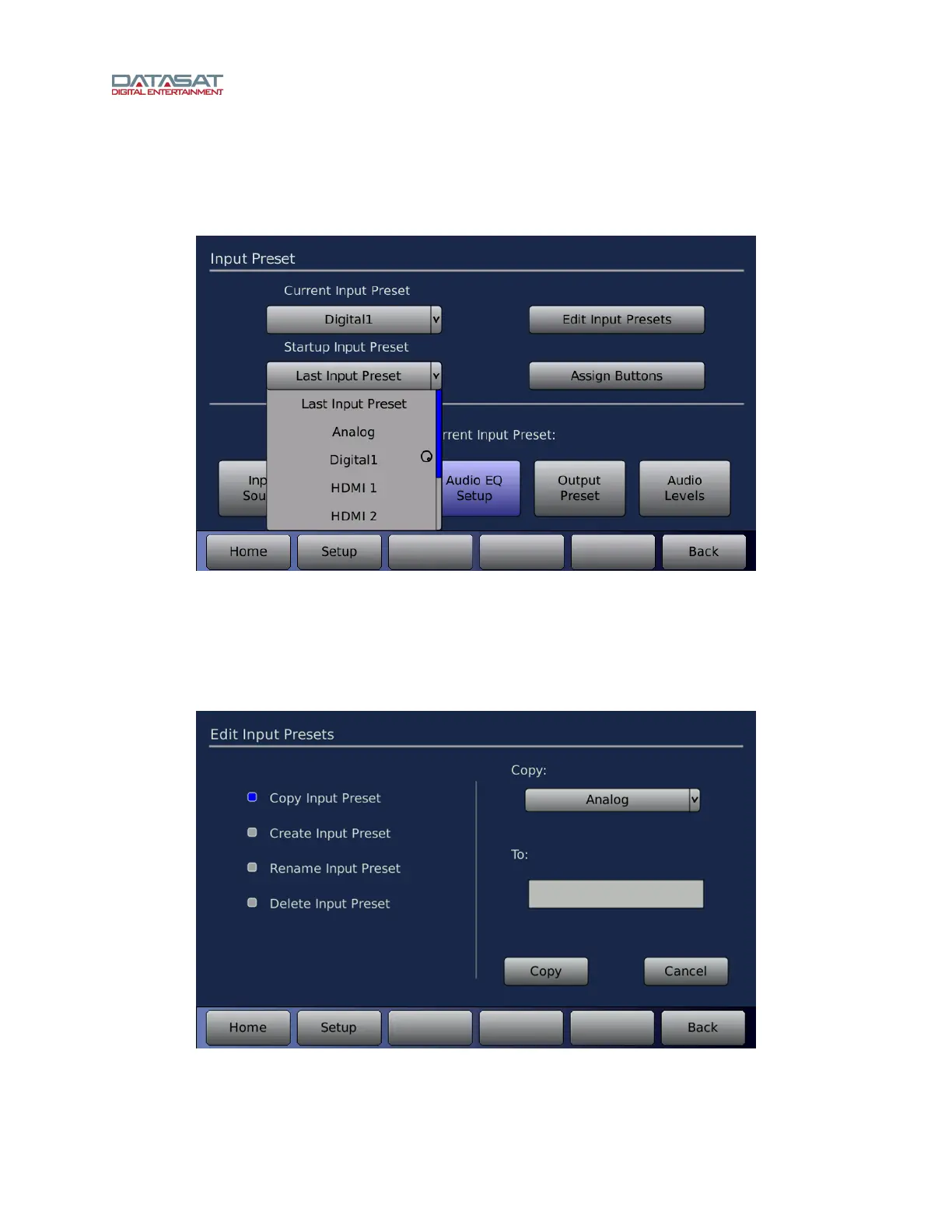
Startup Input Preset
The Startup Input Preset is the default Input Preset when the RS20i is powered up. Select any defined
Input Preset or Last Input Preset. Touch the drop down list to open it, then select the Input Preset. Use
the Volume Control knob to scroll the list, if necessary.
Figure 20. Select Startup Input Preset
4.3.1 Edit Input Presets
The Edit Input Presets screen permits copying, renaming, and deleting Input Presets. To access this
screen:
Setup > Inputs > Edit Input Presets
Figure 21. Edit Input Presets Screen
The functions available on this screen are described in the table below.



 To Next Page