RS20iInstallationandOperatingGuide
Page 35
RS20i Installation & Operating Guide Document # 9301H52900 Ver. 1.02
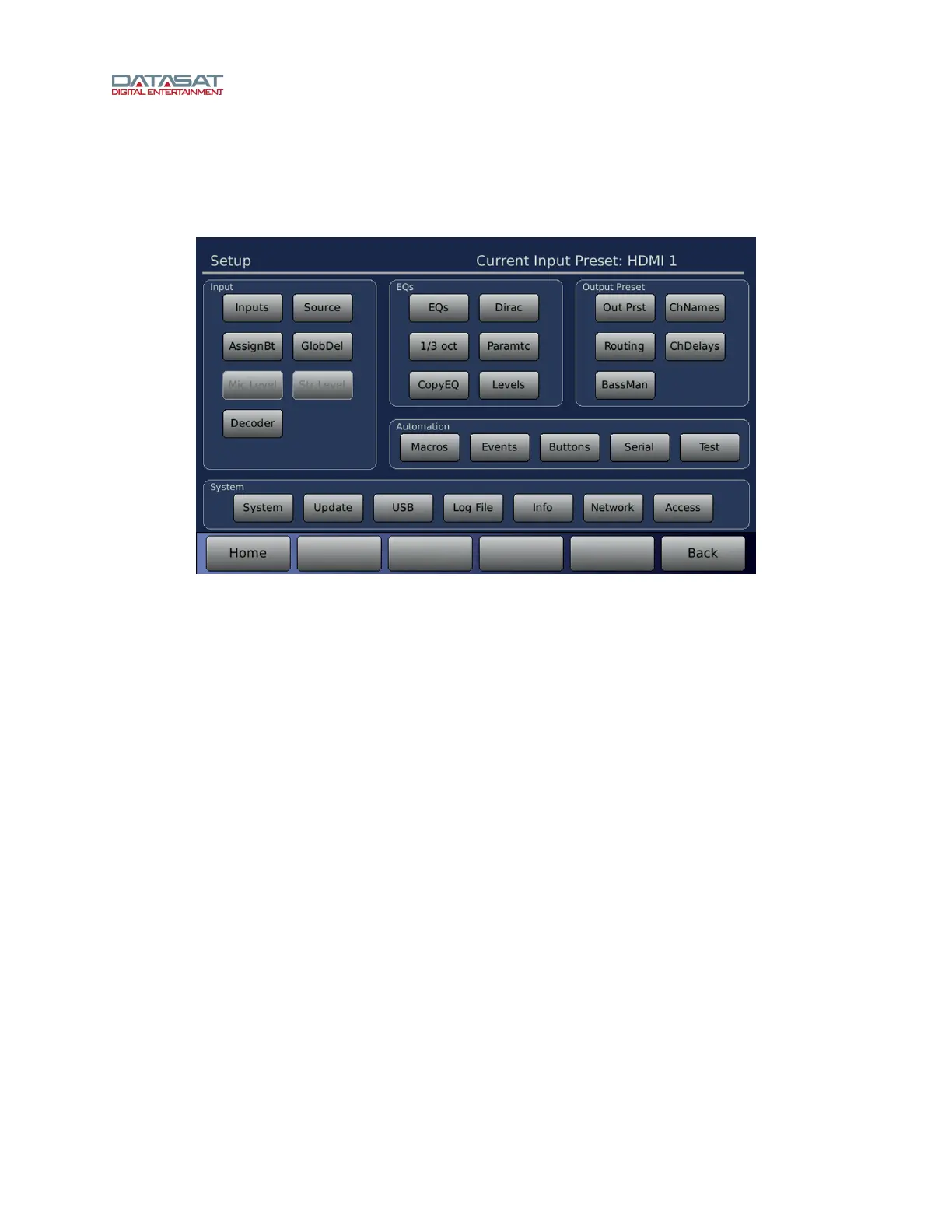
4.2 Setup Screen
To access this screen:
Home >SETUP
Figure 16. Setup Screen
From the Setup screen, you can configure or select the following:
• Inputs group
Inputs – See 4.2.1 About Input Presets,
page 36 and 4.3 Input Preset Screen, page 38.
Source – See 4.3.4 Input Source, pag
e 43.
AssignBt – See 4.3.2 Input Button Assignments, page 42.
GlobDel – See 4.3.5.1 Global Delay and Surround Offset, page 46.
Mic Level – See 4.3.5.4 Mic Level, page 48.
Str Level – See 4.3.5.3 Stereo Level, page 47.
Decoder – See 4.3.6 Surround Decoder Setup, page 48.
• EQs
group
EQs – See 4.4.1 Edit EQ, page 54.
Dirac – See 4.4.2 Dirac Live Optimization, page 55.
1/3 Oct – See 4.4.3 Third Octave EQ, page 56.
Paramtc – See 4.4.4 Parametric Equaliz
ation, page 60.
Copy EQ – See 4.4.5 Copy/Clear EQ, p
age 61.
Levels – See 4.4.6 Audio Levels, pag
e 62.
• Output Preset group
Out Prst – See 4.5 Output Preset, page 64.
Ch
Names – See 4.5.2 Channel Names, page 68.
Routing – See 4.5.3 Routing/Crossovers, page 69.
ChDelays – See 4.5.4 Channel Delays, page 71.
BassMan – See 4.6 Bass Management Setup, page 73.
• Automation
group
Macros – See 4.11 Automation Macros,
page 101.



 To Next Page