RS20iInstallationandOperatingGuide
Page 25
RS20i Installation & Operating Guide Document # 9301H52900 Ver. 1.02
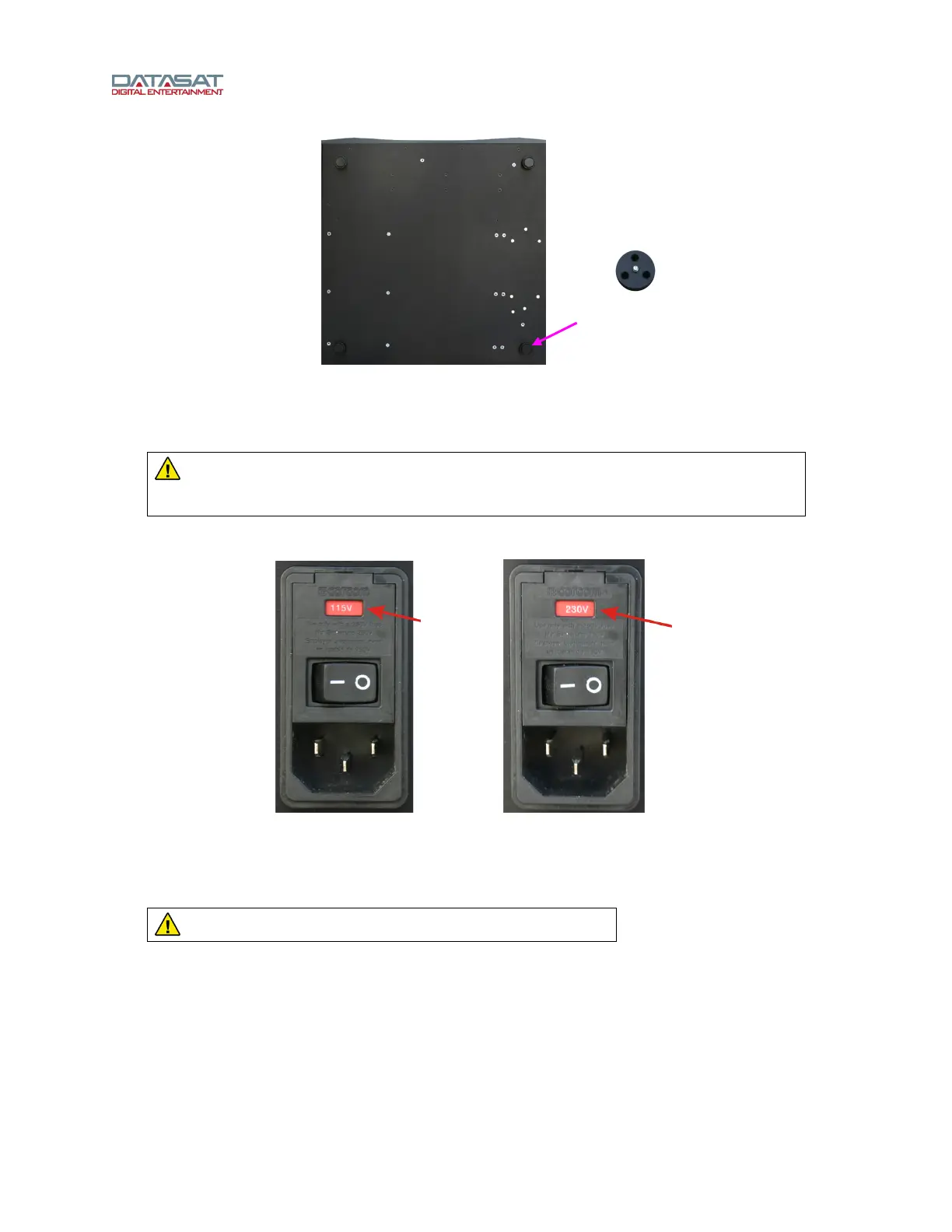
Figure 11. RS20i Feet
2.4.4 Power Supply
WARNING: Before powering on the RS20i for the first time, verify that the correct
input voltage has been selected at the rear panel power entry module. Incorrect input
voltage setting will damage the RS20i.
The RS20i may be set for either 115V (105-130V operation) or 230V (215-260V operation).
Figure 12. Power Entry Module – Voltage Input Settings
2.4.4.1 Changing the Input Voltage Setting and Fuses
CAUTION: DOUBLE POLE/NEUTRAL FUSING
Open the fuse compartment door. A small flat blade screwdriver may be used to release the door.
Protect the RS20i metal finish, from damage by the screwdriver, with a rag or other soft material.
Foot (4 places)
115V
230V



 To Next Page