RS20iInstallationandOperatingGuide
Page 108
RS20i Installation & Operating Guide Document # 9301H52900 Ver. 1.02
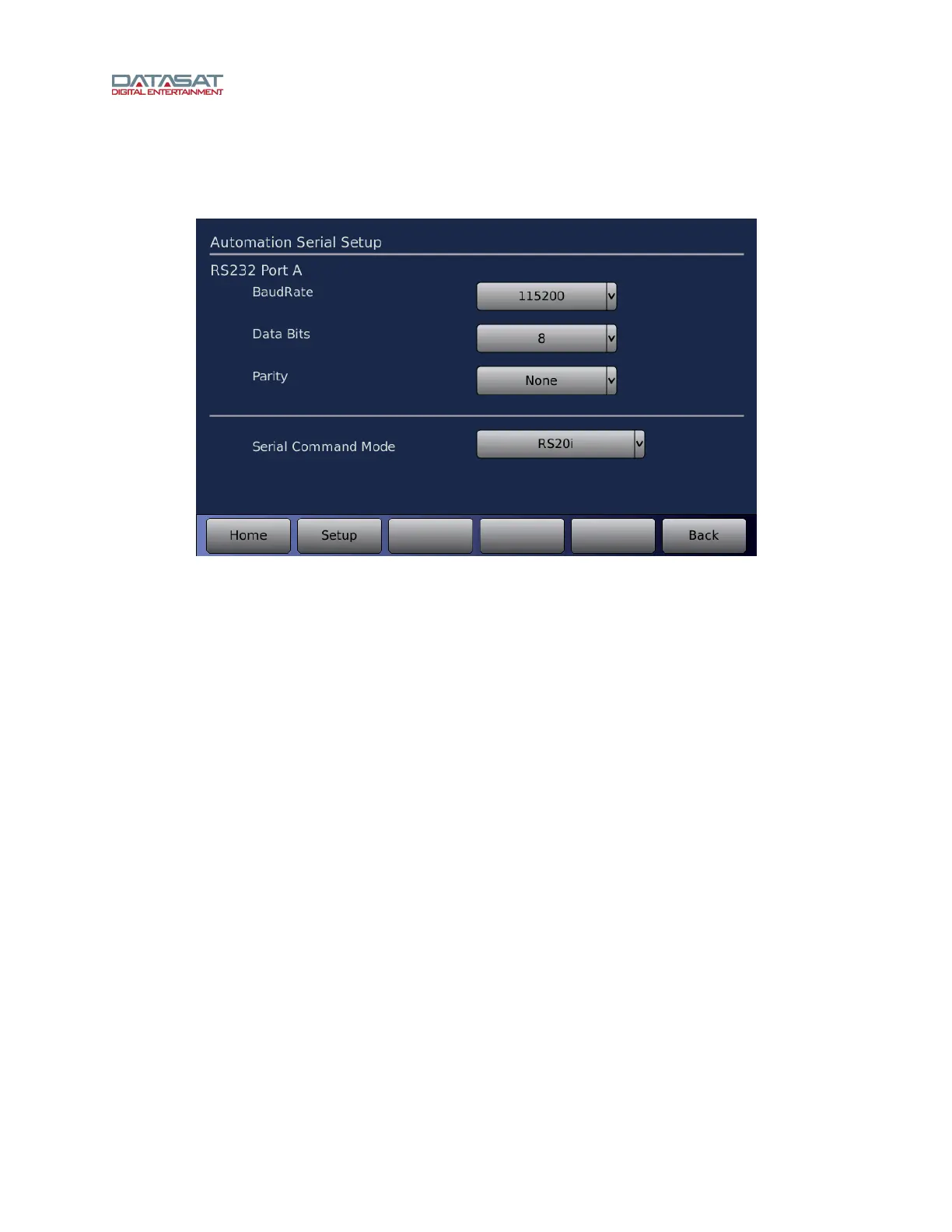
4.15 Automation Serial Setup
Use this screen to set up the RS232 serial port on the RS20i rear panel.
Setup > Serial
Figure 75. Automation Serial Setup
On this screen, select from the drop-down lists for these parameters:
Baud rate
Data Bits
Serial Command Mode – Command Mode, RS20i Commands, or Linked RS20i
4.16 Automation GPIO Test
The Automation Test Screen provides an easy way to test that the automation signals to and from the
RS20i are correctly wired and operational.



 To Next Page