RS20iInstallationandOperatingGuide
Page 68
RS20i Installation & Operating Guide Document # 9301H52900 Ver. 1.02
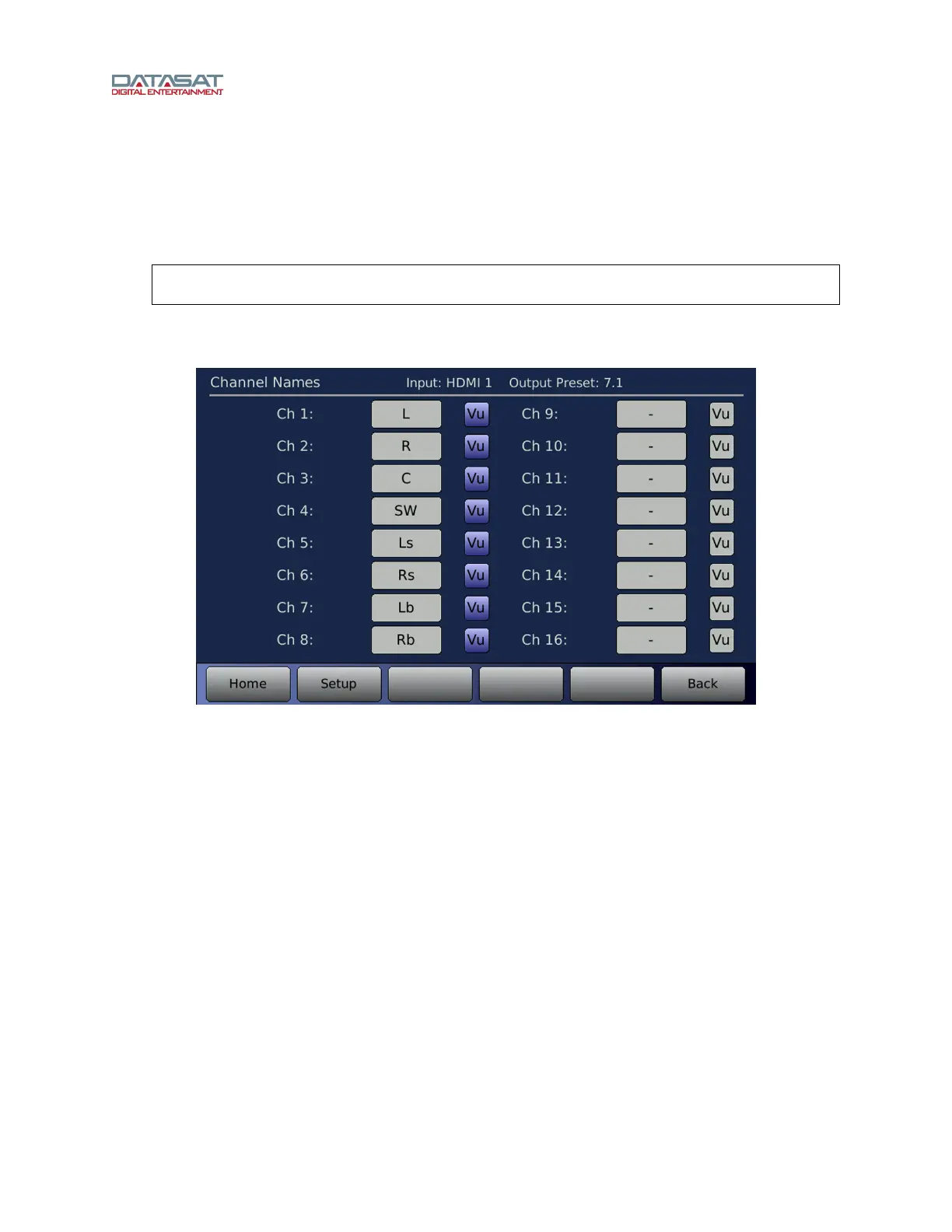
4.5.2 Channel Names
The channel names screen can be used to create or change the names for any of the 16 internal audio
channels. The channel names are initially assigned by the default Output Preset. The channel names
should match the internal channel definitions given by the Speaker Configuration (see Table 22, above).
The names are stored with the Output Preset in which the assignments are made.
Note: The channel names must match the Speaker Configuration to preserve
compatibility with the decoder output channels, which are fixed.
To access the Channel Names screen:
Setup > ChNames
Figure 45. Assign Channel Names Screen (8-channel)
To change or enter a new channel name select the white field next to the desired channel. A keyboard
will appear allowing you to enter text. Type in the channel name then select OK. The channel name will
now appear in the field and in the Home screen.
When a Vu button is highlighted blue, that channel will display Vu bars on the Home screen.
The names assigned apply to the internal channel before the output routing. Output channels are
identified in various RS20i screens by using the internal channel name (before routing) followed by a
dash ('-') and the output channel ID. For example, if channel 1 is L and routed to output channels 1 and 9
using the channel IDs 'H' and 'L', respectively, then output channel 1 is labeled as L-H and output channel
9 is labeled L-L.



 To Next Page