RS20iInstallationandOperatingGuide
Page 111
RS20i Installation & Operating Guide Document # 9301H52900 Ver. 1.02
5.2.1 Over-Temperature Alert
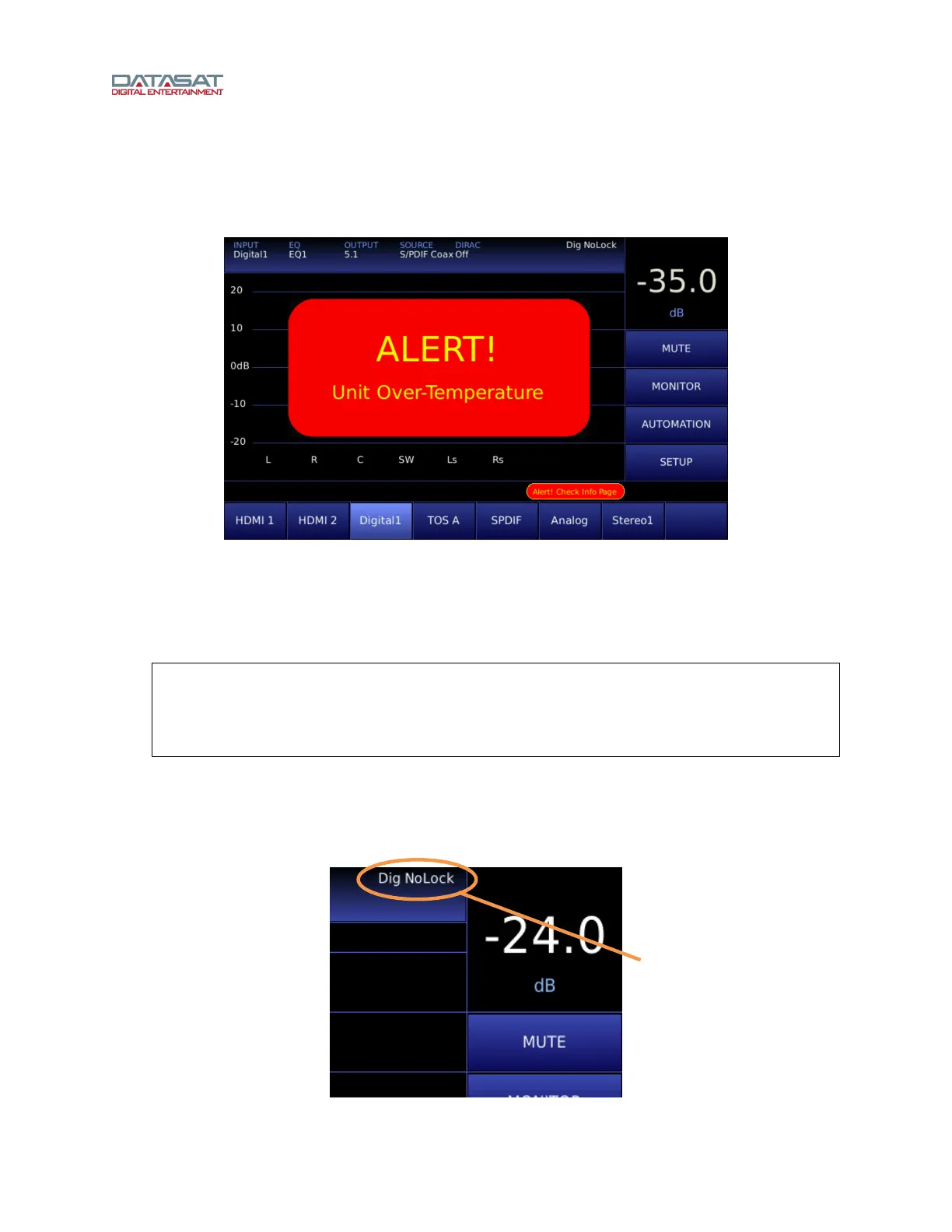
If the internal temperature of the RS20i reaches a critical level of 50°C or greater, a red flashing alert
indicator will appear.
Figure 77. Over-Temperature Alert message
The flashing alert message appears only on the Home screen. The RS20i will remain operational and the
menus can be accessed as usual. The actual circuit board temperatures appear on the System Info page
(Setup > System Info). The alert condition overrides, or temporarily disables the screensaver mode if it is
set. The alert will stop if the temperature cools below 50°C.
Note: This alert message often indicates that there is a problem with proper air flow through
the vent holes on both sides of the RS20i chassis. Check that there is nothing
obstructing these air vents. Be sure that the fan is spinning (you will feel air blowing
out of the RS20i from the fan). If the vents are clear and the fan is spinning, yet the
temperature alert does not stop, call your installer for service.
5.2.2 NoLock
If the source is a digital input and there is no clock signal, then the display will show “Dig NoLock” as
shown below.
Figure 78. NoLock
Indicates no clock
signal for digital
source.



 To Next Page