RS20iInstallationandOperatingGuide
Page 55
RS20i Installation & Operating Guide Document # 9301H52900 Ver. 1.02
4.4.2 Dirac Live Optimization
Dirac Optimization is an audio optimization process that requires setup by using a separate external
program running on a PC. The setup process creates a set of filter coefficients to improve sound based
on a set of measured responses from the listening area.
The RS20i supports two versions of Dirac which are referred to as Dirac 1 and Dirac 2 in the menus. The
Dirac 1 version is the original, while Dirac 2 is the latest and allows more flexibility in the setup process.
Dirac 1 must be used to support old installations, and switching to Dirac 2 is recommended when the
Dirac 2 installation software becomes available.
In order to use coefficients from the Dirac 1 setup program, the RS20i must be set for Dirac 1 in the
System > More screen. Likewise, in order to use coefficients from Dirac 2 setup, the RS20i must be set
for Dirac 2 in the System > More screen. Switching between Dirac 1 and Dirac 2 on the RS20i requires a
power reset. You will see one of two possible Dirac menus depending on the Dirac version after the
power reset.
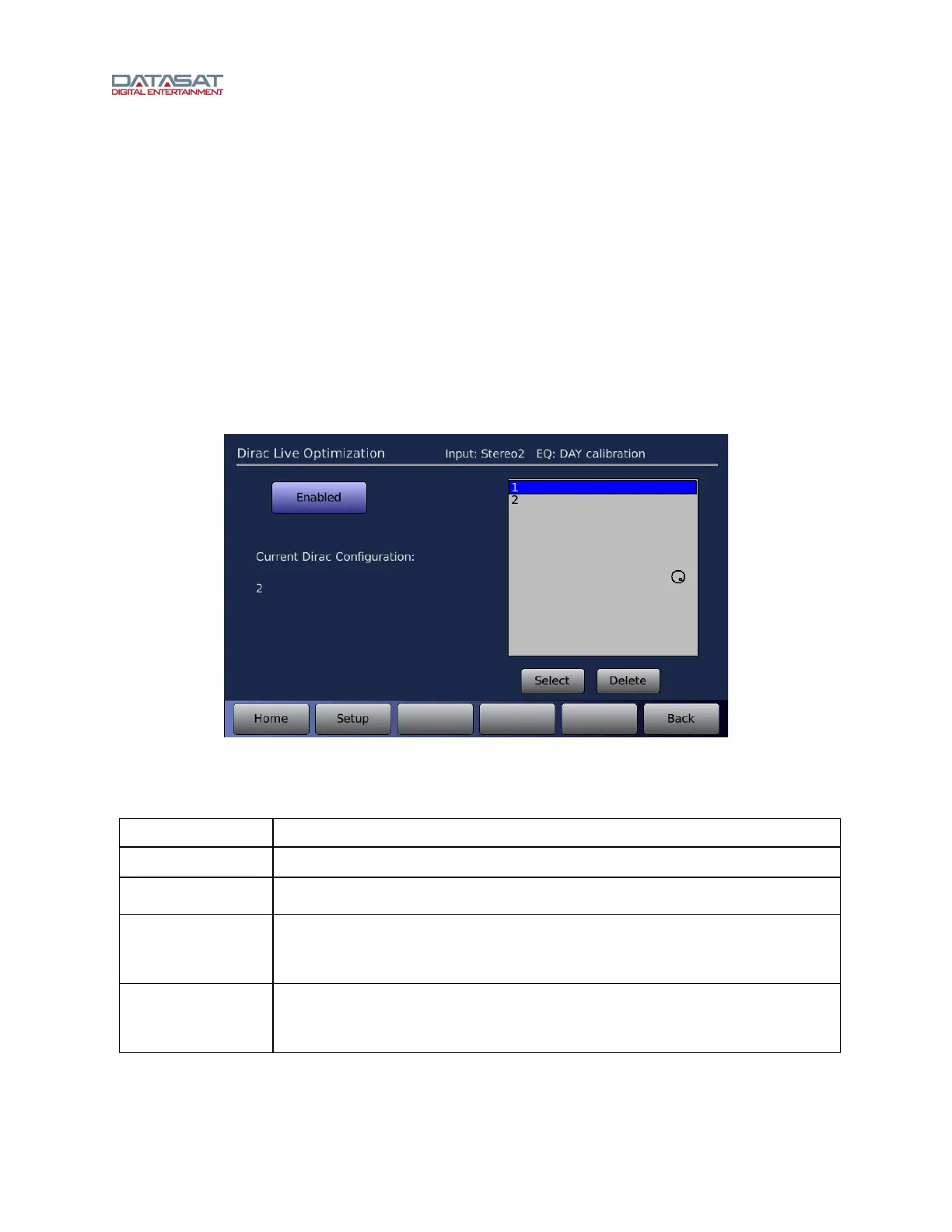
Setup > Dirac
Figure 34. Dirac Optimization Screen
Functions on this screen are described in this table.
Table 15. Dirac Live Optimization
Function Description
Enabled/Disabled
Toggle between enabling and disabling the Dirac Optimization.
Current Dirac
Configuration
Displays the name of the current Dirac configuration.
Select
Select a configuration from the list of saved configurations (gray box above),
then touch the Select button. This configuration will now become the current
Dirac configuration.
Delete
Select a configuration from the list of saved configurations (gray box above),
then touch Delete. The configuration will be deleted from the list and from the
memory of the RS20i.



 To Next Page