RS20iInstallationandOperatingGuide
Page 43
RS20i Installation & Operating Guide Document # 9301H52900 Ver. 1.02
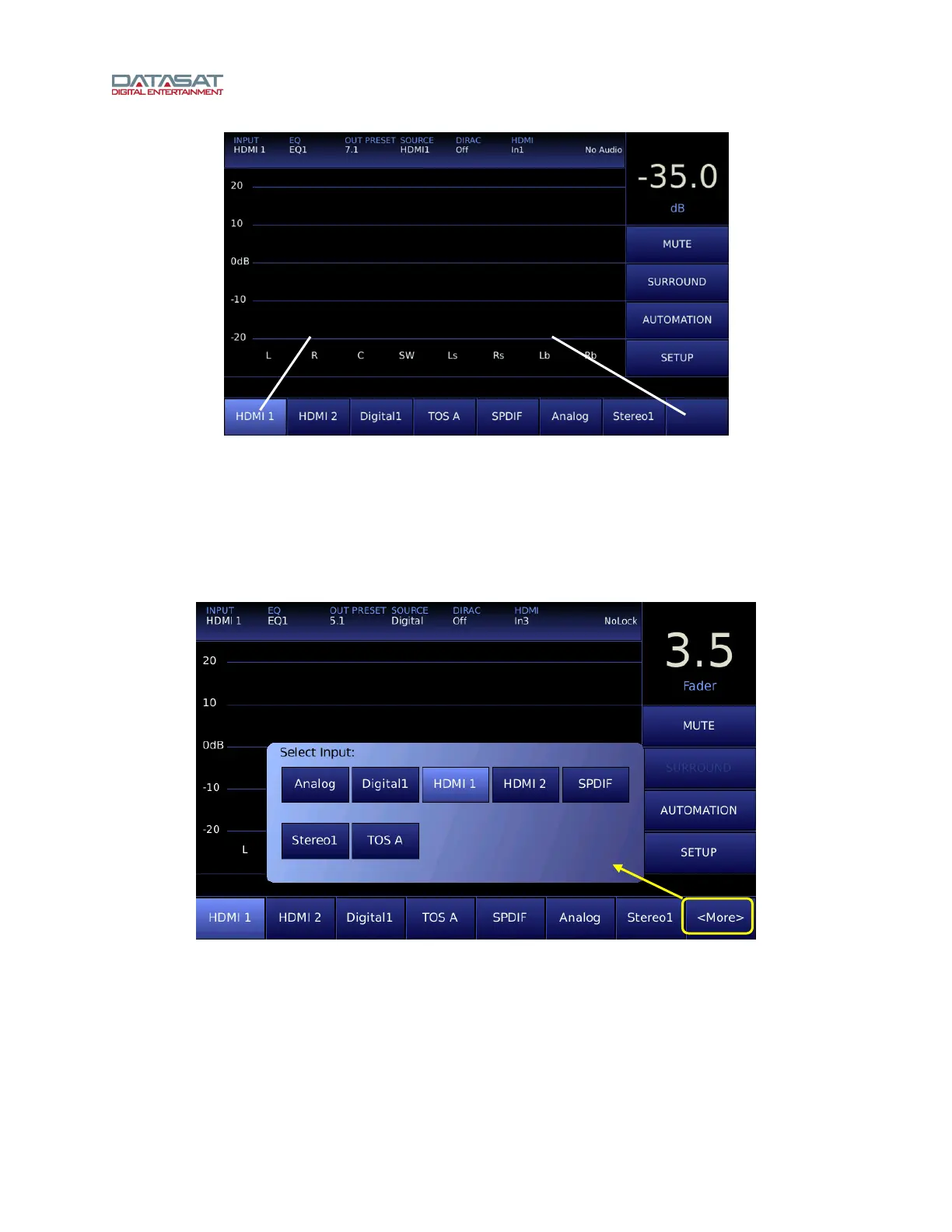
Figure 23. Home Screen Input Preset Button Locations
4.3.3 Enable “More” Button
When the Enable “More” Button is checked, Button 8 on the Home screen is labeled as “More” and
allows access to additional Input Presets. Selecting the More button on the Home screen opens a pop-
up window that displays all the available Input Presets. The user may select the desired Input Preset
from the pop-up and the window will automatically close. Any selection made outside of the Input Presets
buttons also closes the pop-up window without making any changes.
Figure 24. Home Screen <More> Input Select
4.3.4 Input Source
Navigate to the Input Source screen in order to select the source for the current Input Preset.
Touch the desired input source buttons in the Analog or Digital group of buttons.
Button location 1
Button location 8



 To Next Page