RS20iInstallationandOperatingGuide
Page 15
RS20i Installation & Operating Guide Document # 9301H52900 Ver. 1.02
1.4.1 Adjusting the Volume Control
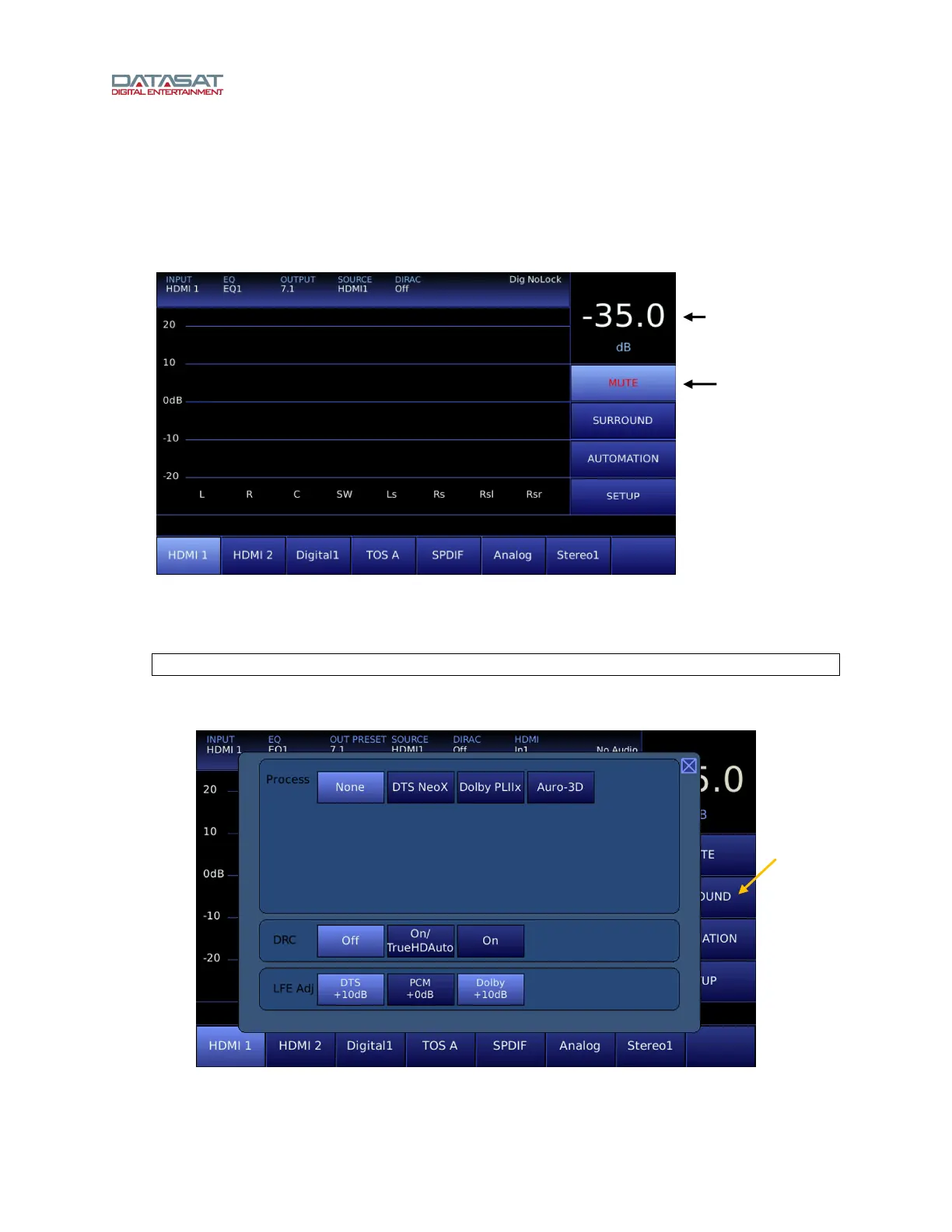
Adjust the volume control by turning the knob on the front panel. A volume level from -70 dB to 0 dB may
be selected. The selected volume level is displayed in the upper right corner of the Home screen.
To mute the volume control, touch the Mute button. The button label will turn red.
Unmute the RS20i by touching the mute button again, changing input level, or changing inputs.
Figure 6 Volume Control and Mute
1.4.2 Surround Mode
Note: The SURROUND function is disabled when the input source is DIGITAL.
Select SURROUND on the Home screen to open the Process screen, where you can choose the
surround mode.
Figure 7. Process Screen
Volume Level
Mute
SURROUND



 To Next Page