RS20iInstallationandOperatingGuide
Page 112
RS20i Installation & Operating Guide Document # 9301H52900 Ver. 1.02
5.2.3 Volume Control Not Functioning
If the front panel volume control becomes damaged, use the following work around until it can be
replaced.
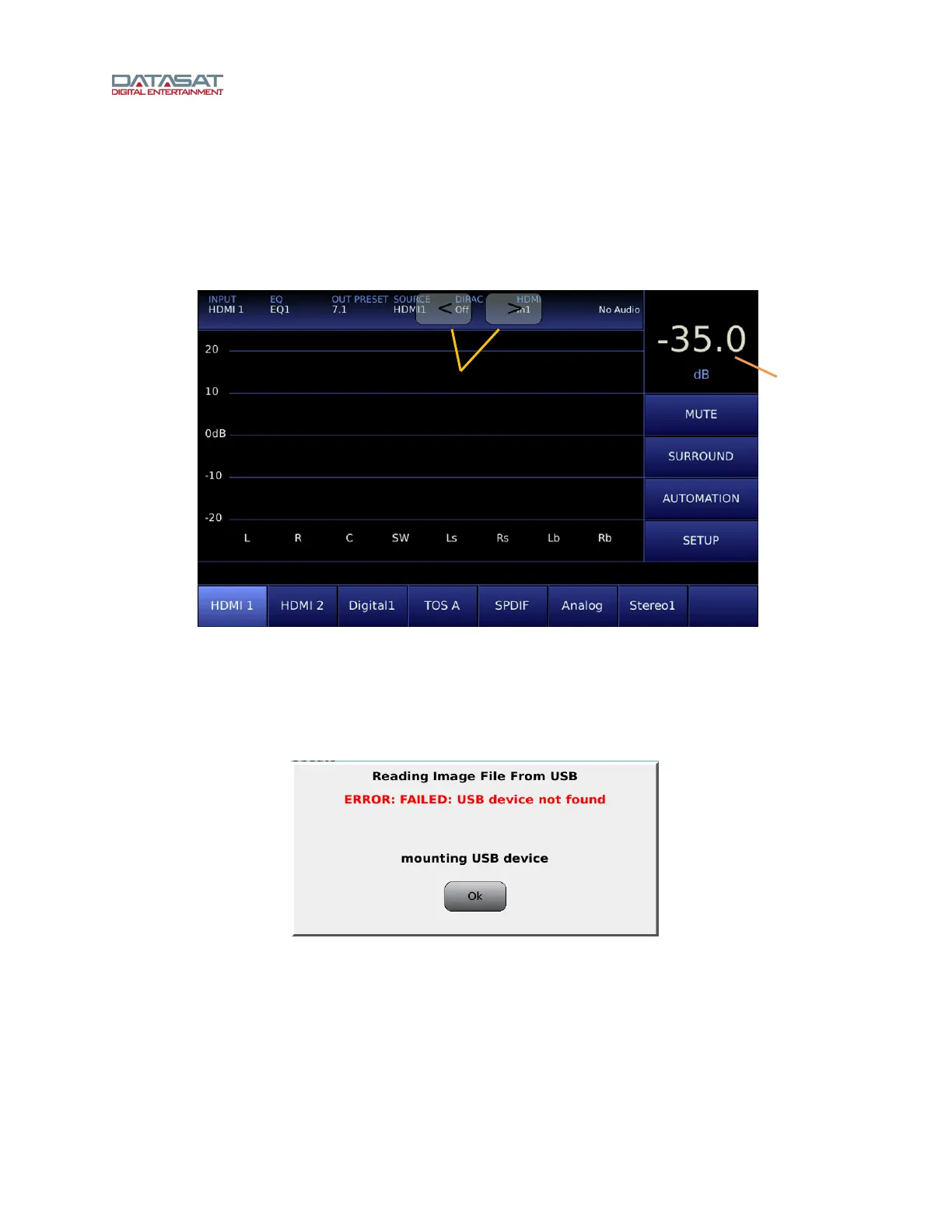
Using your finger, double-tap the volume control level number displayed in the box at the top right corner
on RS20i’s touch screen. Once you double-tap, a set of arrows will appear that can be used to adjust the
main volume up or down. To increase volume, touch the right arrow. To decrease volume, touch the left
arrow. To make the arrows disappear, simply double-tap the volume control level number again.
Figure 79. Volume control Adjustment Work Around
5.3 Error Messages
5.3.1 Software Installation
Figure 80. USB Device Not Found
If you encounter this error message, be sure you have inserted a USB device into the RS20i. If a device
is present, it may be malfunctioning. Replace the USB device with another to see if the problem is
resolved.
Volume control
level (dB)



 To Next Page