RS20iInstallationandOperatingGuide
Page 87
RS20i Installation & Operating Guide Document # 9301H52900 Ver. 1.02
Setting / Control Description
Output Mapping
Standard 16 Ch Out – Standard output channel assignments.
Copy Ch 1-8 to Ch 9-16 – The output of channels 1 through 8 will be copied
to output channels 9 through 16 for both the Analog output connector and
Digital output connector. Output channels 9-16 are not assignable if this
option is used.
LCD Brightness
Select the Brightness button and use the Volume Control knob to adjust the
brightness of your touch screen, 0.5 to 10.0.
LCD Contrast
Select the Contrast button and use the Volume Control knob to adjust the
contrast of your touch screen, 0.5 to 2.5.
Update System
Software
Update the processor software via the internet. See 4.8.1 Update System
Software, pa
ge 87.
USB Save/Restore
Save and restore configurations through the USB interface. See 4.8.2 USB
Sav
e/Restore, page 89.
Access Control
Assign password protections. See Access Control, pa
ge 91.
System Info
View system information and a log file of system messages. See 4.8.4 System
Info, page 92.
More
Touch the More button to view the second System Setup screen. See 4.9
System Setup (2), pa
ge 94.
4.8.1 Update System Software
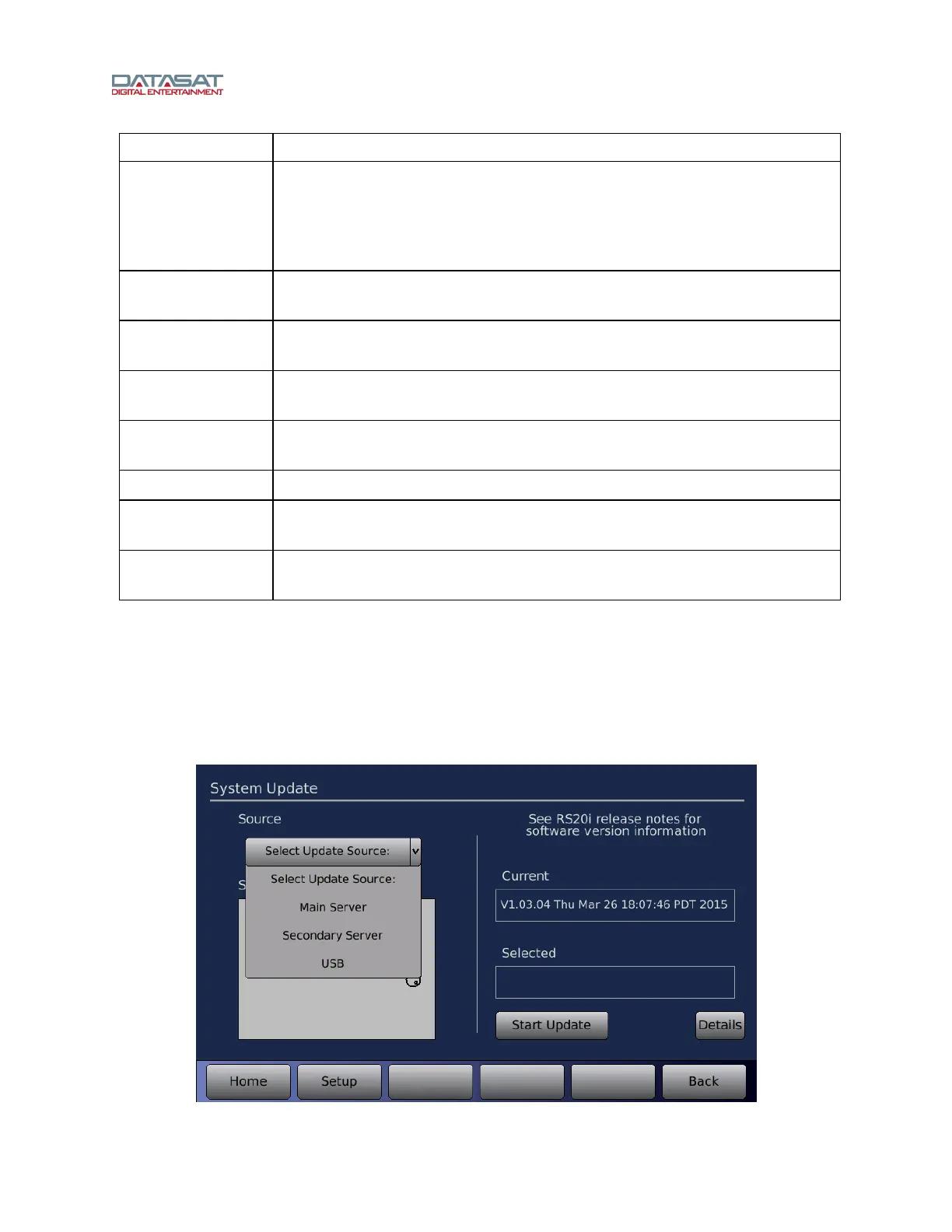
There are two ways you can update your software. The first way is to connect to the servers at Datasat
Digital Entertainment to select and install the update. This requires that the RS20i is connected to the
Internet. The second way is to install the update from a USB Device. Both methods are described in
more detail below.
Setup > Update
Figure 55. System Update Screen



 To Next Page