RS20iInstallationandOperatingGuide
Page 60
RS20i Installation & Operating Guide Document # 9301H52900 Ver. 1.02
4.4.4 Parametric Equalization
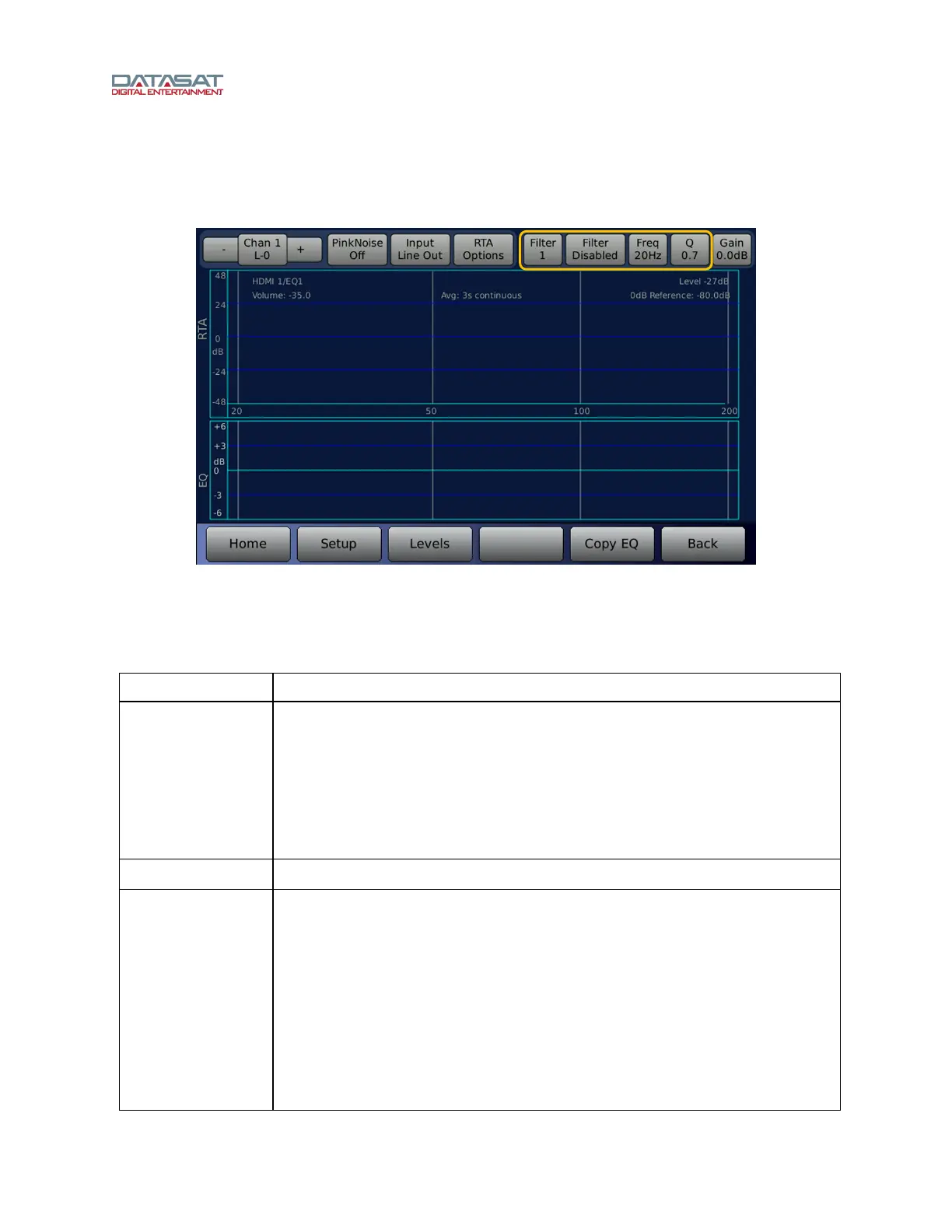
Parametric EQ allows you to adjust the three (per channel) 20Hz to 200Hz parametric filters.
Setup > EQs > Paramtc
Figure 38. Parametric EQ Screen
The three filters can be configured regarding Q, Gain and Frequency, and are either enabled or disabled.
Functions on this screen are described in this table.
Table 18. Parametric EQ
Function Description
Channel Number
Touch the Chan button to open a popup window with selection buttons for all
sixteen channels. The channel selection button color will be blue if that channel
has a non-flat configuration.
Select the channel you would like to equalize. You may also select the next
channel by touching the + sign button to the right of the Chan button, or select
the previous channel by touching the - sign button left of the Chan button. See
4.4.3.1 Channel Number Selection, pag
e 58.
Pink Noise On/Off
Turns Pink Noise on or off.
Input
LineIn/LineOut/
Mic
LineIn means that the signal source for the RTA is from the current input
channel and does not have any processing (Dirac, EQ, etc). LineOut means
that the signal source for the RTA is from the current output channel, so you
would see the effects of the Dirac, EQ, etc. If you are using the internal RTA to
check the room tune, then you would select Mic.
Note: When the Input field is LineIn, the RTA selects the input channel. The
controls for EQ, bass, treble, and trim represent what is applied to the input
channel and their effects will not show up on the RTA display.
When the input field is set to Mic, the RTA selects the Mic input which will show
the effects of the EQ settings as well as the room. Channel tuning should be



 To Next Page