RS20iInstallationandOperatingGuide
Page 52
RS20i Installation & Operating Guide Document # 9301H52900 Ver. 1.02
4.3.7 Digital Cinema Options
These options are specifically designed for connecting audio from a 16-Channel Digital Cinema Server to
the digital input connector(s). This option is available only for the 16 channel digital input (Source: Digital
Ch: 1 to 16). To access this screen:
Setup > Inputs > Input Options > Digital Cinema Options
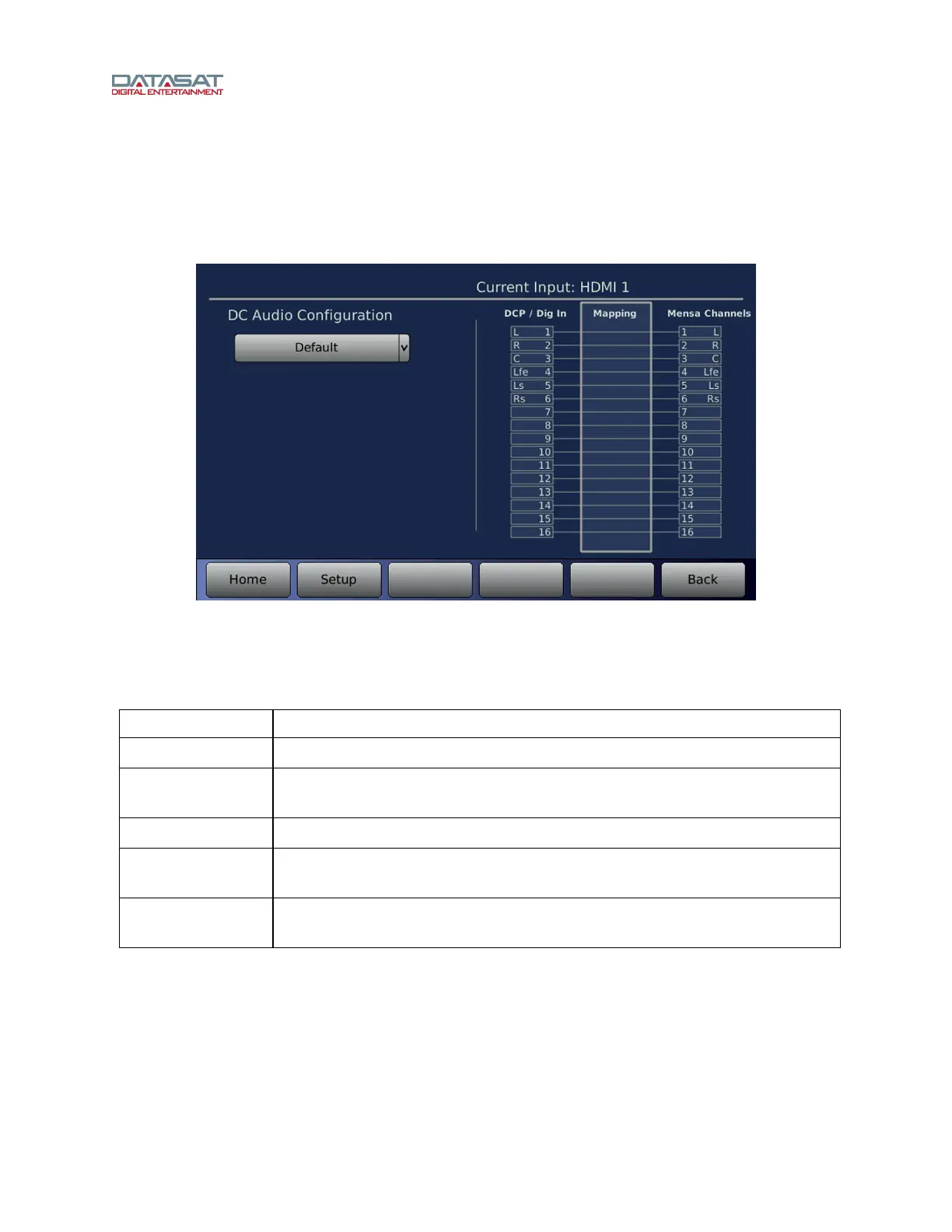
Figure 31. Digital Cinema Options
Select the DC Audio Configuration from the drop-down. Options are described in the table below.
Table 12. DC Audio Configuration
Configuration Description
Default
All Digital Inputs are mapped to RS20i channels.
5.1 DCP
Same as Default, but if Route Unused Inputs is NOT selected, unused Digital
Inputs are not mapped to RS20i channels.
7.1 DCP
Same as 5.1 DCP, with the addition of Lb and Rb inputs.
5.1 DCP to 7.1
Speaker
Same as 5.1 DCP, but Ls and Rs inputs are mapped to Lb and Rb as well as Ls
and Rs channels.
Auro 11.1
Same as 5.1 DCP, plus HL, HR, HC, T, HLs, and HRs inputs are mapped to
respective RS20i channels.



 To Next Page