RS20iInstallationandOperatingGuide
Page 72
RS20i Installation & Operating Guide Document # 9301H52900 Ver. 1.02
Table 24. Channel Delays
Control Description
Input Chans
Input channel delay (0 to 999 ms)
Output Chans
Output channel delay (0.0 to 120.0 ms)
Delays
Touch the Delays box under the desired input channel. Enter the delay by
dialing in the correct value using the front panel Volume Control knob.
1 to 8
9 to 16
These buttons control the range of channels displayed in the upper and lower
portions.
Note: The channels groups used to calculate the maximum output delay are grouped
with channels 1-12, and channels 13-16.
The Input delay occurs before the routing. Input Delays should be used for time-aligning sound from
different channels at the listening position. The Output delay occurs after the routing and its use should
be limited to adjusting delays in cases where a channel is routed to more than one speaker. Examples of
this are a) crossover outputs and b) surround arrays.
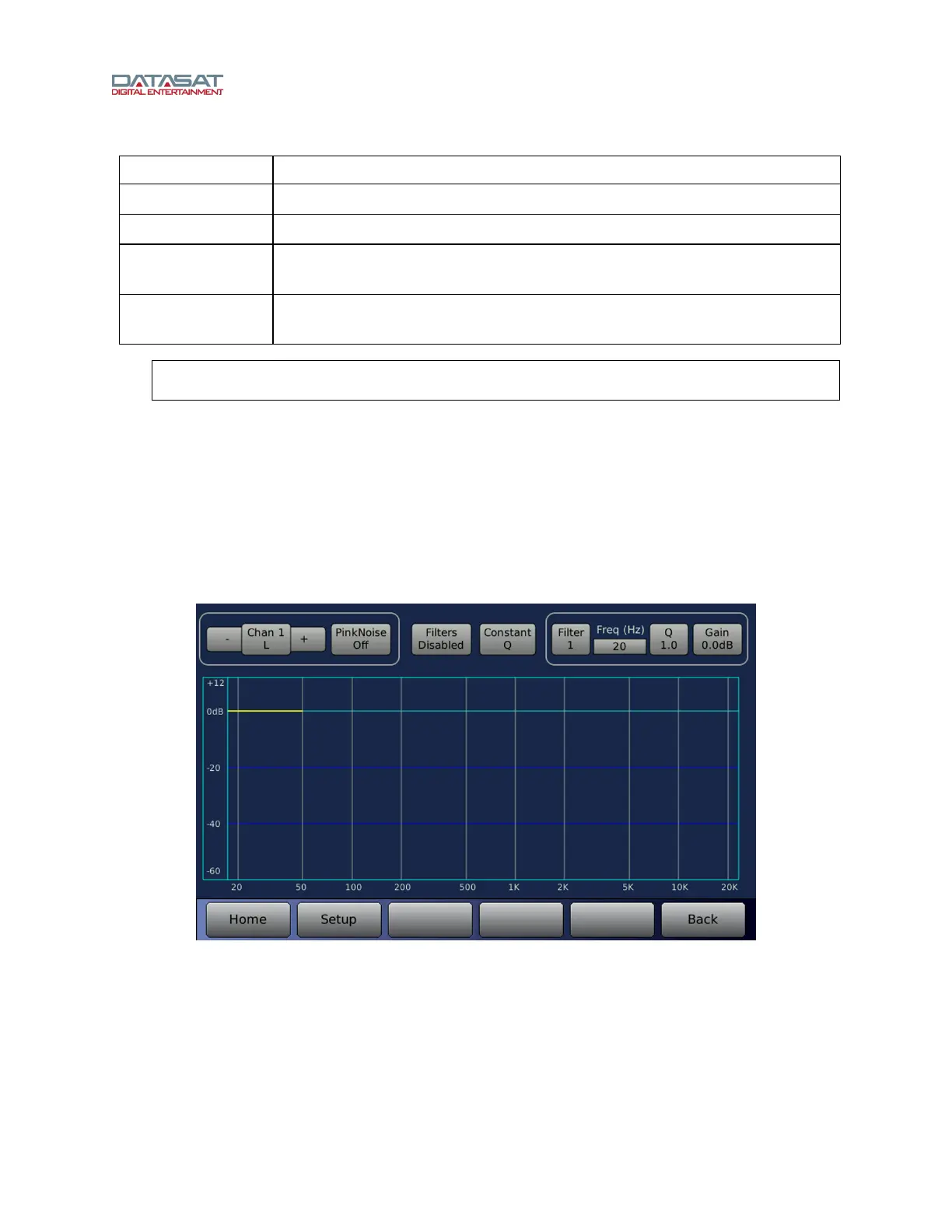
4.5.5 Speaker Filter
This screen is used to define up to 9 parametric filters for each channel, to flatten a speaker response.
Unlike the EQ settings, these filter configurations are stored with the Output Profile.
Setup > Out Prst > Spk Filt
Figure 49. Speaker Filter
The controls available on this screen are described in this table.



 To Next Page