RS20iInstallationandOperatingGuide
Page 46
RS20i Installation & Operating Guide Document # 9301H52900 Ver. 1.02
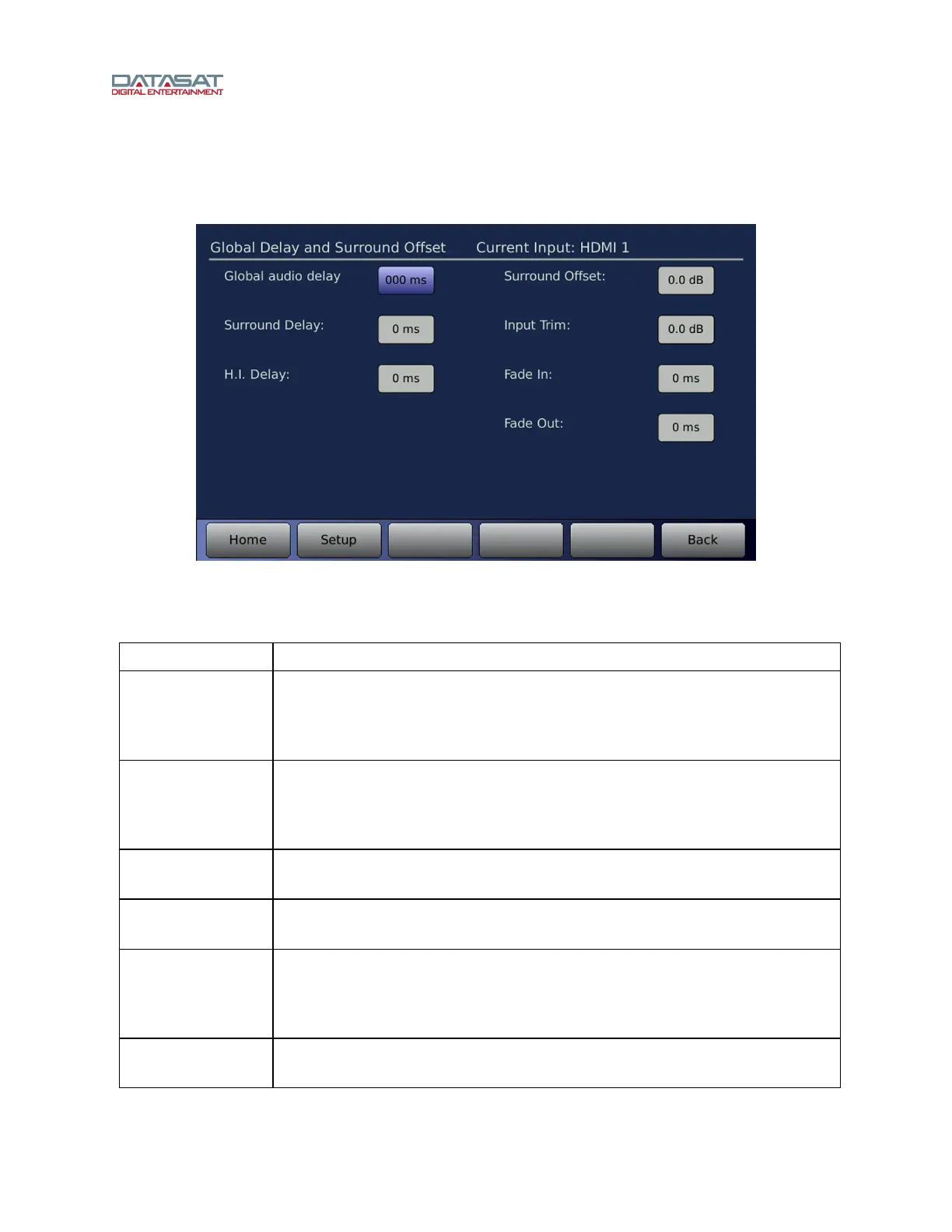
4.3.5.1 Global Delay and Surround Offset
The Global Delay and Surround Offset screen is available for all input sources.
Setup > Inputs > Input Options > Global Delay and Surround Offset
Figure 27. Global Delay and Surround Offset
The functions available on this screen are described in the table below.
Table 8. Global Delay and Surround Offset
Function Description
Global audio
delay
Audio can be delayed for a selected input, if necessary, to synchronize with a
digital video projector. Use the Volume Control knob to adjust the audio delay
(0 to 1000 ms). Delay values increase by 1 ms increments up to a maximum of
1 second.
Surround Delay
Enter the desired delay, in milliseconds, 0 to 100 ms. Select the Surround
Delay box and then dial in the correct value using the front panel Volume
Control knob. The surround delay is applied to the internal channels 5,6,7 and
8.
H.I. (Hearing
Impaired) Delay
Audio can be delayed on the Hearing Impaired output channel. Enter the
desired delay, in milliseconds, 0 to 220 ms.
Surround Offset
Use the Volume Control knob to adjust between -10dB to +10dB offset.
Surround Offset is applied to the internal channels 5, 6, 7 and 8.
Input Trim
This can be used to apply volume level trim to the current input (0 to -10dB).
This may be used when you want to balance the volume level of two different
sources. The Input Trim allows you to change the master volume control level
and keep the relative levels balanced.
Fade In/Fade Out
During an input change, the Fade In and Fade Out period can be set from 0 to
5000 ms (5 seconds). Use the Volume Control knob to set.



 To Next Page