RS20iInstallationandOperatingGuide
Page 65
RS20i Installation & Operating Guide Document # 9301H52900 Ver. 1.02
Setup > Out Prst
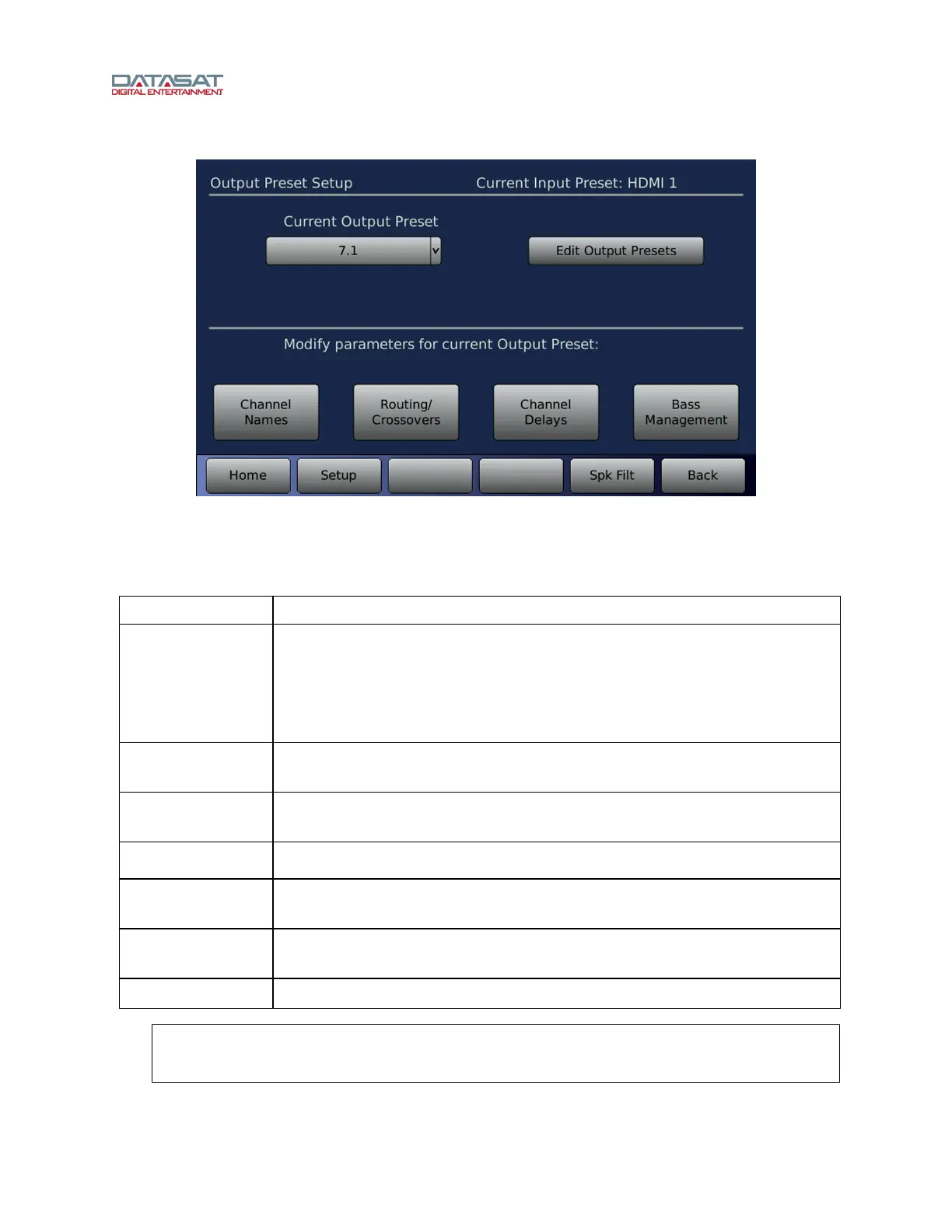
Figure 43. Output Preset Setup Screen
The Current Input Preset is displayed at the top right of the screen, so that you may verify that you are
configuring the desired input. Output Preset Setup functions are described in this table.
Table 20. Output Preset Setup
Function Description
Current Output
Preset
The selected Output Preset for the Current Input Preset. To select a different
Output Preset, open the drop-down list and select from any of the currently
defined Output Presets.
Different Output Preset configurations may be used for different Input Presets
(see 4.3 Input Preset Screen, page 38).
Edit Output
Presets
See 4.5.1 Edit Output Preset, page 66. Create new presets, rename or delete
existing presets.
Channel Names
See 4.5.2 Channel Names, page 68. Create or change the names for any of the
16 intern
al audio channels.
Routing/
Crossovers
See 4.5.3 Routing/Crossovers, pa
ge 69.
Channel Delays
Set delays for internal (input) channels and output channels. See 4.5.4 Channel
Dela
ys, page 71.
Bass Management
Bass management balances the bass portion of the audio system based on the
speaker configuration. See 4.6 Bass Management Setup, page 73.
Spk Filt
See 4.5.5 Speaker , page 72.
Note: Changes made to the Channel Names, Routing/Crossovers, Channel Delays
and Bass Management are saved with the Current Output Preset, and affect all
Input Presets using that Output Preset.



 To Next Page