ineo+ 650/550/451 2-119
Copy Operations
2
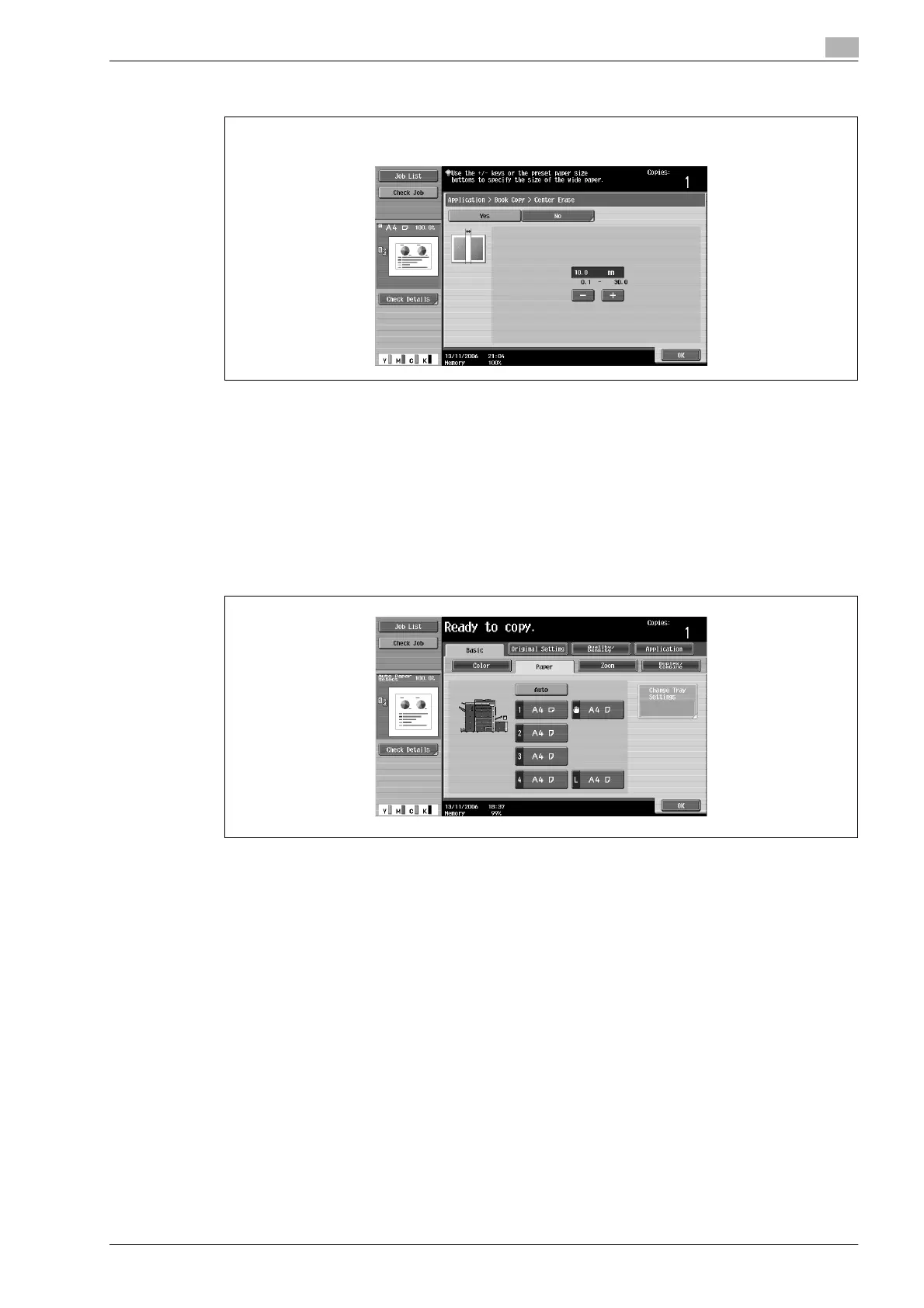
– To cancel the "Book Copy" function, touch [No].
?
What do the Book Erase functions do?
% The shadow of the book binding and the shadow of the book edges can be erased from the copies.
The "Frame Erase" and "Center Erase" functions can be used together.
?
What happens when a value outside of the allowable range is specified?
% The message "Input error" appears. If "Input error" appears or if the erased width was incorrectly
entered, press the [C] (clear) key in the keypad, and then specify the correct value.
6 Touch [OK], and then touch [Close].
7 In the Basic screen, touch [Paper], and then select the paper tray loaded with the paper.
8 Specify any other desired copy settings.
– To cancel the setting and select the default, press the [Reset] key.
9 Using the keypad, type in the desired number of copies.
10 Press the [Start] key.
– For details on positioning the document, refer to "Scanning a multi-page document from the original
glass" on page 2-31.
– Position the next page and repeat step 10 until all pages of the document are scanned.
Scanning begins.
If "Book Spread" or "Separation" is selected, printing begins.
If "Front Cover" or "Front and Back Cover" is selected, continue with step 11.
Center Erase screen












 To Next Page