ineo+ 650/550/451 2-21
Copy Operations
2
2.8 Loading paper into the LCT
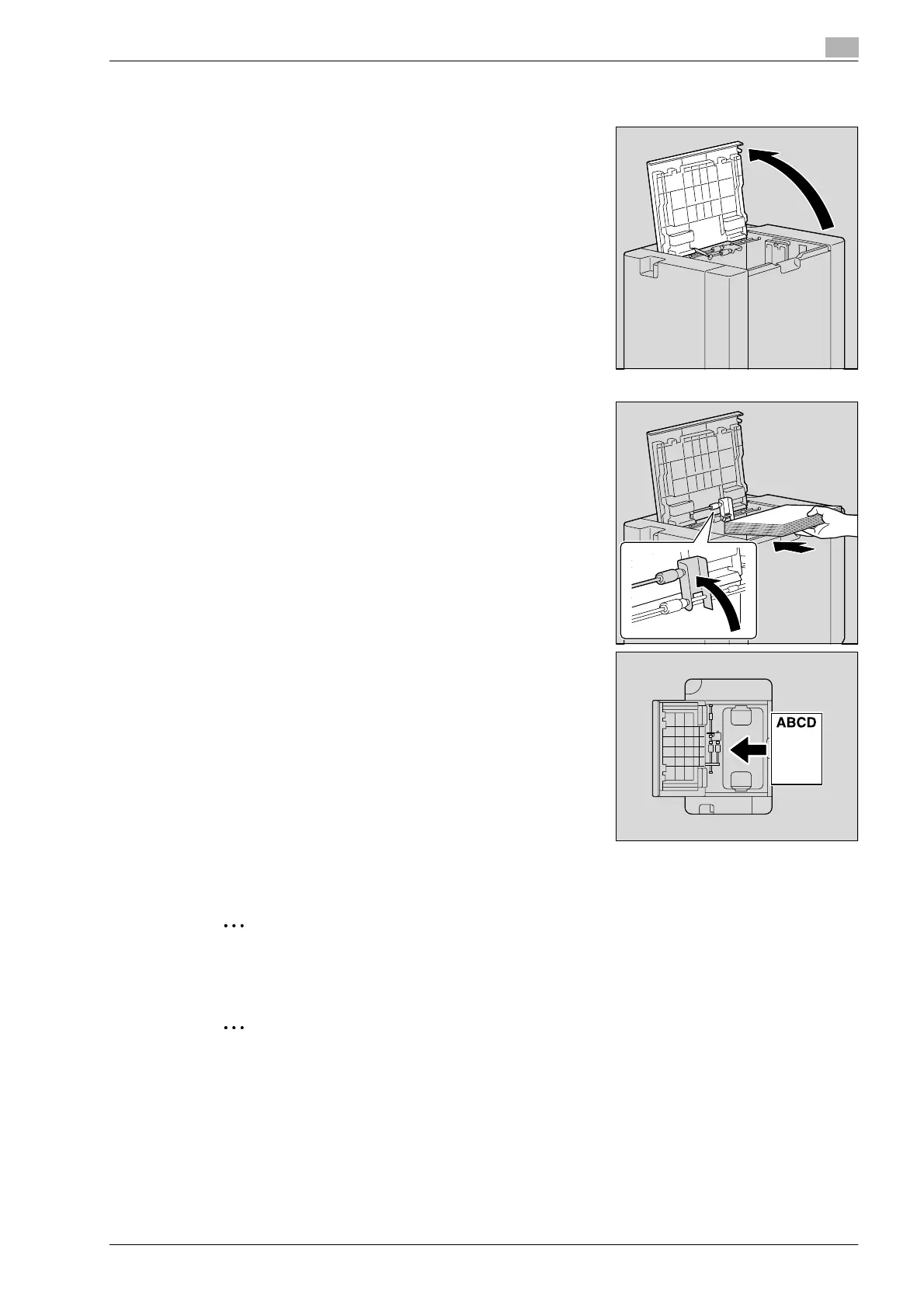
1 Open the upper door.
2 Lift up the paper take-up roller, and then load the paper into
the tray.
– Load the paper into the tray so that the side of the paper
to be printed on (the side facing up when the package was
unwrapped) faces down.
– Load letterhead paper so that the side to be printed on
faces up.
?
How is curled paper loaded?
% Flatten the paper before loading it.
?
How many sheets of paper and other media can be
loaded?
% Do not load so many sheets of plain paper that the top of
the stack is higher than the , mark.
3 Lower the paper take-up roller, and then close the upper door.
2
Reminder
For details on selecting the size and type of paper loaded in the LCT, refer to "Copy paper" on
page 2-79.
2
Note
If the machine is turned off, the bottom plate cannot be raised. When loading paper into the LCT, be
sure that the machine is turned on with both the main power switch and the [Power] (auxiliary power)
key.












 To Next Page