ineo+ 650/550/451 5-71
Network Scanner Operations
5
9 Touch [User Box], and then select a user box.
10 Touch [OK], and then touch [OK] in the next screen that appears.
The user box destination is registered.
!
Detail
To check a registered destination, select it, and then touch [Check Job Set.].
To change the settings for a registered destination, select it, and then touch [Edit]. The registration
number cannot be changed in the Edit screen.
To delete a registered destination, select it, and then touch [Delete].
2
Note
The registration cannot be completed if no settings are specified for "Name" and "User Box".
To cancel the registration, touch [Cancel].
To finish specifying settings in the Utility mode, press the [Utility/Counter] key. Otherwise, exit the Utility
mode by touching [Close] in each screen until the screen for the Copy, Fax/Scan or Box mode appears.
PC (SMB)
Settings can be specified for the following for the SMB destination to be registered.
1 Touch [1 Create One-Touch Destination (Address Book)] in the Create One-Touch Destination screen.
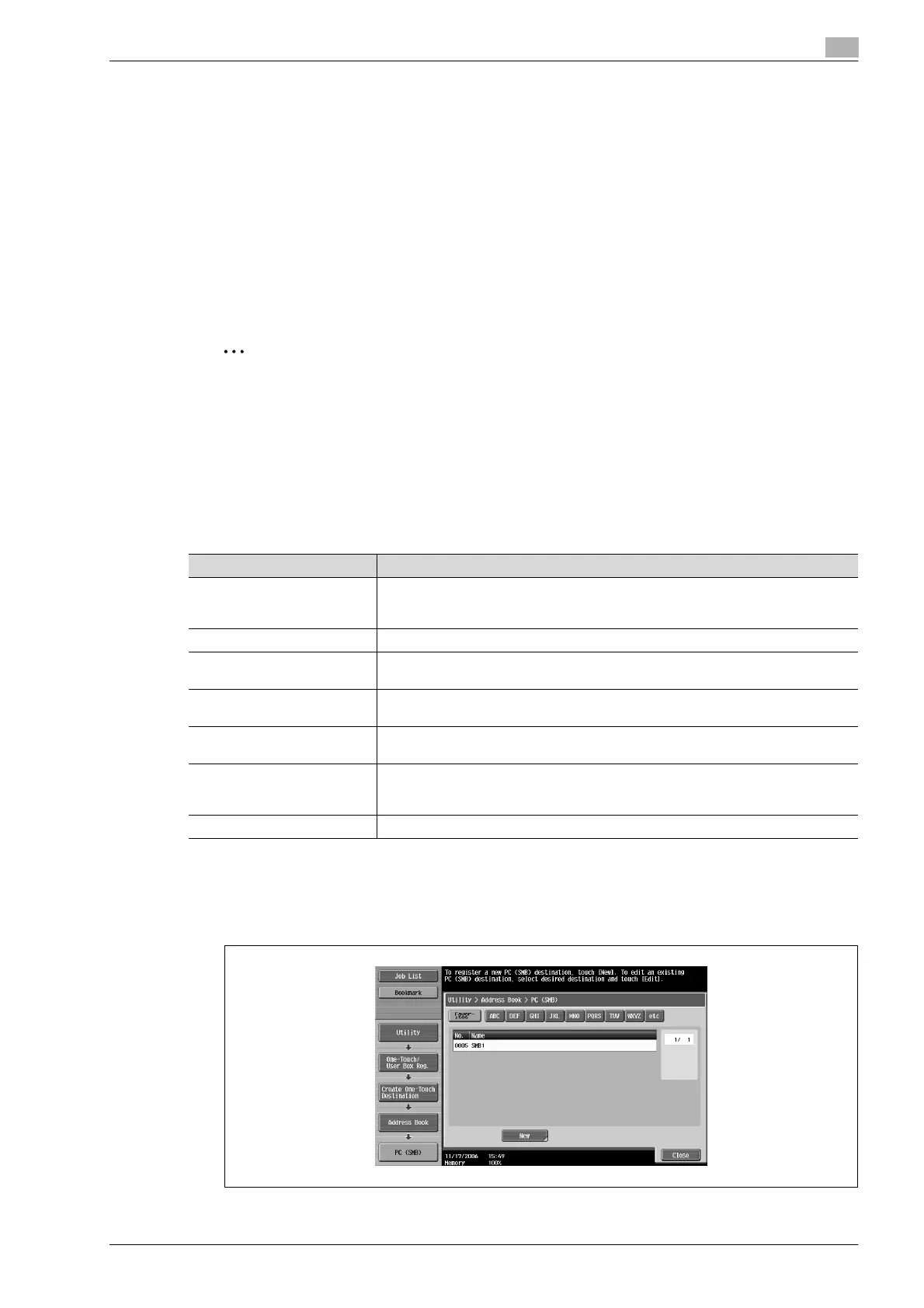
2 Touch [4 PC (SMB)].
The PC (SMB) screen appears.
Parameter Description
No. Type in the registration number (between 1 and 2000) for the address book destina-
tion. When the screen appears, the displayed number is the lowest available
number.
Name Type in a name of 24 characters or less for the registered destination.
Index Select the index characters. For frequently used destinations, touch [Favorites] so
that the destination can be found more easily.
User ID Type in 127 characters or less for the user ID for logging onto the destination com-
puter.
Password Type in 14 characters or less for the password for logging onto the destination com-
puter.
Host Address Type in the host address for the destination computer in the format of a host name,
IPv4 address or IPv6 address.
For a host name, type in 255 characters or less.
File Path Type in 255 characters or less for the path to the saved file.












 To Next Page