2
Copy Operations
2-26 ineo+ 650/550/451
2.10 Feeding the document
The document can be fed in either of the following two ways. Be sure to position the document correctly
according to the type of document being copied.
Loading the document into the ADF
0 Do not load documents that are bound together, for example, with paper clips or staples.
0 For details on the types of documents that can be loaded into the ADF, refer to "Original documents"
on page 2-95.
0 Do not load more than 100 sheets or so many sheets that the top of the stack is higher than the , mark,
otherwise a document misfeed or damage to the document or machine may occur. However, a
document that exceeds 100 pages can be scanned in separate batches. For details, refer to "Scanning
the document in separate batches ("Separate Scan" setting)" on page 2-28.
0 If the document is not loaded correctly, it may not be fed in straight or a document misfeed or damage
to the document may occur.
0 If the document is loaded in any orientation other than with the top of the document toward the back
of the machine, be sure to select the document orientation.
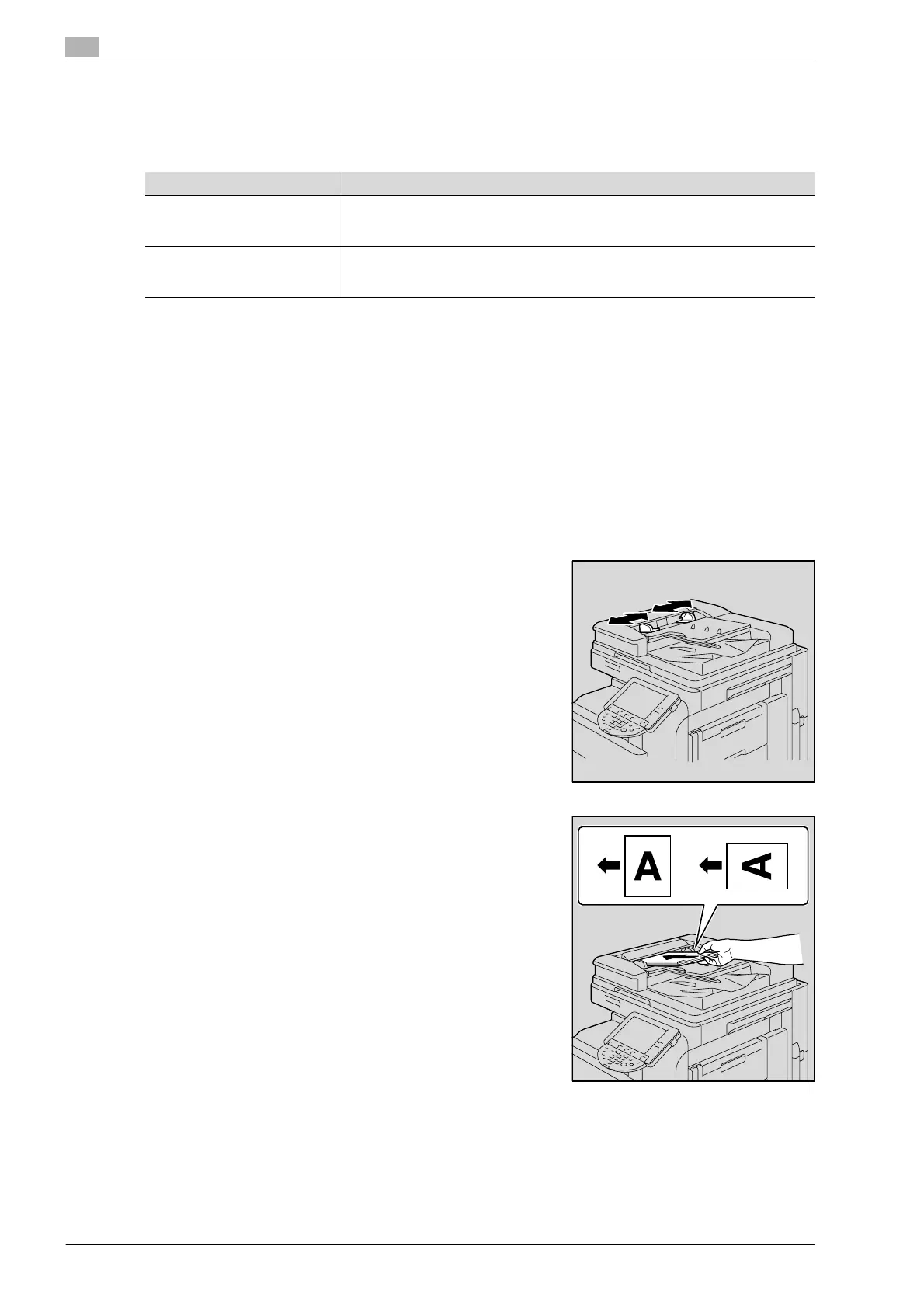
1 Slide the lateral guides to fit the size of the document.
2 Load the document face up in the document feed tray.
– Load the document pages so that the top of the document
is toward the back or the left side of the machine.
Document Feed Method Features
Using the ADF By using the ADF, a multi-page document can be fed automatically, one page at a
time. This feed method can also be used to automatically scan double-sided doc-
uments.
Using the original glass Place the document directly on the original glass so that it can be scanned. This
method is best with books and other documents that cannot be fed through the
ADF.












 To Next Page