5
Network Scanner Operations
5-10 ineo+ 650/550/451
Editing and deleting scan/fax programs
The names of registered Scan/Fax programs can be edited, or the program can be deleted.
1 Press the [Fax/Scan] key in the control panel.
The Fax/Scan mode screen appears.
2 Press the [Mode Memory] key.
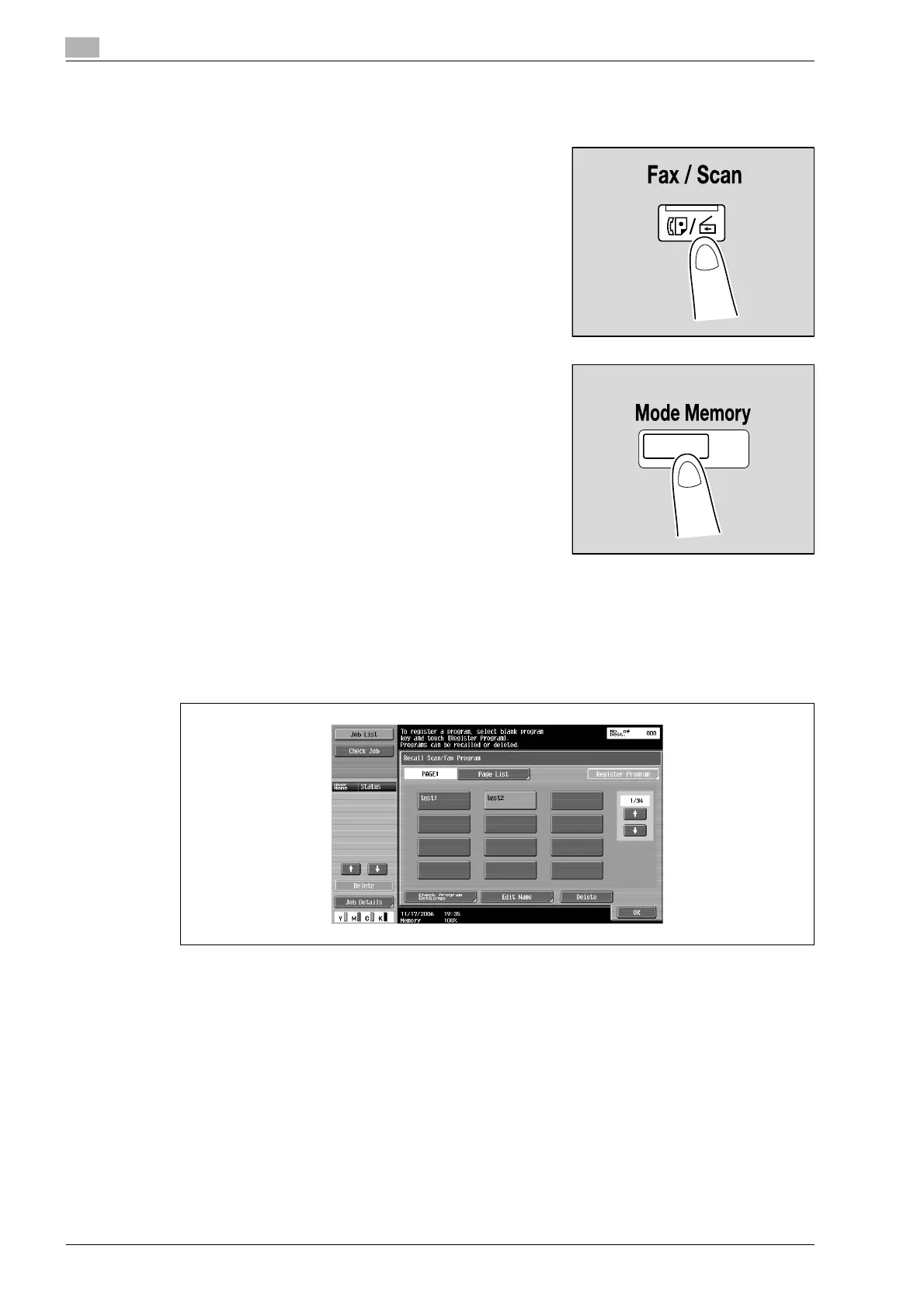
The Recall Scan/Fax Program screen appears.
3 Touch the button for the program to be edited or deleted.
– To check the settings of the selected program, touch [Check Program Settings]. In the Check
Scan/Fax Program Settings screen, select the items to be checked.
– To stop editing or checking a program, press the [Reset] key or the [Mode Memory] key.
– To view a list of the pages, touch [Page List]. From the Page List screen, the name of the page can
be changed.
– To change the name of the selected program, touch [Register Program] and then touch [Name]. Use
the control panel keypad and the keyboard that appears in the touch panel to type in the name of
the program.
– The program name can contain a maximum of 24 characters.












 To Next Page