ineo+ 650/550/451 3-79
Print Operations
3
Selecting a recipient from the phone book
2
Note
To use the phone book, the names and fax numbers of the recipients must be added to the phone book
first. For details, refer to "Adding a recipient to the phone book" on page 3-87.
1 When sending a fax, click the [Add From Phone Book] button in the Fax Transmission Popup dialog
box.
– To open the Fax Transmission Popup dialog box, follow steps 1 to 5 under "Fax operations". For
details, refer to "Fax operations" on page 3-77.
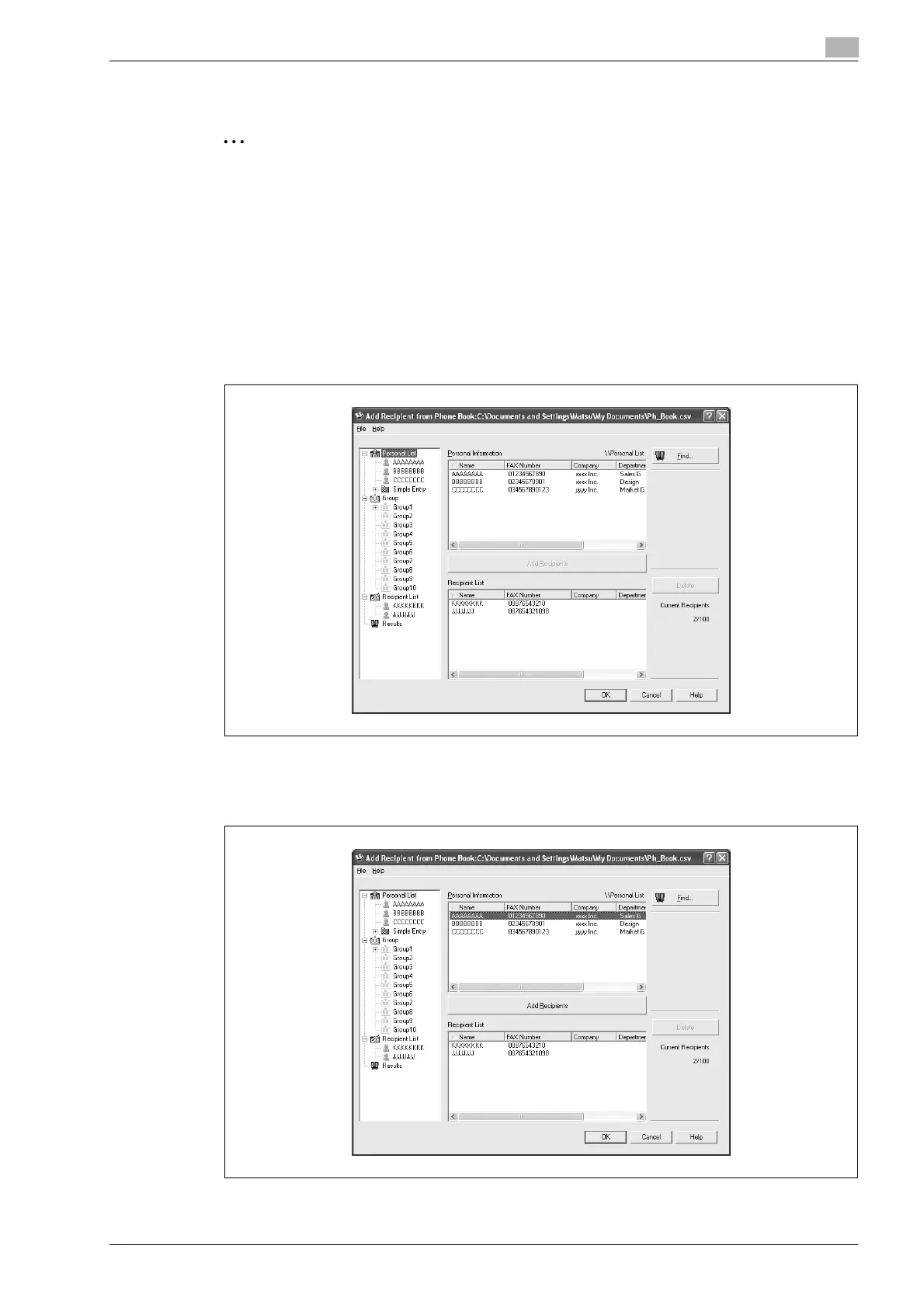
2 Select "Personal List" or "Group" from the list on the left side of the dialog box to display the desired
recipient in "Personal Information".
– Click the [Find] button to specify the conditions to search for a recipient.
3 Select the name of the recipient you want to send a fax to, and then click the [Add Recipients] button.
– Multiple recipients can be added in the same way. Up to 100 recipients can be added.
– To delete a recipient, click the [Delete] button.












 To Next Page