ineo+ 650/550/451 2-43
Copy Operations
2
The following procedure describes how to select a combined copy setting.
Copying multiple document pages onto a single page ("Combined Copy" settings)
If a combined copy setting is selected, specify the position of the binding margin and the loading orientation
for the document, otherwise the copies may not be printed in the desired arrangement.
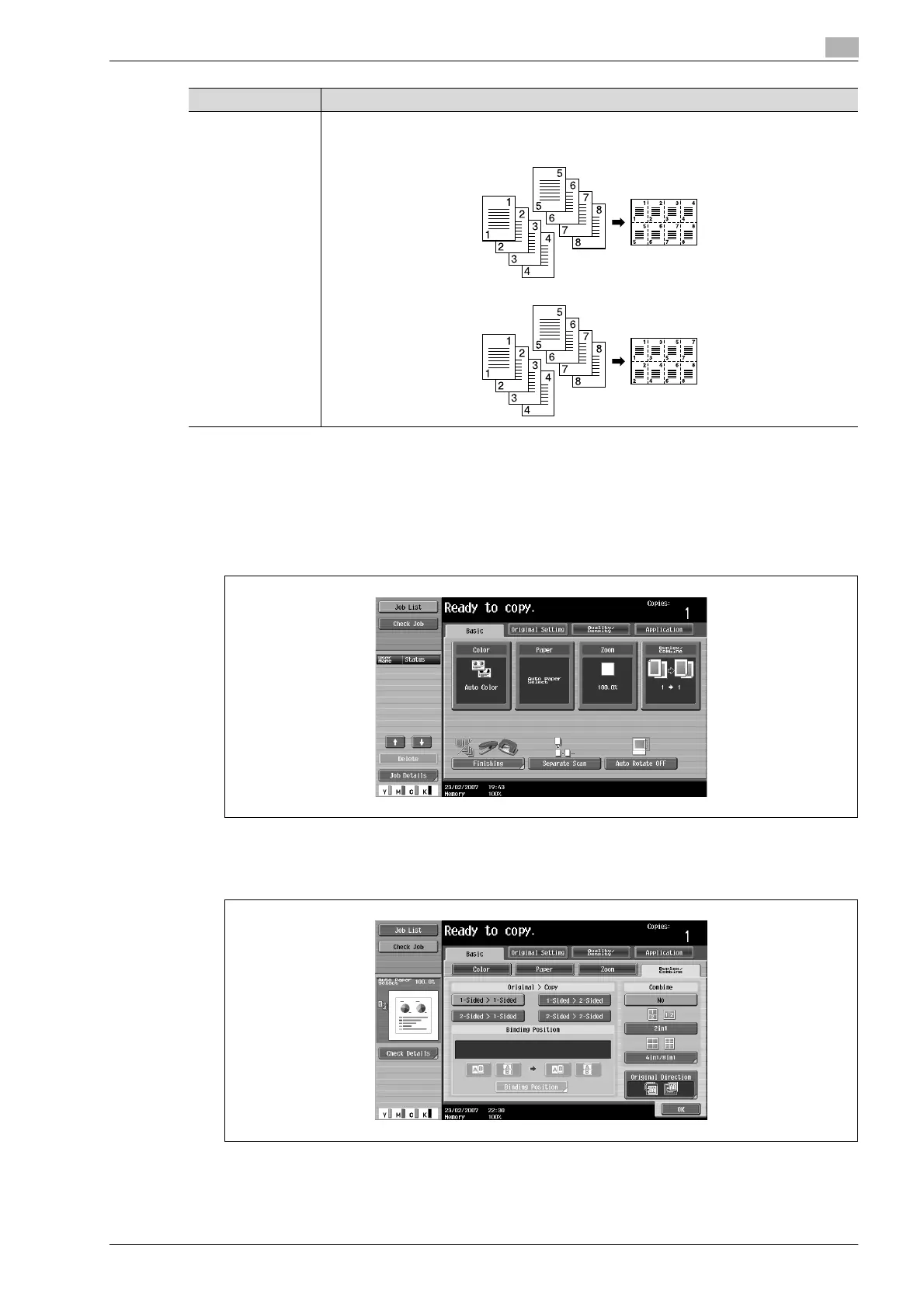
1 In the Basic screen, touch [Duplex/Combine].
The Duplex/Combine screen appears.
2 Select the desired combined copy setting.
8in1 Select this setting to print eight document pages on one page. The page arrangement (Num-
bering Direction setting) can be specified.
Horizontal
Vertical
Setting Description












 To Next Page