3
Print Operations
3-26 ineo+ 650/550/451
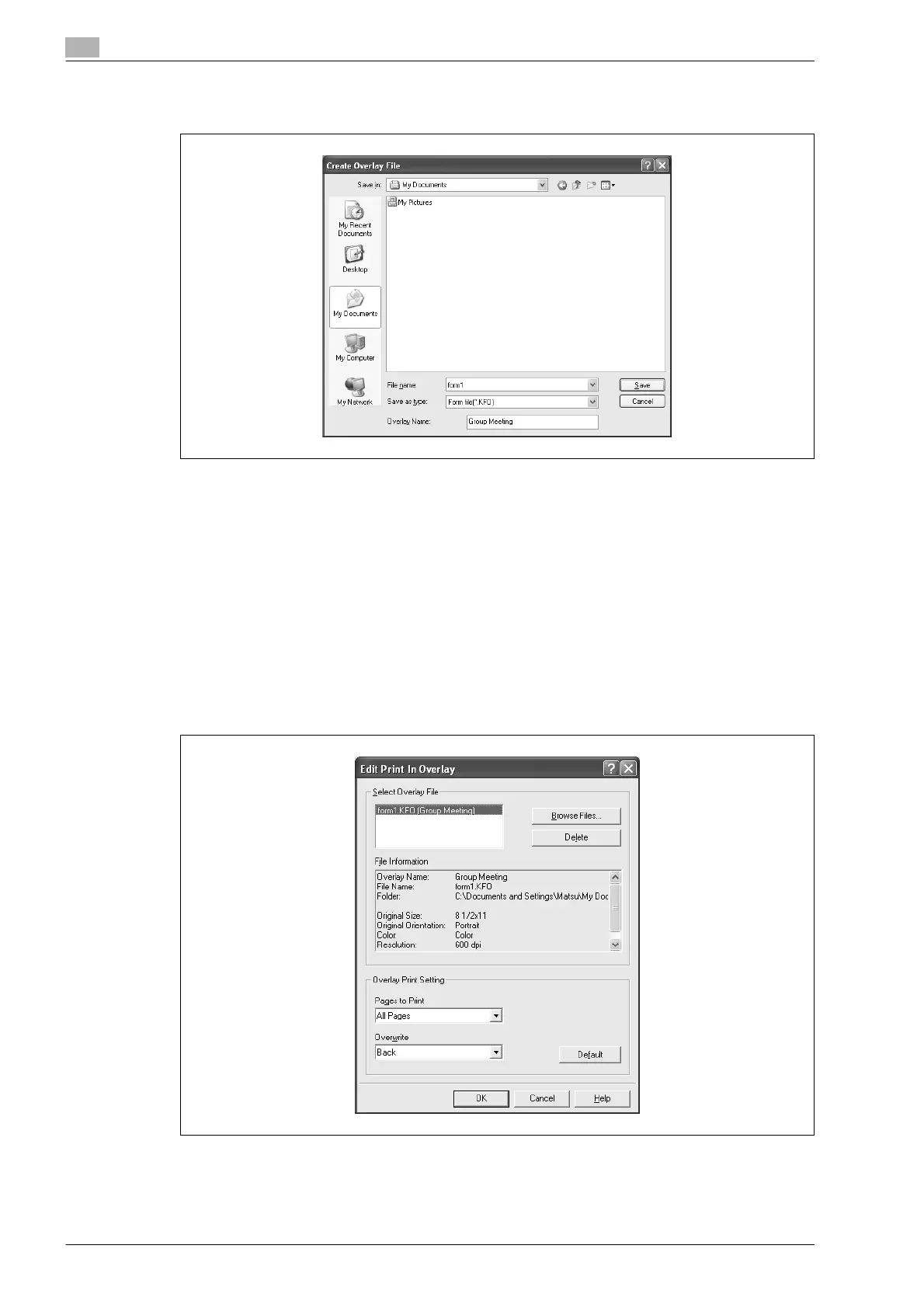
8 Specify the storage location for the overlay file, enter the file name in the "File Name" box, and then
enter the overlay name or a comment in the "Overlay Name" text box.
9 Click the [Save] button.
Instead of executing a print, the overlay file is saved and is added to the list to be used for the next
operation. The file extension is ".KFO".
Registering an overlay file
1 Click the Stamp/Composition tab.
2 Click the [Edit] button under "Print in Overlay".
The Edit Print In Overlay dialog box appears.
3 Click the [Browse Files] button to open the overlay file.
The overlay file is added to the "Select Overlay File" list.












 To Next Page