3
Print Operations
3-30 ineo+ 650/550/451
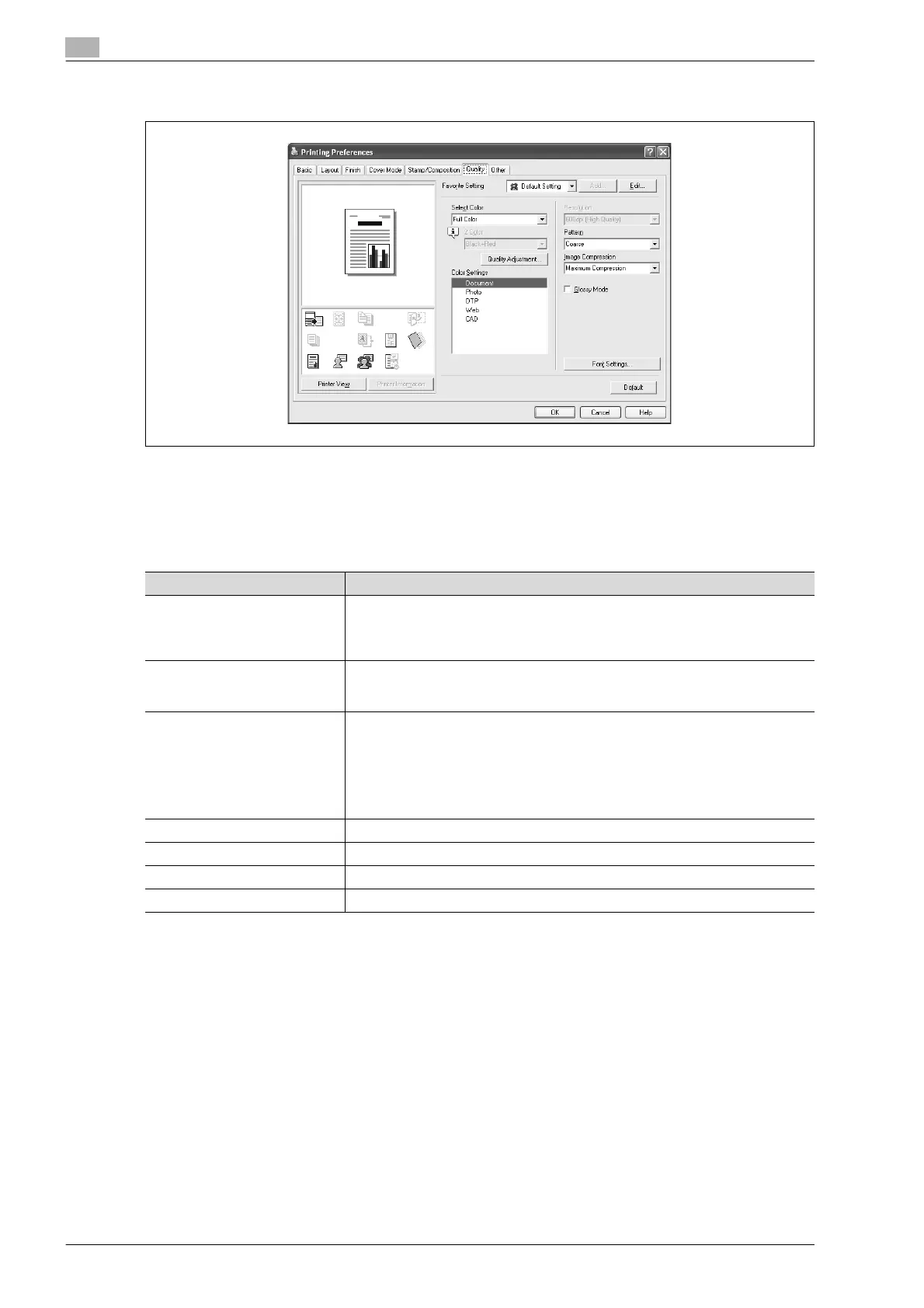
3.7 Specifying the quality tab settings (PCL driver for Windows)
Adjusting the color and quality
1 Click the Quality tab.
2 Specify settings for the following:
Item Function
Select Color Specifies the color for printing.
Full Color: Prints in color.
Grayscale: Prints in grayscale.
2 Color: Prints the two colors selected from the drop-down list.
Quality Adjustment Adjusts the image quality.
Simple: Adjusts the entire document.
Detail: Adjusts the text, photos, and charts of each object in a document.
Color Settings Specifies the contents of the original document. Prints with a quality suitable for
the original document.
Document: Prints with a quality suitable for documents with many characters.
Photo: Prints with a quality suitable for photos.
DTP: Prints with a quality suitable for documents produced using DTP.
Web: Prints with a quality suitable for Web page printing.
CAD: Prints with a quality suitable for CAD data printing.
Resolution Displays the resolution. (The resolution cannot be changed on this machine.)
Pattern Selects the print pattern.
Image Compression Specifies the compression ratio for an image.
Glossy Mode Prints using a gloss finish.












 To Next Page