ineo+ 650/550/451 5-43
Network Scanner Operations
5
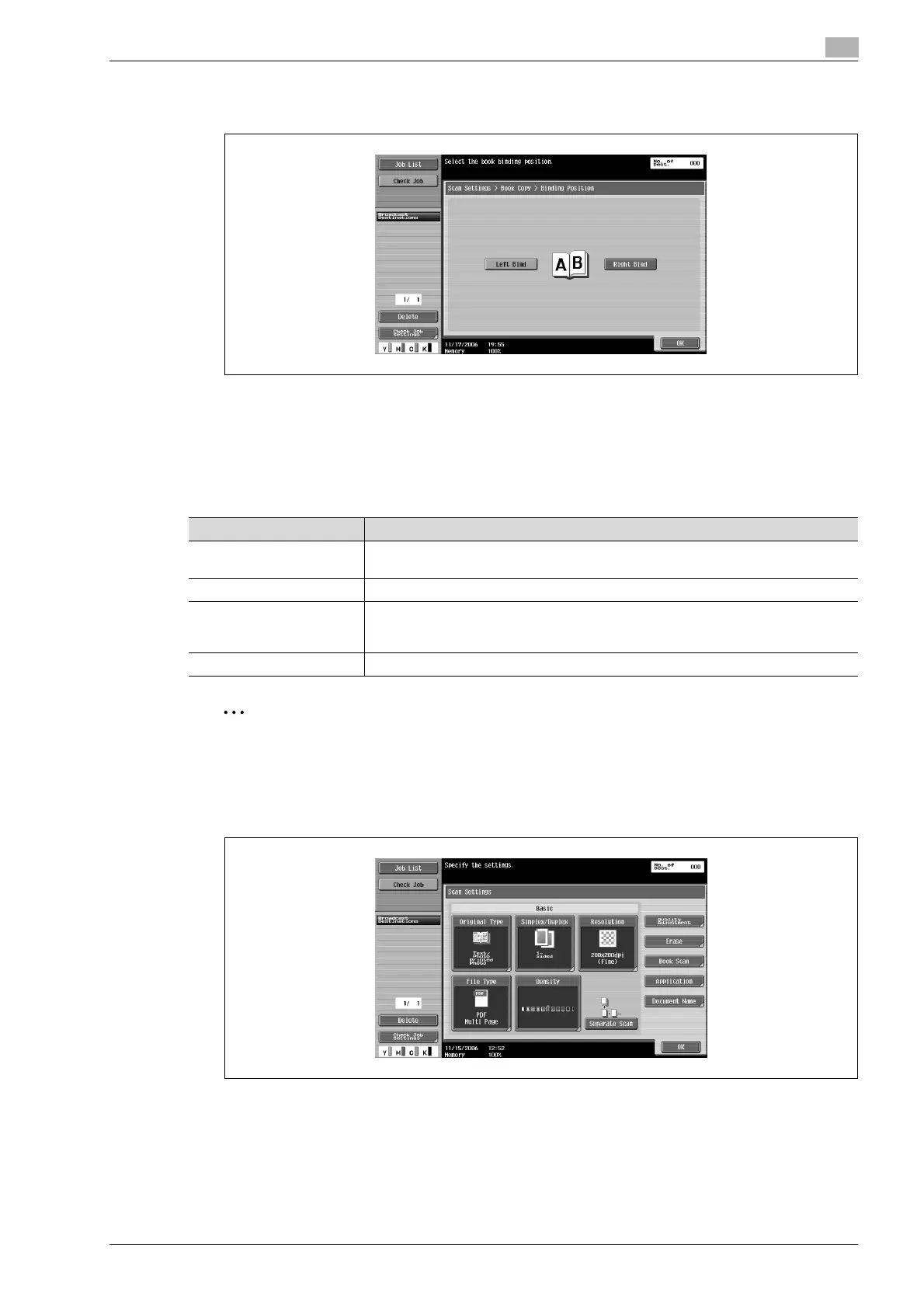
– If "Separation", "Front + Back Covers" or "Front Cover" was selected, touch [Binding Position], and
then select the binding position.
5 Touch [OK], and then touch [OK] in the next two screens that appear.
Scan size (Application)
Select the size of paper that is to be scanned.
The following Scan Size settings are available.
2
Note
If the "Book Scanning" function was set, specify the size of the page spread.
1 Touch [Scan Settings] in the Fax/Scan mode screen.
2 Touch [Application].
Setting Description
Auto Select this setting to detect the size of the first page in the loaded document. When the
"Mixed Original" setting is not selected.
Standard sizes Select a preset paper size (such as letter or 11 e 17 (A4 or B5)) and orientation.
Custom Size Type in the dimensions of a custom size that is not available as a preset size. The size
in the X direction can be set between 30 and 432 mm, and the size in the Y direction
can be set between 30 and 297 mm.
Photo Size 9 e 13 and 13 e 18 mm sizes can be selected.












 To Next Page