3
Print Operations
3-44 ineo+ 650/550/451
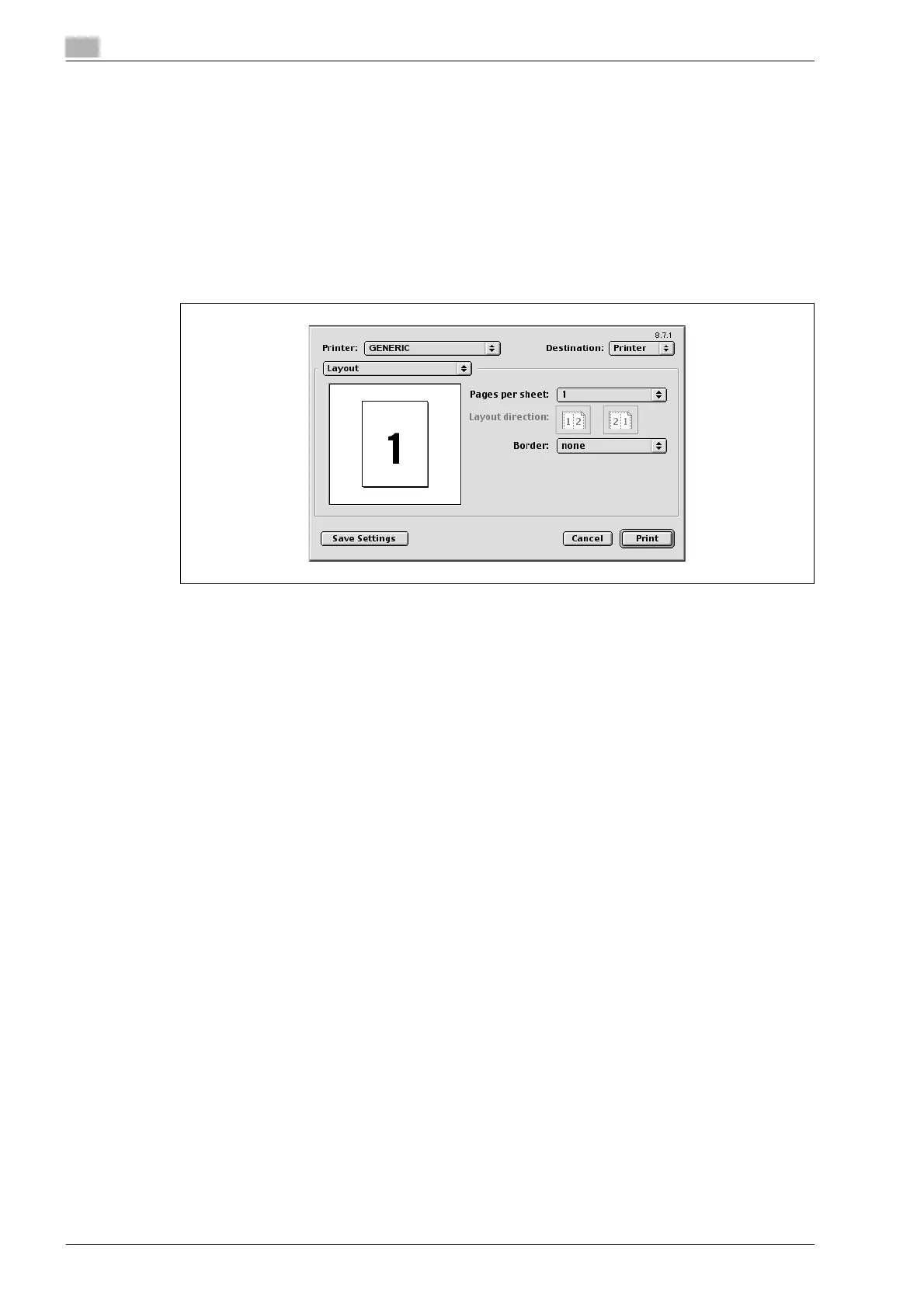
Layout (printing multiple pages on one page)
You can specify to print multiple pages on one page.
1 From the [File] menu, select "Print".
2 Select "Layout".
3 Specify settings for the following:
– Pages per sheet: Specifies the number of pages to print on one page.
– Layout direction: Specifies the page order for printing multiple pages on one page.
– Border: Specifies the borders around pages.
Printer specific options (Finishing options)
You can specify printer-specific options. You can specify these options when using the staple or hole punch
functions of this machine.
1 From the [File] menu, select "Print".
2 Select "Finishing Options".
3 Specify settings for the following:
– Offset: Specifies offset.
– Output Tray: Selects the output tray.
– Binding Direction: Specifies the binding position.
– Print Type: Performs duplex printing.
– Combination: Performs booklet printing.
– Staple: Performs stapling.
– Punch: Performs hole punching.
– Fold: Performs folding.
– Front Cover: Attaches a front cover page.
– Front Cover Tray: Selects the paper tray for the front cover.
– Back Cover: Attaches a back cover page.
– Back Cover Tray: Selects the paper tray for the back cover.
– PI Front Cover: Attaches a front cover from the post inserter.
– PI Back Cover: Attaches a back cover from the post inserter.
– Transparency Interleave: Inserts interleaves between overhead projector transparencies.
– Interleave Tray: Selects the paper tray for the transparency interleaves.
– Output Method: Stops printing temporarily after part of the document has been printed so that the
proof print can be checked.
– Resolution: Specifies the resolution.
– Select Color: Specifies whether to print in color or grayscale.
– Glossy Mode: Prints using a gloss finish.
– Color Settings: Prints with a quality suitable for the original document.
– Color Matching (Text): Adjusts the color quality of the text in a document.
– Pure Black (Text): Specifies whether to enable grayscale of the text in a document.
– Screen (Text): Specifies screening of the text in a document.
– Color Matching (Photo): Adjusts the color quality of photos in a document.












 To Next Page