ineo+ 650/550/451 3-27
Print Operations
3
2
Note
By clicking the [Delete] button in the Edit Print In Overlay dialog box, the selected overlay file can be
deleted from the overlay file list. The file itself is not deleted.
Printing with copy protection
You can print a special pattern on an entire page while printing.
When copying a printed page, the characters embedded in the pattern appear to prevent an illegal copy.
1 Click the Stamp/Composition tab.
2 Select the "Copy Protect" check box.
3 Click the [Edit] button under "Copy Protect".
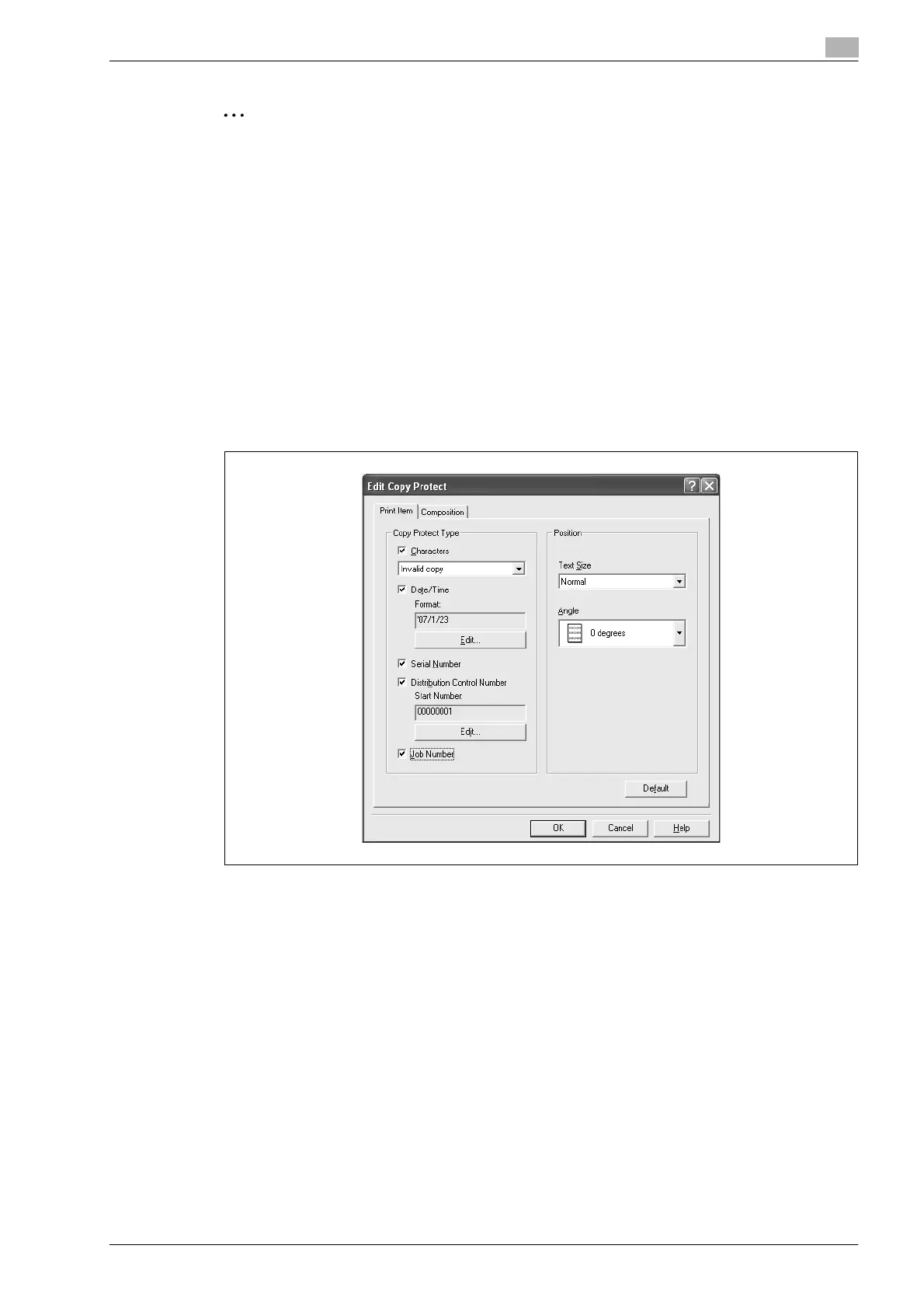
The Edit Copy Protect dialog box appears.
4 Specify the copy protection type and the position.
Multiple print items can be specified.
– Characters: Embeds the selected character string in a pattern. A preregistered character string
(common stamp) or a character string registered on this machine (registered stamp) can be
specified.
– Date/Time: Embeds the selected date and time in a pattern. By clicking the [Edit] button under
"Format", you can specify the display type or the time format.
– Serial Number: Embeds the serial number of this machine in a pattern.
– Distribution Control Number: Embeds the number of copies in a pattern when printing multiple
copies. By clicking the [Edit] button under "Start Number", you can specify the start number or the
display type.
– Job Number: Embeds the print job number in a pattern for documents that are automatically
paginated.
– Text Size: Specifies the text size of a pattern.
– Angle: Specifies the pattern angle.












 To Next Page