5
Network Scanner Operations
5-38 ineo+ 650/550/451
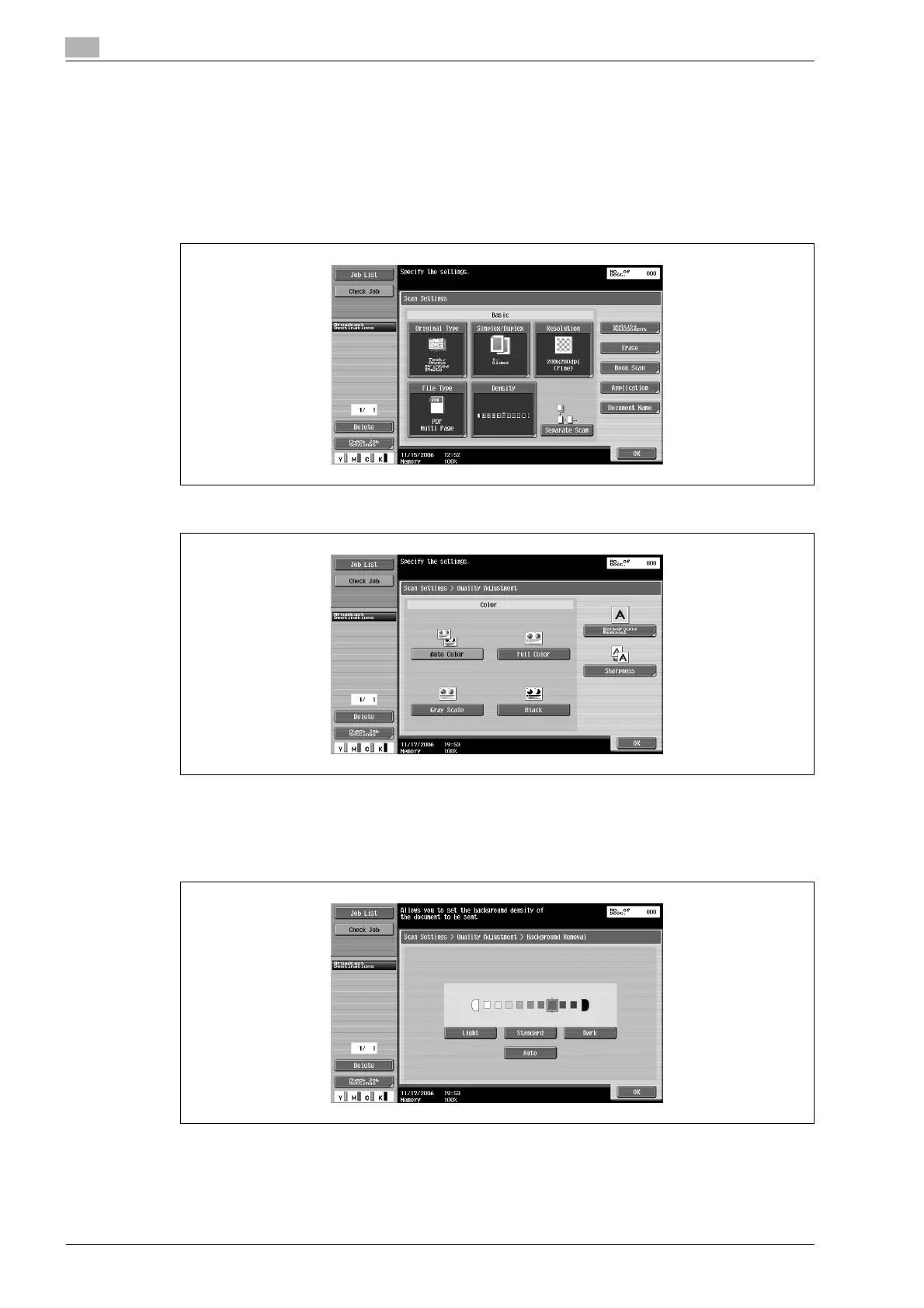
Background removal (Quality adjustment)
The scanning density of the document background can be adjusted. When documents printed on colored
paper are scanned in color, the background may become black. In that case, the density of the background
can be adjusted.
1 Touch [Scan Settings] in the Fax/Scan mode screen.
2 Touch [Quality Adjustment].
3 Touch [Background Removal].
4 Adjust the density of the background.
– To adjust the density automatically, touch [Auto].
– To adjust the density, touch [Light] or [Dark].
– To select the default setting, touch [Standard].
5 Touch [OK], and then touch [OK] in the next screen that appears.












 To Next Page