2
Copy Operations
2-28 ineo+ 650/550/451
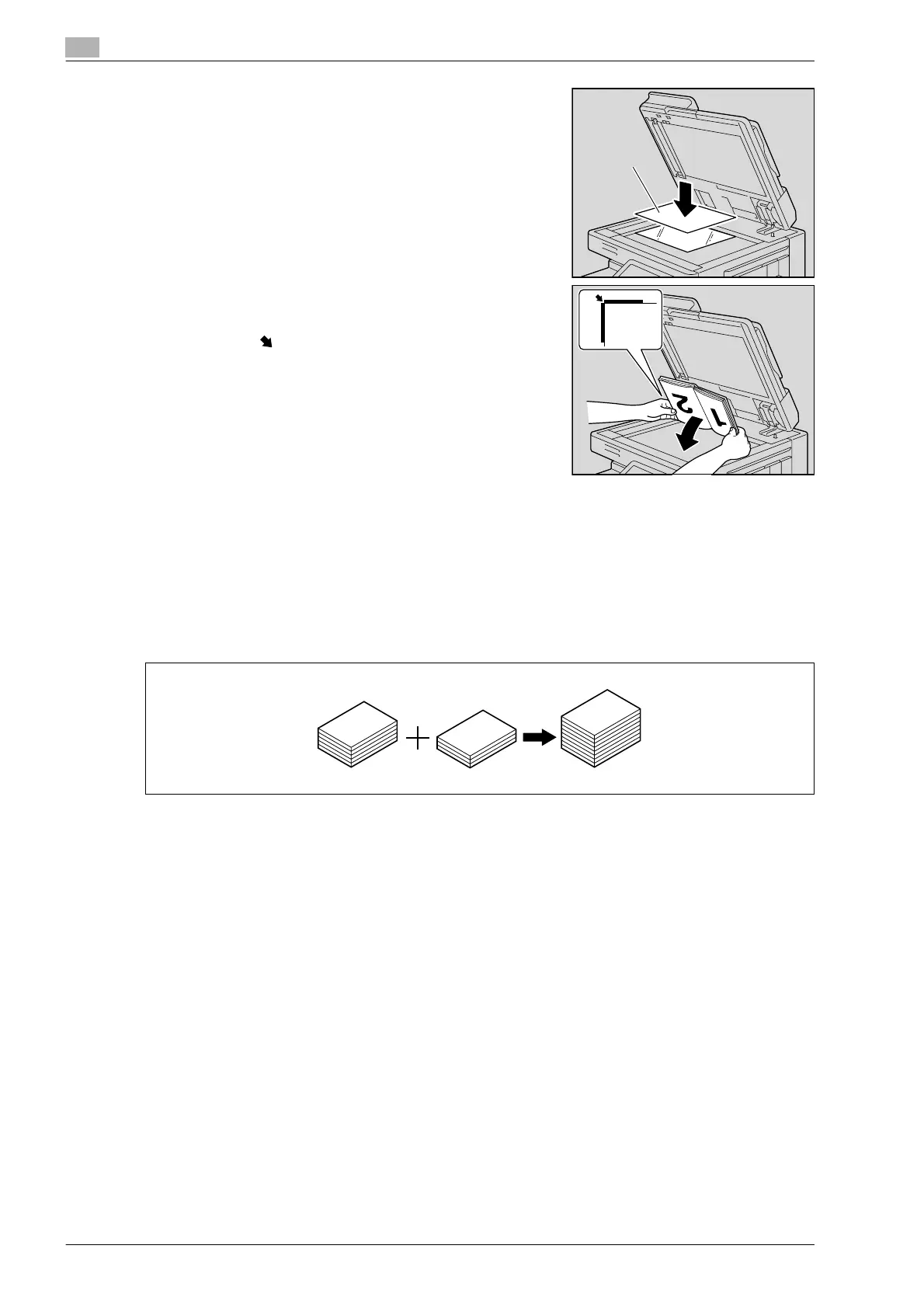
– For transparent or translucent documents, place a blank
sheet of paper of the same size as the document over the
document.
– For bound documents spread over two facing pages, such
as a book or magazine, position the top of the document
toward the back of this machine and align the document
with the mark in the back-left corner of the document
scales, as shown.
4 Close the ADF if it is installed.
Scanning the document in separate batches ("Separate Scan" setting)
A large document can be divided and scanned in a number of batches.
A maximum of 100 document pages can be loaded into the ADF at one time. However, by copying with the
"Separate Scan" setting, a document that exceeds 100 pages can be scanned and treated as a single copy
job. In addition, the scanning location can be switched between the original glass and the ADF during the
scanning operation.
0 The loading capacity of the ADF is 100 sheets of plain paper (80 g/m
2
) or 38 sheets of thick paper
(210 g/m
2
).
0 The output method used with the "Separate Scan" setting can be set to "Page Print" or "Batch Print".
As a default, "Batch Print" is selected.
Blank sheet
of paper












 To Next Page