3
Print Operations
3-16 ineo+ 650/550/451
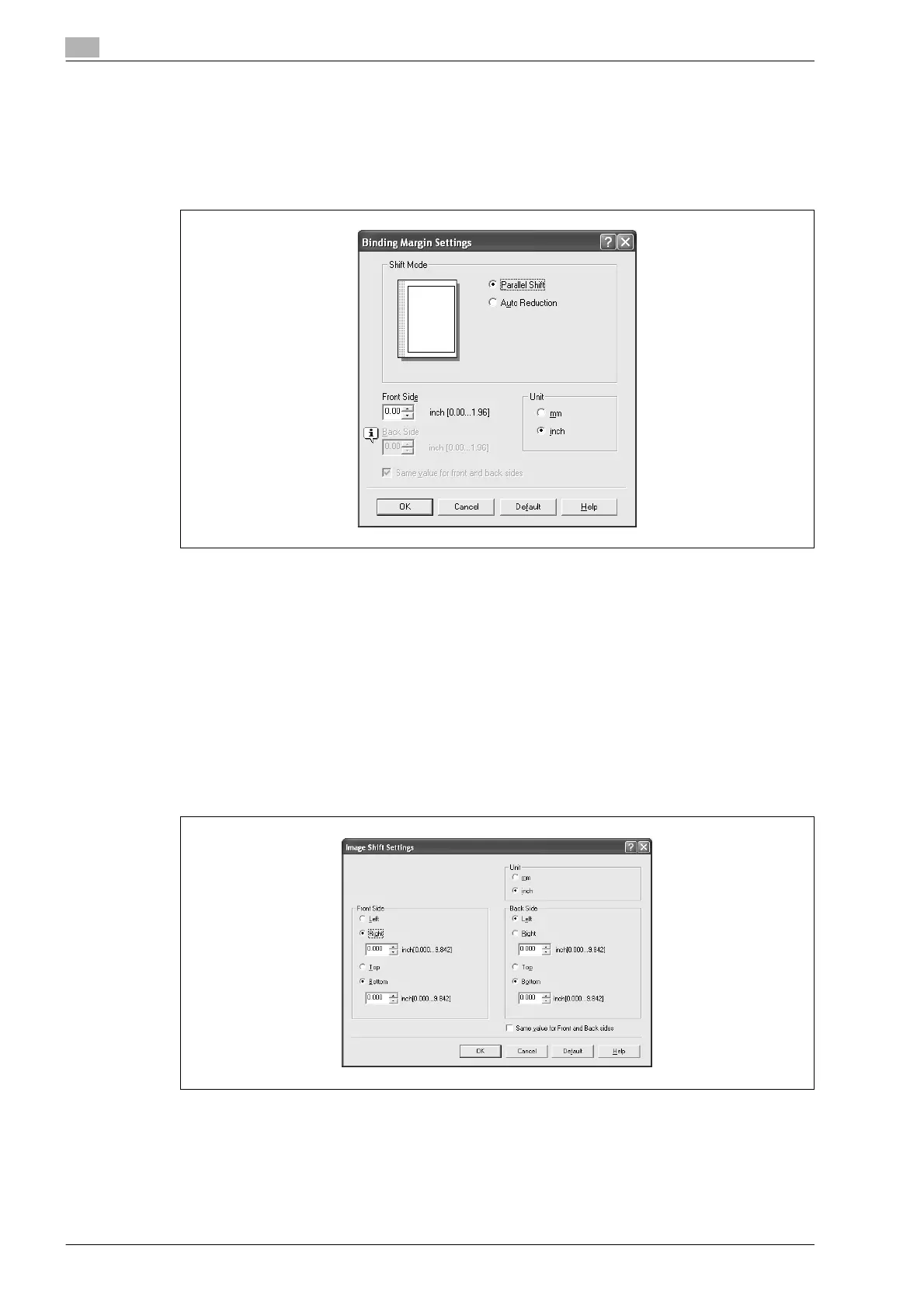
4 To set the width of the binding margin, click the [Binding Margin Settings] button, and then specify the
desired settings in the Binding Margin Settings dialog box that appears.
– Shift Mode: To add a binding margin, select how the image is to be shifted.
– Front Side/Back Side: Sets the binding margin values. By clearing the "Same value for front and
back sides" check box, you can specify separate values for the front and back sides.
– Unit: Selects the measurement unit that specifies the size.
Shifting images
The entire print image of a document is shifted and then printed. You can use this function when you want to
adjust the print position.
1 Click the Layout tab.
2 Select the "Image Shift" check box.
3 To set the image shift settings, click the [Image Shift Settings] button, and then specify the desired
settings in the Image Shift Settings dialog box that appears.
– Unit: Selects the measurement unit that specifies the size.
– Front Side/Back Side: Specifies the shift direction and sets the values. By clearing the "Same value
for Front and Back sides" check box, you can set separate values for the front and back sides.












 To Next Page